Coming in IT Portal 4.6.41 · Q4 2026
Overview
Passwords are the weakest link in most breaches - reused, guessed, or handed over on a convincing fake login page. Passkeys fix that at the root, and IT Portal now supports them end to end.
Your IT Portal password manager can now save and use passkeys right alongside your usernames, passwords, and one-time codes. When a website offers passwordless sign-in, you store the passkey in IT Portal, then log in later with a single approval. There is no shared secret to steal, so the entire class of password phishing and credential-stuffing attacks simply does not apply.
Why passkeys matter
- Phishing resistant by design. A passkey only works on the real site it was created for. A lookalike login page gets nothing.
- Nothing to reuse or leak. There is no password sitting in a database waiting to be dumped. Each passkey is unique to one site.
- Faster sign-in. Approve with a tap instead of typing a password and a code.
- Backed by the whole industry. Passkeys are supported across the major browsers and platforms, and adoption is accelerating everywhere.
Save a passkey to your vault
When a site offers a passkey, IT Portal steps in and asks where you want to keep it. It automatically suggests matches for the site you are on, and you can search to file it against the exact account, device, or configuration it belongs to - or your personal My Passwords list.
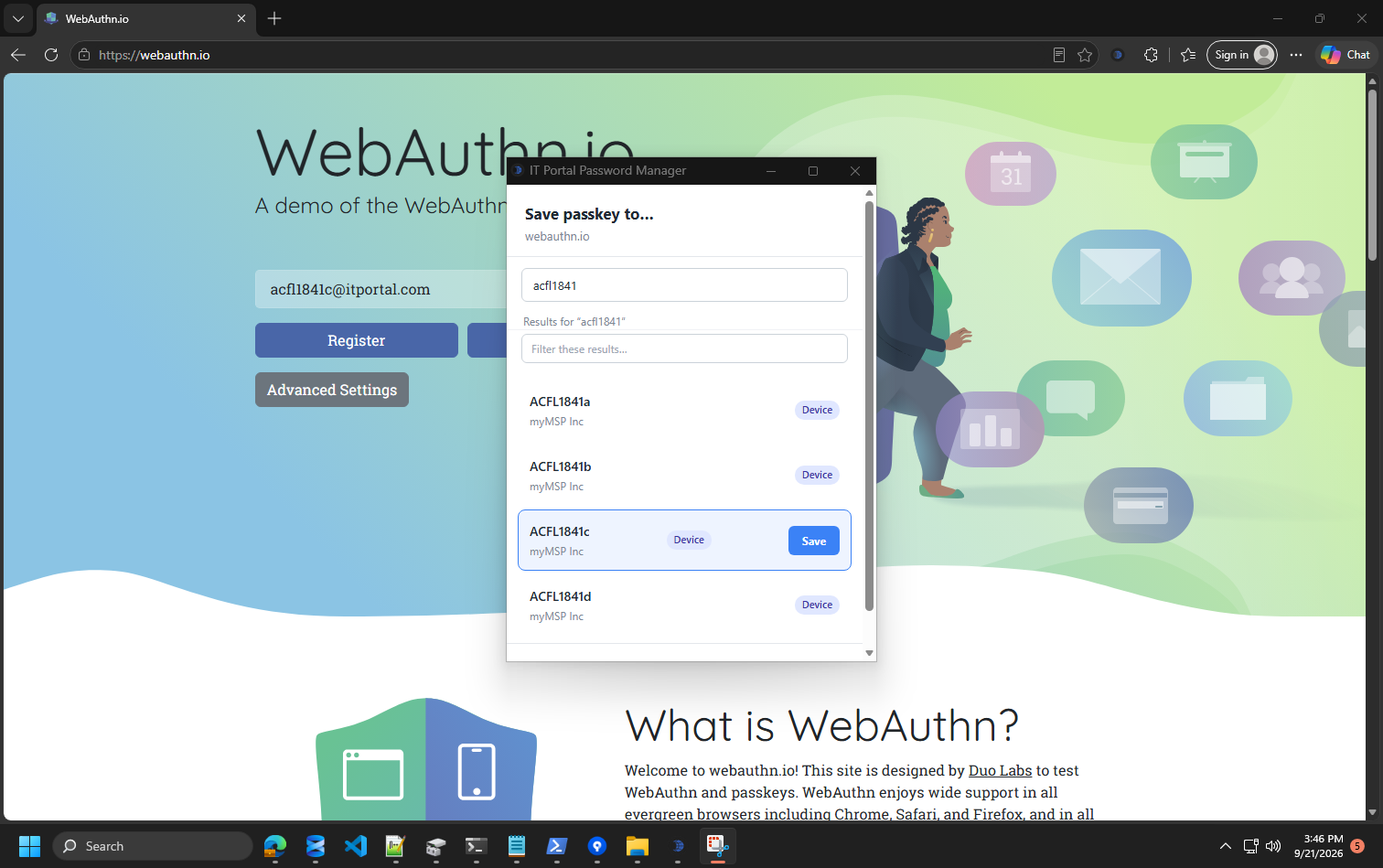
Because the passkey lives on the object it protects, your team sees it exactly where they already look for that system's credentials. No separate silo, no guessing which login it belongs to.
Sign in with a single approval
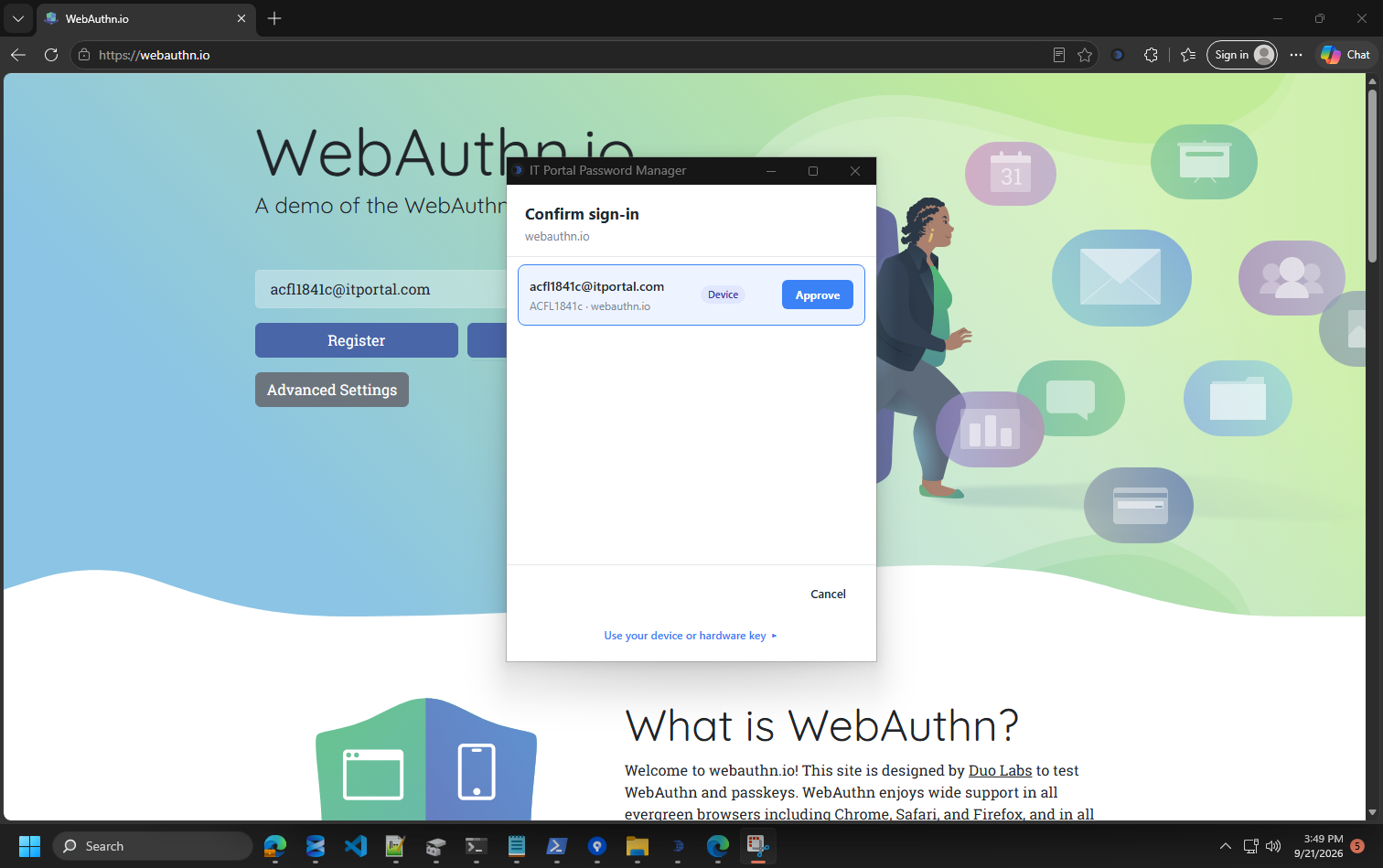
Next time you visit the site, IT Portal offers to complete the sign-in for you. You confirm it is really you, approve, and you are in. You are always in control of the moment - and if you would rather use your device or a hardware key instead, that option is one click away.
Built into the vault you already trust
Passkeys inherit everything that already makes IT Portal credentials safe:
- The same role and company based access controls decide who can use them.
- They live next to the passwords, notes, and 2FA for the same system, so there is one place to look.
- Every use is captured, so you keep a clear record of who accessed what.
Availability
Passkey support arrives in IT Portal 4.6.41 (Q4 2026). It works in the IT Portal browser extension for Chrome and Edge, with mobile support for iOS and Android on the way so your team can go passwordless from any device.
Ready to retire shared passwords for good? Passkeys in IT Portal make passwordless the easy choice for your whole team.
For the technical details, setup steps and troubleshooting, see the knowledge base article Passkeys in IT Portal.


