The real trigger for a software decision is rarely “we need a tool.” It's a growth pain point: missed SLAs, onboarding delays, or the risk of losing a technician who's carrying too much undocumented knowledge in their head.
Maybe you just hired five new technicians and each one is being onboarded a little differently, because nothing is written down consistently. Maybe you signed three new clients last quarter and your documentation still hasn't caught up. Maybe your team is juggling one tool for tickets, another for passwords, and a spreadsheet for assets - and nobody's sure which version is current anymore. Or maybe the senior tech who's been with you for six years, the one who "just knows" which client has which setup, is starting to talk about moving on.
None of these are software problems on their own. But they're usually the moment an MSP starts looking for one.
This isn't a general buyer's guide - that's covered in our MSP software overview. This is a decision framework for one specific moment, and specifically for evaluating a documentation platform: the point where you're adding MSP headcount, onboarding new clients faster, and your current process is starting to crack.
The Real Cost of Choosing Reactively
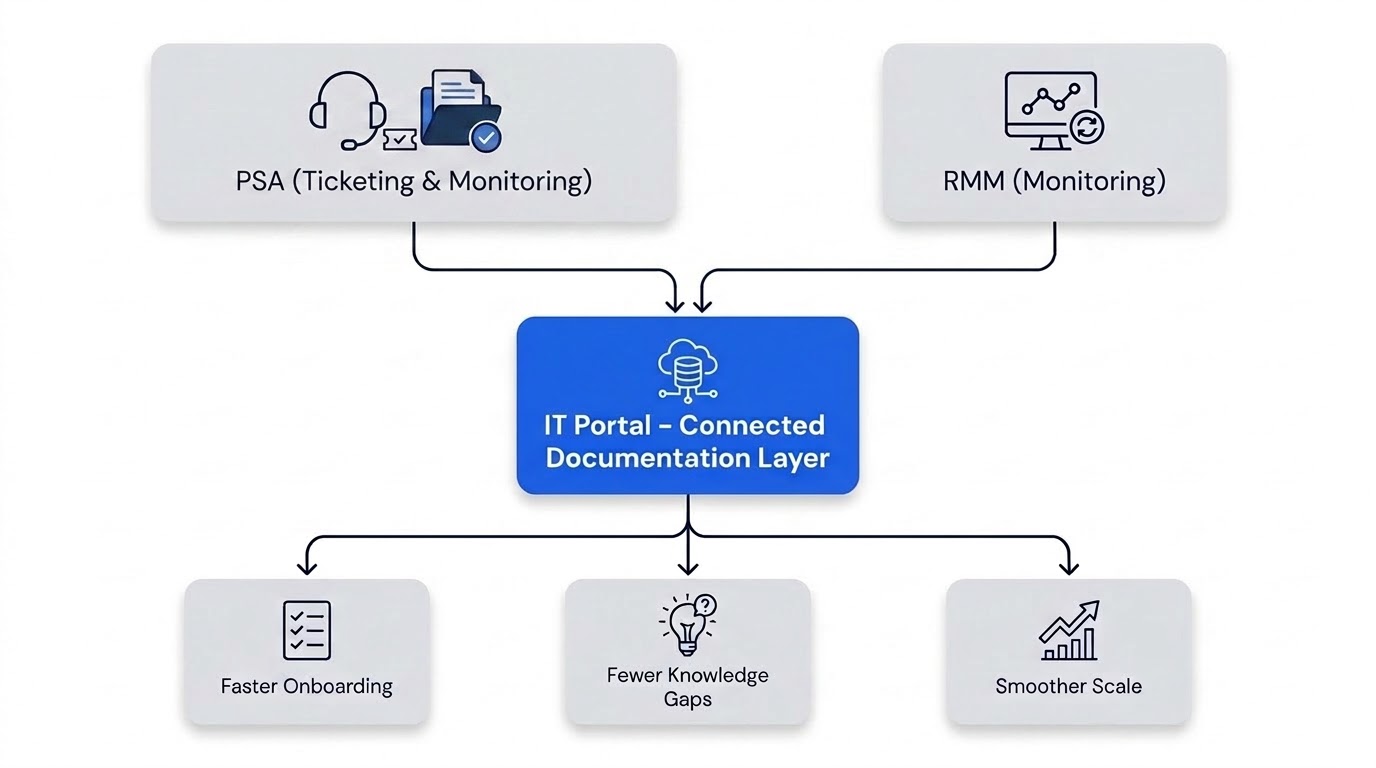
Most tool sprawl starts innocently: one platform for tickets, another for passwords, a spreadsheet for assets. Each decision solved one problem at the moment it appeared.
The cost shows up later, as integration debt. Every disconnected tool means more manual syncing, and that overhead compounds with every client you add - not linearly, but faster, because each new tool adds another sync point, and more sync points means more places for data to drift out of alignment at once.
Your PSA manages tickets. Your RMM monitors systems. IT Portal gives your team the structured documentation, credentials, assets, SOPs, and client context behind the work - it's not trying to replace either of them, it's the layer that connects to both.
4 Criteria That Matter More at Scale
Feature checklists work fine at a small scale. At a growth inflection point, these four criteria matter more than any feature list:
| Criterion | Ask This | Why It Matters at Scale |
|---|---|---|
| Scalability | Flat or per-seat pricing? Any data volume limits? | Re-platforming mid-growth costs more than the platform itself |
| Integration | Does it connect natively to your PSA and RMM? | Manual syncing compounds with every client you add |
| Time-to-Value | Does it shorten or lengthen new-hire ramp-up? | Onboarding drag multiplies across every hire you make |
| Lock-In Risk | How hard and costly is data export later? | Today's convenient choice is tomorrow's migration project |
A Simple Evaluation Exercise
Before comparing vendors, weight these four criteria by what actually matters to your business right now. A team scaling technician headcount fast should weight time-to-value highest. A team locked into a specific PSA should weight integration highest.
→ Try This
Score each criterion 1–5 based on how much it matters to your specific growth plan, then score each vendor against that weighting, not the other way around. This is the same logic behind our Vendor Comparison Checklist, built for exactly this exercise.
Choose the Platform, Not Just the Feature List
Reactive tool choices are the norm; they're rarely wrong on day one. They become expensive at the exact moment your MSP starts to scale - when the tenth new client asks for the same documentation the first nine got, or when a technician's laptop needs to be reassigned and nobody can find the credentials they need to do it.
IT Portal is built around this exact framework:
- Pricing designed to scale with your team without forcing a re-platform
- Integrations that connect with common PSA and RMM tools, so teams aren't re-entering the same data twice
- Structured templates built to help new hires find what they need faster
- Data export options if you ever need to move platforms
Before You Choose a Documentation Platform, Ask:
- Will it scale with our team and clients?
- Does it connect with our PSA and RMM?
- Can new technicians find what they need quickly?
- Can we export our data if we need to migrate later?
- Does it reduce scattered documentation across tools?
Ready to evaluate with the right criteria?
Explore IT Portal's Features: itportal.com/features
Book a live demo: https://www.itportal.com/more/live-demo/


