For MSPs and IT teams, asset documentation should do more than list devices.
A device name alone does not give technicians enough context to troubleshoot, support, or make informed decisions. When a ticket comes in, your team needs to understand what the asset is, who is responsible for it, where it lives, how it is configured, and what other records are connected to it.
If technicians have to guess those details, support slows down.
Strong asset documentation gives the team a clear starting point. It reduces unnecessary searching, improves handoffs, and helps technicians support client environments with more confidence.
Here are five asset details your team should never have to guess.
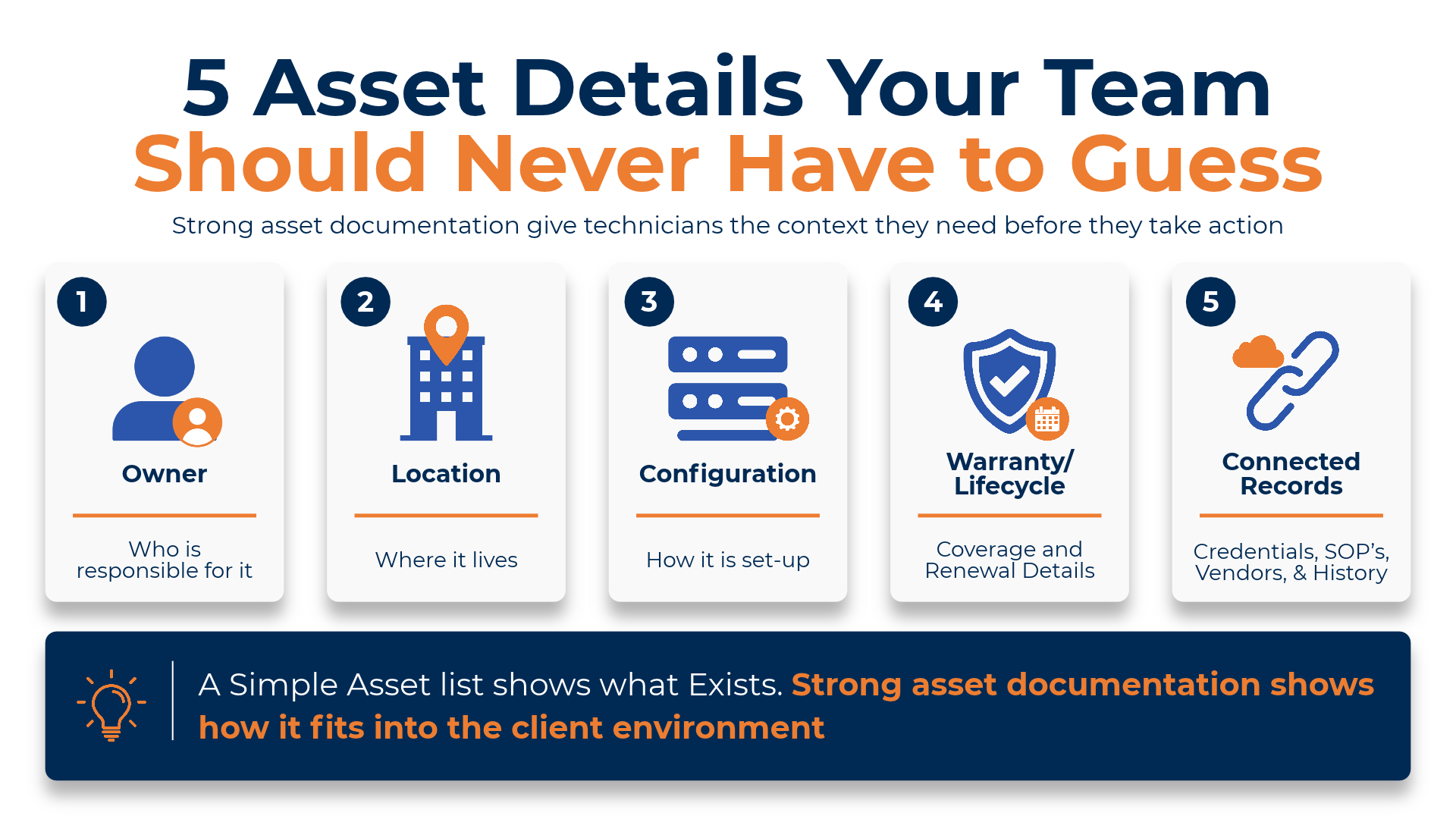
1. Who Owns the Asset?
Every asset should have a clear owner.
That may be a client contact, internal user, department, location manager, or responsible technician. Without ownership, the team may not know who to notify, who can approve changes, or who should be contacted when something needs attention.
For example, if a laptop, server, firewall, or software account creates an issue, the technician should not have to ask around to figure out who it belongs to.
Ownership helps answer important questions like:
- Who uses this asset?
- Who is responsible for it?
- Who should approve changes?
- Who needs to be notified if there is an issue?
When ownership is documented clearly, support becomes easier to coordinate and accountability becomes easier to maintain.
2. Where the Asset Is Located
Location matters, especially for MSPs managing multiple clients, offices, sites, or remote environments.
A technician should be able to see where an asset belongs without digging through old notes or ticket history. This could include the client site, office, department, room, rack, user assignment, or remote location.
Location details help technicians understand the environment faster. For example, if a printer is down, a switch is affected, or a workstation is creating repeated issues, the technician needs to know where that asset sits and what part of the client environment it supports.
Without clear location details, teams can waste time confirming basic information before they can even begin solving the issue.
3. How the Asset Is Configured
Configuration details are one of the most important parts of useful asset documentation.
A device record should help the technician understand how the asset is set up, what role it plays, and what details may affect troubleshooting. Depending on the asset, configuration details may include:
- Device role
- Operating system
- IP address
- Network details
- Installed software
- Custom settings
- Related services
- Dependencies
- Client-specific notes
This matters because two assets with the same name or type may be configured very differently. A technician supporting a firewall, server, access point, or workstation needs more than a label. They need enough context to understand what they are working with before making changes.
Clear configuration documentation helps reduce guesswork and supports more consistent service.
4. Warranty and Lifecycle Details
Warranty information should be easy to find.
When something fails, your team should not have to search emails, invoices, or vendor portals just to know whether the device is still covered. Documented warranty and lifecycle and expiration details can help answer questions like:
- Is the asset still under warranty?
- When does coverage expire?
- Who is the vendor?
- Is replacement coming up soon?
- Is the device nearing end of life?
- Should the client be advised about renewal or replacement?
This is especially useful for MSPs that want to be more proactive. Instead of reacting only when something breaks, your team can help clients plan ahead - supporting better conversations around replacements, renewals, budgeting, and long-term IT planning.
5. What Records Are Connected to the Asset
An asset does not exist in isolation.
It may be connected to credentials, SOPs, vendors, service history, contracts, tickets, configuration notes, or other devices. Those related records should be easy to find from the asset record itself.
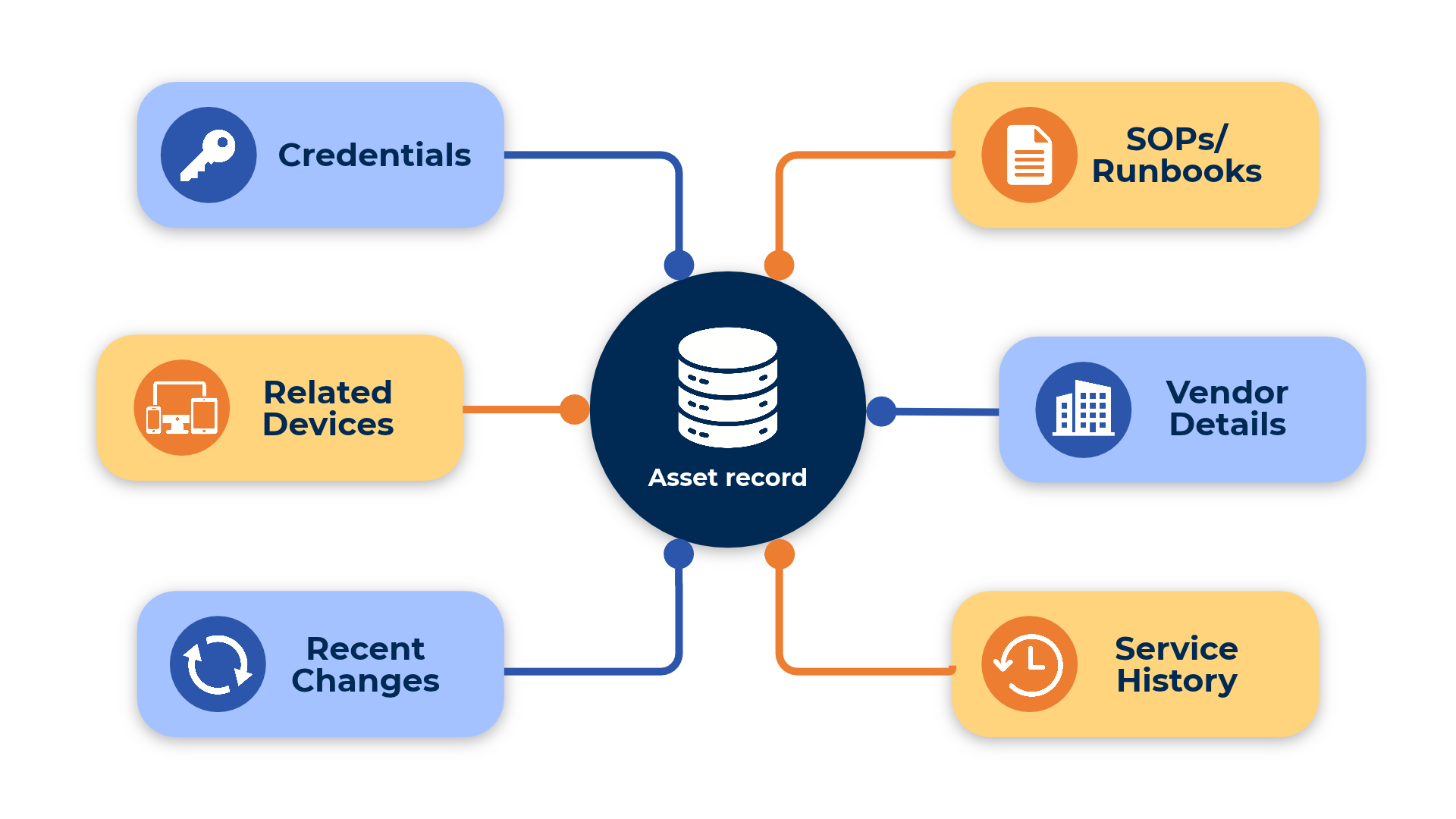
For example, if a technician opens a server record, they may also need:
- Related credentials
- Backup procedures
- Vendor contact details
- Recent changes
- Support history
- Linked SOPs or runbooks
- Related devices or dependencies
When related records are disconnected, technicians have to jump between tools, folders, tickets, and messages just to build the full picture. Connected documentation helps technicians move from asset visibility to action.
The goal is not just to know that the asset exists. The goal is to give your team the context they need to support it properly.
Why These Details Matter
Asset documentation is only useful when it helps technicians work faster and with more confidence.
If your team has to guess who owns the asset, where it is located, how it is configured, whether it is under warranty, or what records are connected to it, the ticket slows down before the real work even starts.
For MSPs, that delay can affect:
- Ticket resolution time
- Client experience
- Technician handoffs
- New hire onboarding
- Escalations
- Service consistency
The more clients, devices, and systems your MSP supports, the more important asset documentation becomes. A simple asset list may show what exists. Strong asset documentation shows how that asset fits into the client environment.
How IT Portal Helps Organize Asset Documentation
IT Portal helps MSPs and IT teams centralize asset documentation so technicians can find the details they need in one structured system.
With organized asset records, teams can document ownership, location, configuration details, warranty information, related records, credentials, SOPs, vendors, and service history. That structure gives technicians better context before they take action.
Instead of guessing, searching, or asking another team member, they can work from a clearer source of information. Better asset documentation supports faster support, smoother handoffs, and more consistent service across client environments.


