Every MSP documents client information, but not every MSP documents it the same way.
One client record may have clear asset details. Another may have vendor notes buried in email. One technician may document credentials one way, while another uses a completely different format.
That inconsistency slows the team down.
A client documentation standard gives your MSP a repeatable structure for how client information should be captured, organized, reviewed, and used.
It helps technicians find what they need faster, reduce guesswork, improve handoffs, and deliver more consistent service across every client environment.
What Is a Client Documentation Standard?
A client documentation standard is a clear framework for what should be documented for every client and how that information should be organized.
It should define:
- What details need to be documented
- Where records should live
- Who owns each record
- How records should be named
- How often they should be reviewed
- How related records should connect
The goal is not to make every client environment identical.
The goal is to make your documentation structure consistent enough that technicians know where to find the right information.
Why MSPs Need a Documentation Standard
MSPs manage multiple clients, systems, users, vendors, and environments.
Without a standard, documentation becomes harder to manage as the business grows.
Technicians may waste time asking:
- Where are the client contacts?
- Which asset record is current?
- Where are the approved credentials?
- Which SOP applies to this client?
- Who supports this vendor?
- Has this issue happened before?
A standard helps answer those questions faster.
Instead of relying on memory or personal habits, the team works from a shared structure.
What Every Client Record Should Include
A strong client documentation standard should include the key information technicians need during support.
1. Core Client Details
Start with the basics:
- Company name
- Locations
- Main contacts
- Support contacts
- Billing or account contacts
- Escalation contacts
- Preferred communication method
- Approval requirements
These details help technicians know who to contact, which site is affected, and who needs to approve changes.
2. Asset Records
Asset records should include more than a device name.
Useful asset documentation should include:
- Asset name and type
- Owner or assigned user
- Location
- Configuration details
- Warranty or lifecycle information
- Related credentials
- Related SOPs
- Vendor details
- Service history
- Recent changes
This gives technicians the context they need before taking action.
3. Credentials and Access Details
Credential documentation should be secure, structured, and clear.
Each credential record should include:
- Purpose
- Related system or asset
- Access level
- Owner
- Approved roles or users
- Review date
- Related SOPs
- Usage notes or restrictions
This helps the team manage access with more control and accountability.
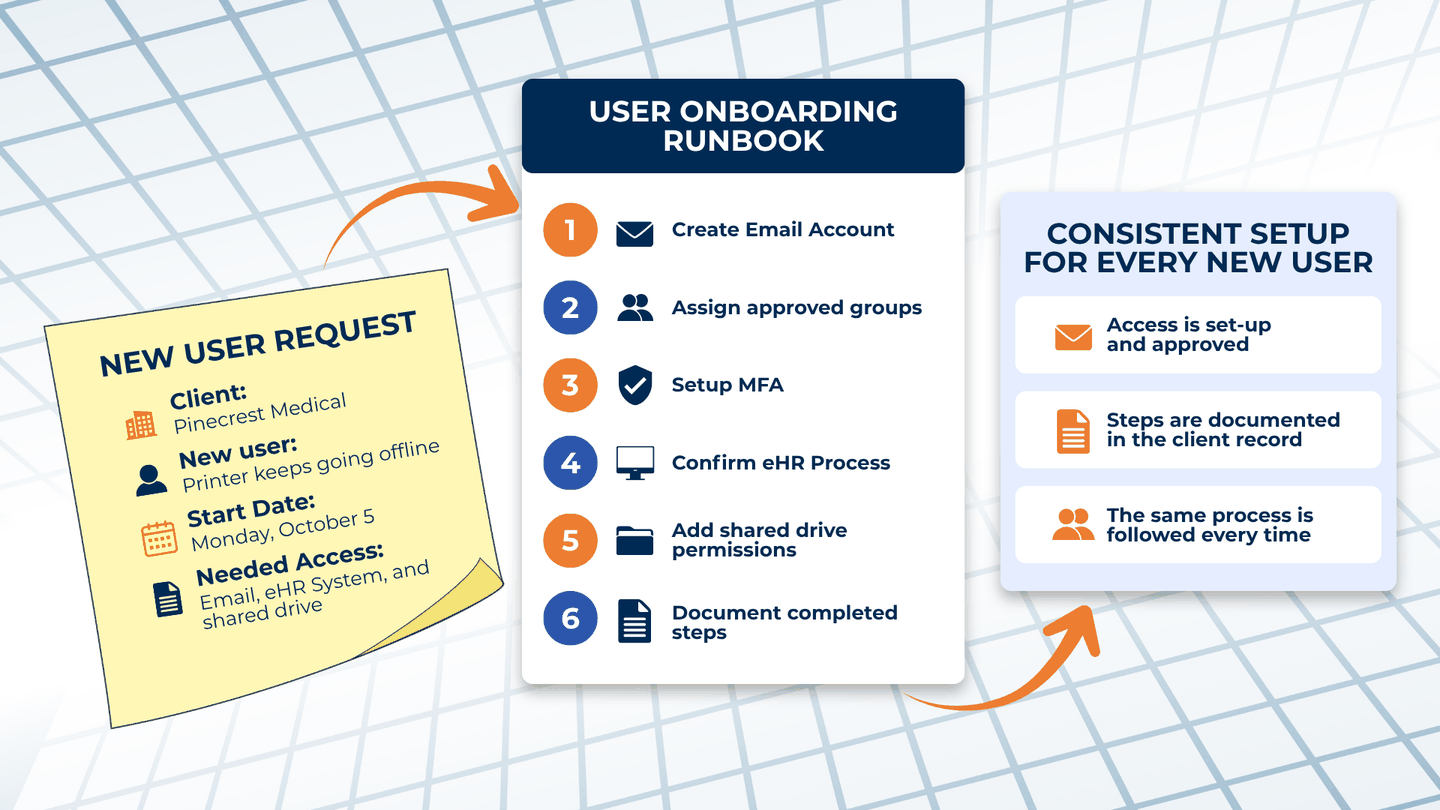
4. SOPs and Runbooks
Repeatable work should have repeatable documentation.
Your MSP should document processes like:
- User onboarding
- User offboarding
- Password resets
- Backup checks
- Vendor escalation
- Patch management
- Incident response
- Client-specific workflows
SOPs help technicians follow the right steps without relying on memory.
5. Vendor Information
Vendor details should not live in someone's inbox.
Document:
- Vendor name
- Service provided
- Contact information
- Account number
- Support process
- Escalation path
- Renewal date
- Related assets or systems
When there is an outage or support issue, your team should know who to contact and what details to provide.
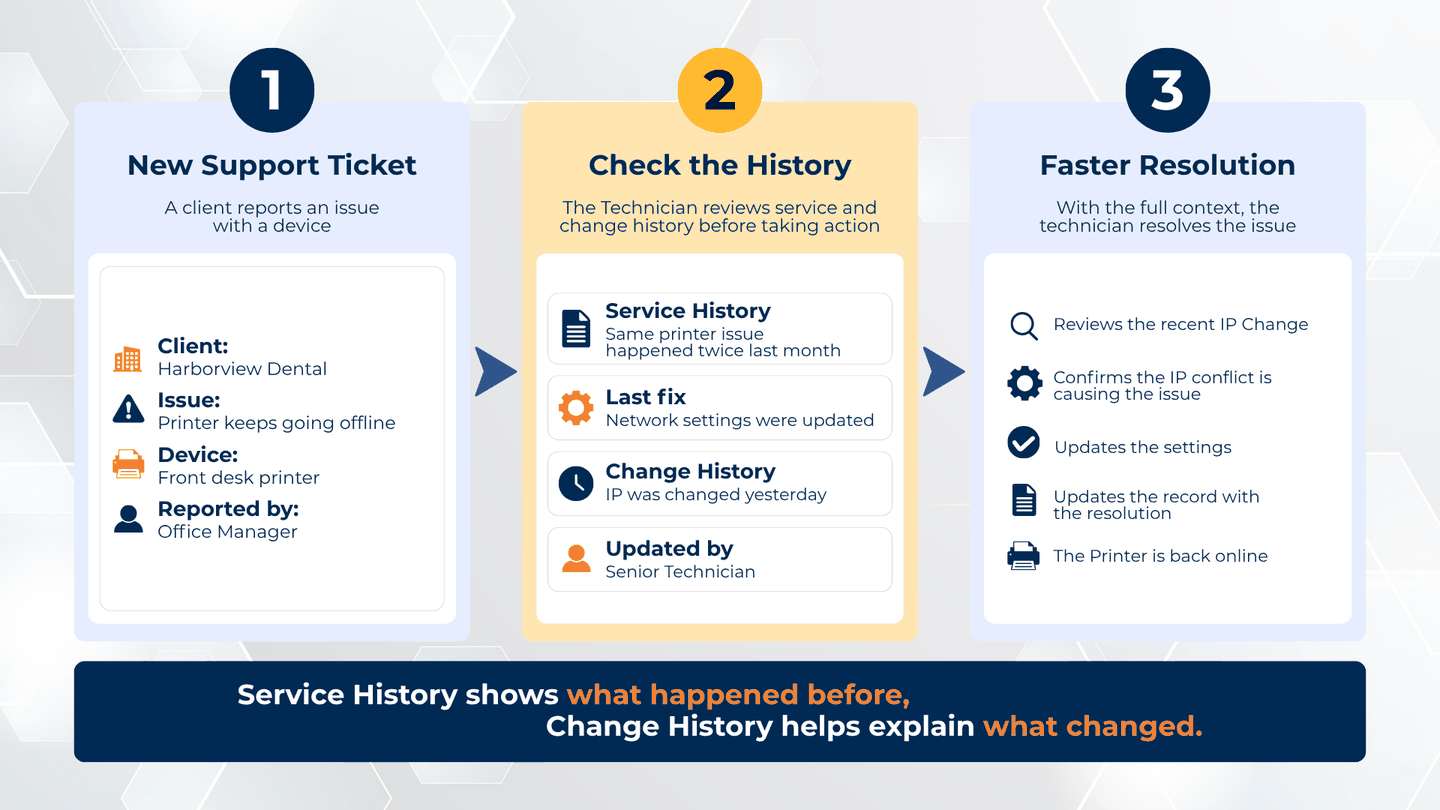
6. Service History and Change History
A ticket rarely exists by itself.
Service history helps technicians understand what has already happened.
Change history helps answer: "What changed?"
Together, they give technicians more context during troubleshooting, handoffs, and reviews.
7. Ownership and Review Dates
Documentation should not depend on "someone will update it."
Every critical record should have:
- An owner
- A review date
- A last updated date
- A clear update process
If no one owns the record, updates get missed. If records are not reviewed, they slowly become harder to trust.
Common Mistakes to Avoid
Avoid these documentation issues:
- Creating a different format for every client
- Letting notes become a dumping ground
- Documenting without clear ownership
- Separating assets, credentials, and SOPs
- Skipping regular review cycles
Small gaps may not seem urgent at first, but they create bigger problems as your MSP grows.
How IT Portal Helps
IT Portal helps MSPs and IT teams organize client documentation in one structured system.
With IT Portal, teams can centralize:
- Client records
- Asset records
- Credentials
- SOPs and runbooks
- Vendor information
- Service notes
- Related records
- Access details
- Change history
This gives technicians a clearer view of each client environment and helps the team work from a more consistent documentation structure.
Keep reading this guide
The rest of this article is free. Tell us where to send it and we'll email you a link to the full post.
Check your inbox.
We sent a link to . Open it to read the full article.