Not every technician needs access to every record.
For MSPs, IT documentation often includes sensitive client details, credentials, asset records, vendor information, SOPs, access notes, and internal processes.
If access is too open, the wrong people may be able to view, edit, or use information they do not need.
If access is too restricted, technicians may not have the context they need to support clients efficiently.
That is why access control matters.
Access control helps MSPs manage who can view, edit, approve, and review documentation across client environments.
The goal is simple: give the right people the right access at the right time.
Why Access Control Matters in IT Documentation
IT documentation is not just a place to store notes.
It often contains information that affects security, service delivery, and client trust.
Without clear access control, MSPs may run into issues like:
- Too many people seeing sensitive records
- Former team members still having access
- Technicians editing records they do not own
- Credentials being visible to the wrong roles
- Client information being harder to protect
- No clear history of who changed what
- Confusion during onboarding and offboarding
Strong access control helps reduce confusion and gives the team better accountability.
What Records Need Access Control?
Some documentation should be more protected than others.
MSPs should pay close attention to access around:
- Credentials
- Client records
- Asset records
- SOPs and runbooks
- Vendor details
- Admin notes
- Network documentation
- Access instructions
- Change history
- Internal processes
- Client-specific support notes
The more sensitive the record is, the more intentional access should be.
For example, a technician may need to view an asset record but not manage credential permissions. A service manager may need to approve SOP updates. A billing contact may need access to account details but not technical credentials.
Role-Based Access
Role-based access helps MSPs avoid giving everyone the same level of visibility.
Instead of assigning access person by person with no structure, permissions are based on roles.
Common roles may include:
- Help desk technician
- Senior technician
- Service manager
- Account manager
- Admin
- Security lead
- Client user
- Vendor contact
Each role should have access based on what they need to do their job.
For example:
A help desk technician may need access to client notes, SOPs, and basic asset details.
A senior technician may need access to advanced configuration records and escalation notes.
An admin or security lead may manage credential access, permissions, and review dates.
This keeps documentation more organized and easier to control.
View Access vs. Edit Access
Access control is not just about who can open a record.
It should also define who can change it.
Some users may only need view access. Others may need edit access. A smaller group may need approval or admin access.
MSPs should clearly define:
- Who can view records
- Who can edit records
- Who can approve updates
- Who can manage permissions
- Who can access credentials
- Who can export documentation
- Who can archive or delete records
This helps prevent accidental changes and keeps important records more reliable.
Credential Access Needs Extra Control
Credentials should have stricter access rules than general documentation.
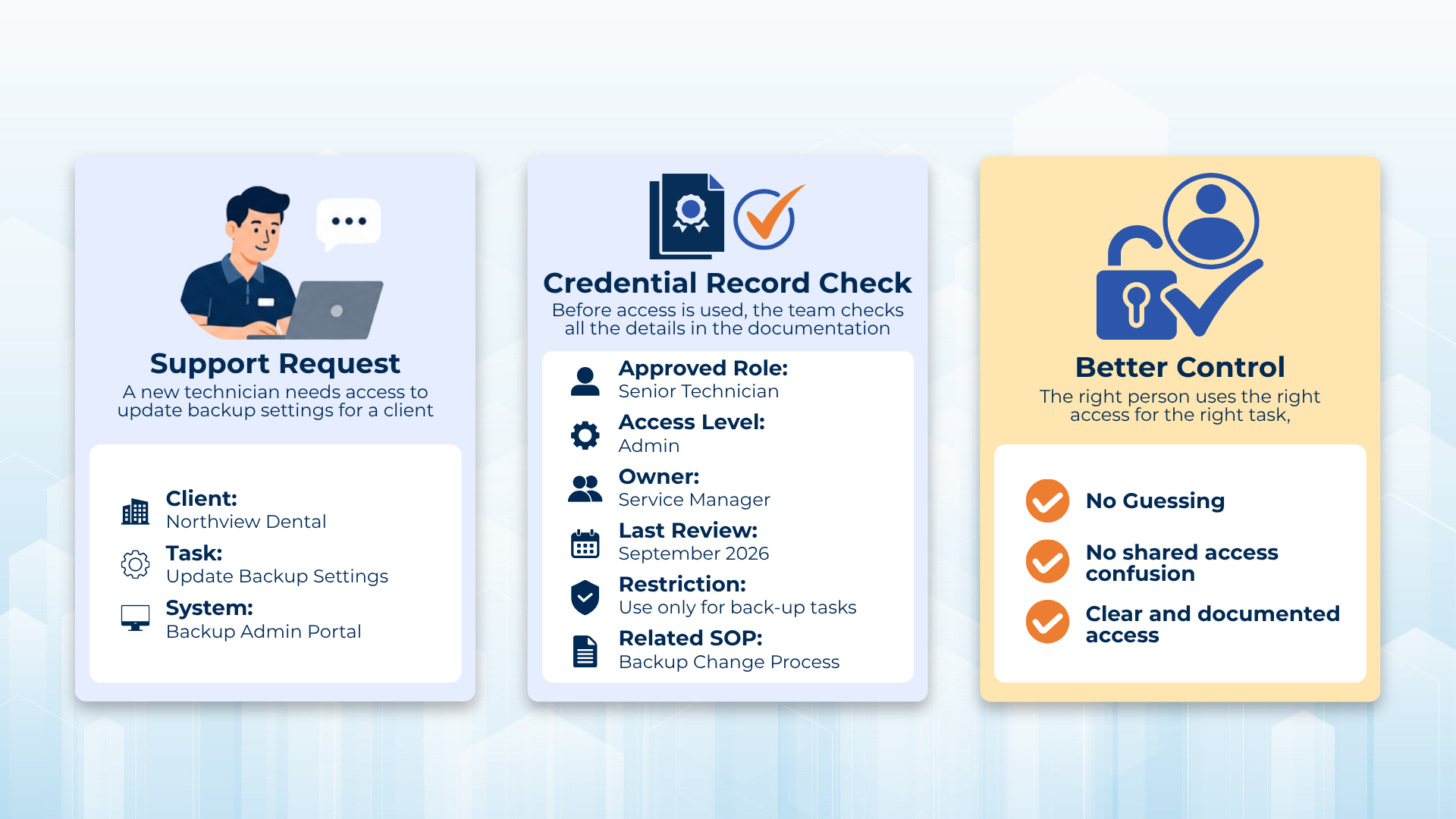
A saved password alone is not enough. The team also needs to know who can use it, why they need it, what system it connects to, and when access was last reviewed.
Credential access should include:
- Approved users or roles
- Related system or asset
- Access level
- Owner
- Review date
- Usage notes
- Restrictions
- Related SOPs
This is especially important during onboarding, offboarding, incidents, and access reviews.
The goal is not to make credentials harder to use. The goal is to make access clearer, safer, and easier to manage.
Access Reviews Should Be Regular
Access control is not something MSPs should set once and forget.
Team members change roles. Clients change contacts. Vendors change. New systems are added. Old access may stay active longer than it should.
That is why access reviews should happen regularly.
During an access review, MSPs should ask:
- Who currently has access?
- Do they still need that access?
- What role are they assigned?
- Are any former team members still listed?
- Are vendors still active?
- Are client users still approved?
- Were permissions updated after role changes?
- Are credential records still connected to the right roles?
Regular reviews help keep access aligned with current responsibilities.
Access Control During Onboarding
When a new technician joins the team, they should not automatically receive full access to everything.
Access should be assigned based on role, client responsibility, and training level.
A good onboarding process should define:
- Which clients the technician supports
- What documentation they can view
- What records they can edit
- Which credentials they can access
- What approvals are required
- Who reviews their permissions
This helps new team members get the information they need without opening access too widely.
Access Control During Offboarding
Offboarding is one of the most important moments for access control.
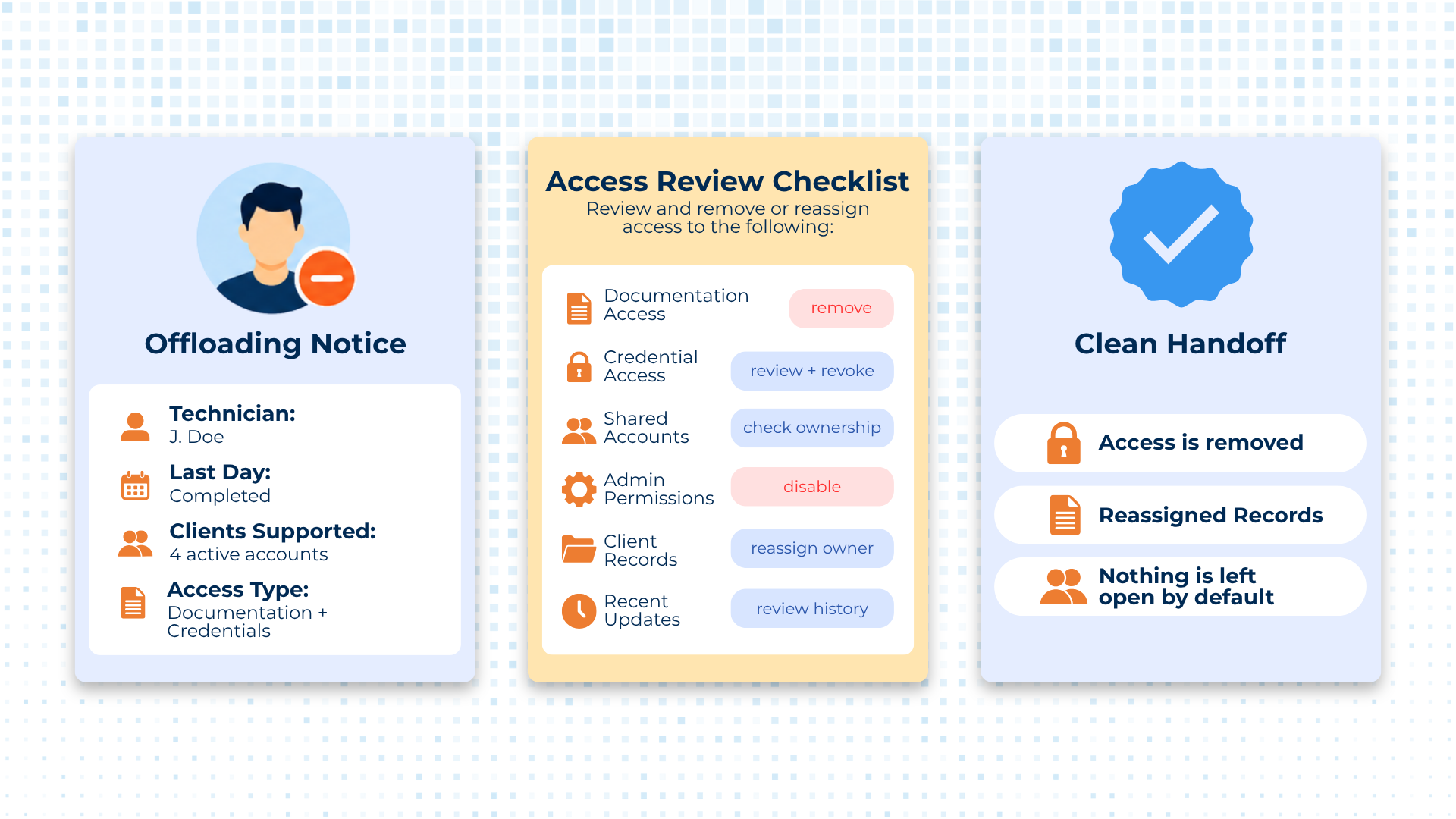
When a technician, client user, or vendor no longer needs access, permissions should be reviewed and removed quickly.
MSPs should review:
- Documentation access
- Credential access
- Client records
- Vendor records
- Shared accounts
- Admin permissions
- Export permissions
- Related tools and systems
Offboarding should also include a review of any records the person owned or recently updated.
This helps make sure ownership does not become unclear after someone leaves.
Change History and Accountability
Access control is stronger when it connects to change history.
MSPs should be able to review what changed, who updated it, and when it happened.
This matters because documentation changes can affect support, security, and client service.
Change history helps teams understand:
- Who edited a record
- What was updated
- When the update happened
- Which record was affected
- Whether the change needs review
This is not about blame.
It is about visibility and accountability.
Common Access Control Mistakes
MSPs should avoid these common issues:
- Giving everyone the same access
- Forgetting to remove old users
- Allowing too many people to edit critical records
- Not reviewing credential access
- Leaving vendor access unclear
- Skipping access reviews
- Not tracking who changed important records
- Giving new technicians more access than they need
These mistakes may seem small at first, but they can create bigger problems as the MSP grows.
How IT Portal Helps
IT Portal helps MSPs and IT teams organize documentation with more structure and control.
Teams can manage important records like client details, assets, credentials, SOPs, vendor information, service notes, related records, and change history in one system.
With stronger structure, MSPs can better control who can access sensitive information and keep documentation easier to manage.
Instead of letting records live across inboxes, folders, spreadsheets, and personal notes, IT Portal helps teams work from a more organized documentation system.
Keep reading this guide
The rest of this article is free. Tell us where to send it and we'll email you a link to the full post.
Check your inbox.
We sent a link to . Open it to read the full article.