TL;DR
A network topology mapper visualizes how devices, applications, and services connect across your network. IT Portal doesn't replace dedicated mapping tools - it integrates with them, keeping the resulting diagrams, assets, credentials, and SOPs organized, accurate, and accessible in one place.
If you manage networks for multiple clients, you already know static diagrams go stale fast. A network topology mapper helps you visualize how everything connects - but a map on its own isn't enough. It needs to live somewhere your team can actually use it: linked to passwords, assets, and procedures.
That's where IT Portal comes in. This guide covers what a topology mapper does, why manual diagrams fall short, and how IT Portal keeps mapping useful instead of just another file sitting in a folder.
What Is a Network Topology Mapper?
A network topology mapper shows how devices, applications, and services connect - the structure behind your network, not just a list of hardware.
Two views matter most:
- Physical topology - actual cables, switch ports, rack layout
- Logical topology - how data flows through VLANs, routing paths, and apps
Most client networks MSPs manage today are a mix of on-prem and cloud - a hybrid topology. That's exactly why a single static diagram rarely tells the whole story for long.
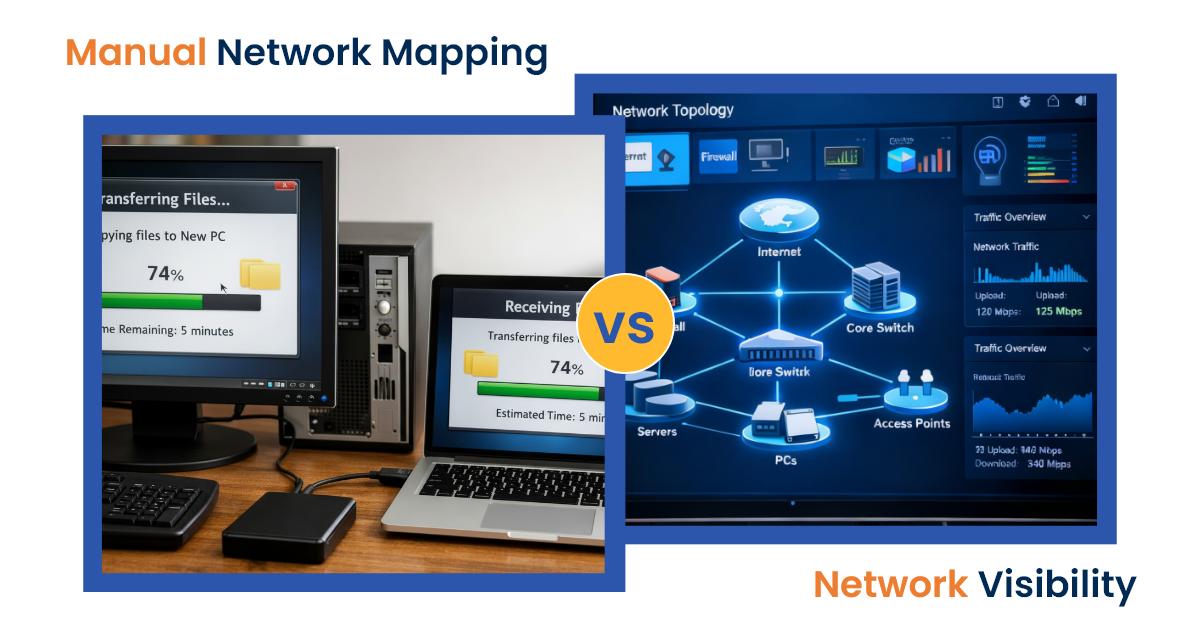
Why Manual Diagrams Fall Short
Visio files and whiteboard sketches have real limits:
- They go stale fast. One new device or VLAN change, and the diagram is wrong.
- Cloud resources get missed. Virtual networks and SaaS connections rarely make it onto a static drawing.
- Outdated maps create risk. Slower troubleshooting, hidden security gaps, and messy audits (HIPAA, SOC 2, ISO) all trace back to documentation nobody trusts.
This is why topology mapping tools exist - and why keeping that mapping connected to your broader documentation matters just as much as the map itself.
Where IT Portal Fits In
Here's the honest version of what IT Portal does: it's a documentation and access platform, not a dedicated network mapping tool.
- IT Portal supports visual mapping and diagrams as part of your documentation
- It integrates with the network tools you already use to bring mapping data into one place
- It does not perform native automated scanning or real-time network discovery on its own
While dedicated topology tools handle the mapping itself, IT Portal makes sure the documentation, relationships, and SOPs tied to that infrastructure stay accurate, accessible, and secure - so a map isn't just a picture, it's connected to everything your team needs to act on it.
What This Actually Gives Your Team
- Faster onboarding - new technicians see client infrastructure at a glance instead of asking around
- Less tribal knowledge - network layout, passwords, and procedures live in one place, not in one person's head
- One source of truth - diagrams, configs, credentials, and SOPs are linked, not scattered across tools
- Fewer mistakes during incidents - the right SOP is right next to the device that needs it
Choosing a Mapping Approach That Works With Your Documentation
If you're evaluating topology mapping tools to pair with IT Portal, look for:
- Exportable diagrams you can attach to documentation
- Hybrid and cloud coverage, not just on-prem
- Clean handoff into a system with role-based access and audit logs
- No lock-in - the map should feed your documentation, not replace it
Bring Mapping and Documentation Together
Topology maps are only as useful as the documentation around them. IT Portal centralizes your mapping, documentation, passwords, and SOPs in one secure platform - so your team always knows what's connected, and where to find what they need.
Schedule a personalized demo to see it in action.
Frequently Asked Questions
No. IT Portal doesn't perform native automated network scanning. It integrates with dedicated mapping tools and keeps the resulting diagrams connected to your documentation, assets, and SOPs.
A topology mapper visualizes network structure. IT Portal is where that map, along with your credentials, assets, and procedures, lives so your team can actually use it day to day.
Yes - accurate, centralized documentation tied to your network structure makes it easier to respond to ISO, SOC 2, and HIPAA audit requests.
Yes. It's built to organize documentation and diagrams for on-prem, cloud, and hybrid setups alike.


