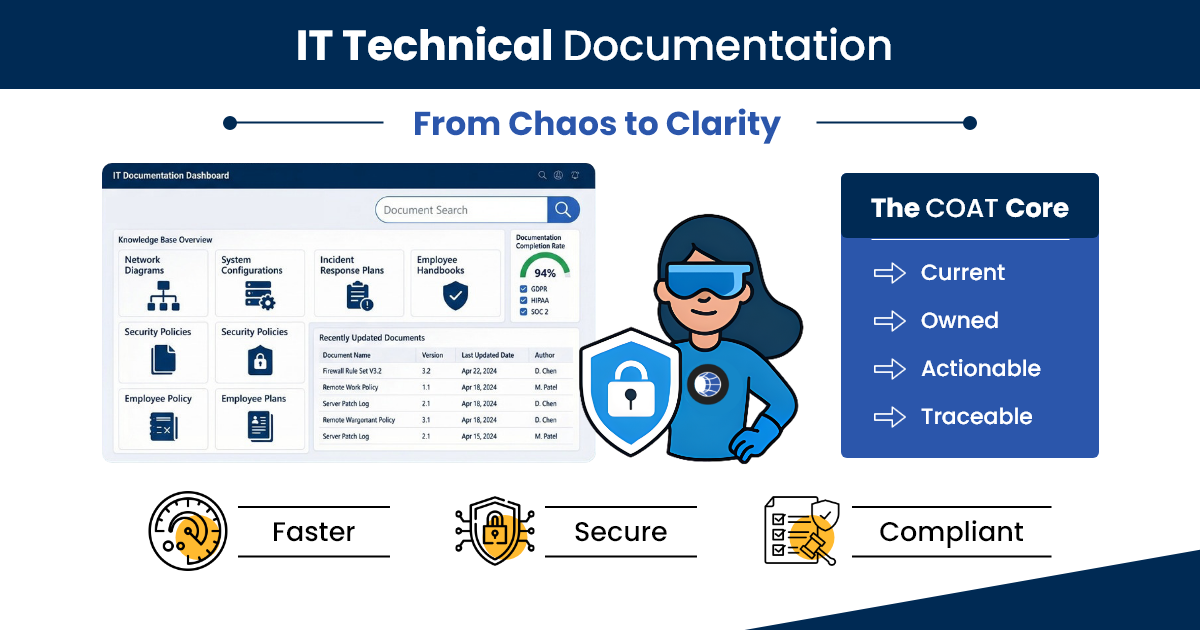
Most teams have files that look like documentation, but they're performing "Documentation Theater" - information exists but isn't current, owned, actionable, or traceable. The COAT Framework turns scattered records into reliable operational infrastructure. MSPs and IT teams using structured technical documentation resolve P1 incidents significantly faster and onboard new technicians more efficiently.
Introduction
A mid-size MSP loses a senior network engineer. Three weeks later, a client's firewall needs reconfiguration.
No one can find the credentials. No one knows the change history. The configuration file on the shared drive is 14 months old.
| Emergency escalation6 hours | Client downtime4 hours |
| Emergency labor cost$2,800 | Contract renewal at risk$95,000/yr |
The documentation existed. It just wasn't IT technical documentation, it was a collection of files that looked like documentation.
This isn't a rare scenario. This is the daily reality for most IT teams and MSPs operating without structured IT technical documentation. And it's entirely preventable.
This guide introduces the COAT Framework (Current, Owned, Actionable, Traceable), a structured approach to IT technical documentation that MSPs and IT teams can implement.
What IT Technical Documentation Actually Is (And What It Isn't)
IT technical documentation is the structured, living record of an organization's infrastructure, processes, configurations, access controls, and operational procedures. It is maintained to support real-world IT operations - not audits alone.
| Counts as IT Technical Documentation | Doesn't Count |
|---|---|
| Network topology with current device configs | A network diagram from 2022 |
| Firewall rules with version history | A PDF of firewall settings emailed during setup |
| SOP with owner, date, and validation steps | A checklist in a shared Google Doc |
| Asset inventory linked to service agreements | A spreadsheet no one updates |
The 5 types every MSP and IT team needs:
- Infrastructure documentation (network maps, device configs, IP schemas).
- Process documentation (SOPs, runbooks, incident response playbooks).
- Asset documentation (hardware, software, licenses, warranties).
- Access documentation (credentials, permissions, admin accounts).
- Compliance documentation (audit trails, change logs, regulatory records).
Most teams have partial coverage across all five types - which means, operationally, they have full coverage of none. For MSPs specifically, this gap multiplies across every client in the portfolio.
The Real Cost of Documentation Theater
Most teams focus on the tool and skip the foundation. The symptoms are familiar:
- Assets exist in the system but not in reality - ghost assets, outdated records, decommissioned devices still showing active.
- Technicians can't find what they need fast enough - no naming conventions, no relationships mapped, no config records.
- Audits become fire drills - scrambling to verify what should already be documented.
- In MSP environments, technician handoffs stall when client-specific context lives only in the outgoing engineer's memory.
Without structure, a P1 incident at 2 AM turns into a 4-hour resolution. With COAT-compliant documentation in a centralized platform like IT Portal, the same incident can resolve in under an hour - because the runbook is findable, current, and executable.
MSP Reality
In multi-client environments, recurring tickets often trace back to the same root cause: documentation that was never standardized across accounts. When every client environment is documented to the same structural standard, escalations drop and onboarding accelerates.
The COAT Framework: What "Good" IT Technical Documentation Looks Like
COAT is the standard that separates files that exist from documentation that works. Every document in your system should meet all four criteria before it goes live.
| THE COAT FRAMEWORK | ||
|---|---|---|
| C | Current | Documentation must reflect how systems actually work today, not at deployment. |
| O | Owned | Every document has a single named owner accountable for its accuracy. |
| A | Actionable | Documentation must be executable without interpretation, especially under pressure. |
| T | Traceable | Every change has a timestamp, an author, and a reason — audit-ready by default. |
C - Current
Operational documentation must reflect how systems actually work today, not how they were configured at deployment.
Review triggers:
- System changes or upgrades
- Post-incident reviews
- Quarterly documentation cycle
- Staff transitions and client onboarding
O - Owned
Every document must have a single named owner responsible for its accuracy. Ownership is not the same as access - anyone can read it, one person is accountable for its truth.
In MSP environments, this is especially critical during technician handoffs. When a client account changes hands, ownership of every document tied to that account must transfer explicitly - not assumed.
A - Actionable
Documentation must be executable without interpretation, especially under pressure. Bad: "Verify the server is healthy."
Good: "Log into [tool], navigate to Server Health > Production Cluster, confirm all nodes show Status: Active and CPU < 80%. If any node shows warning, escalate to [runbook link]."
T - Traceable
Every change must have a timestamp, an author, and a reason. Traceability is what separates documentation from compliance-ready documentation — and it's what auditors check first.
Platforms that enforce version history and change attribution (like IT Portal) make traceability automatic rather than aspirational.
IT Technical Documentation and Compliance: What Auditors Actually Look For
Auditors don't care that documentation exists. They care that it's traceable, consistent, and provable.
| Framework | What They Audit | Documentation Requirement |
|---|---|---|
| SOC 2 | Change management, system access | Version-controlled configs, access logs |
| ISO 27001 | Risk controls, incident response | Signed-off SOPs, incident runbooks |
| HIPAA | PHI access, disaster recovery | Access control docs, DR procedures |
| PCI DSS | Network segmentation | Network topology, firewall rules |
| CMMC | Asset inventory, access control | Full device inventory, permission records |
The 3 audit failures caused directly by poor IT technical documentation:
- Auditor requests change history, team pulls 3 different sources, inconsistencies flagged.
- Access control review shows former employee credentials still documented as active.
- Disaster recovery SOP hasn't been tested or updated in 18 months, fails validation.
How to Build IT Technical Documentation from Scratch (Or Fix What's Broken)
Step 1: Audit What You Actually Have (Days 1–3)
Inventory every location where documentation currently lives. Score each document against COAT.
Step 2: Prioritize by Operational Impact (Days 3–5)
Document what hurts most first: incident response, access controls, backup/recovery.
Step 3: Apply a Standard Template to Every Document Type (Days 5–14)
One template per documentation type (network, SOP, asset, access, compliance). Every template includes owner, last reviewed, version, related docs, next review date.
Step 4: Centralize Into a Single, Searchable System (Days 14–21)
Documentation only works if it's findable under pressure. Centralization criteria: full-text search, role-based access, version history, always-on availability.
Step 5: Assign Ownership and Review Cycles (Ongoing)
Every document gets a named owner before it goes live. Review triggers built into operational rhythm: post-incident, quarterly, on system change.
Step 6: Validate Through Real Use (90-Day Mark)
Run a tabletop drill: can a technician unfamiliar with the environment follow your documentation alone? If not, the documentation isn't done.
Who Owns IT Technical Documentation? (And Why It Always Fails Without Accountability)
The most common failure: documentation ownership defaults to "everyone," which operationally means no one. The RACI model resolves this.
Recommended RACI model:
- R (Responsible): The technician or engineer who performs and knows the process.
- A (Accountable): The team lead or service manager who owns its accuracy.
- C (Consulted): Security, compliance, or senior engineering for review.
- I (Informed): NOC, helpdesk, and anyone who uses it operationally.
MSP-Specific Ownership Challenge:
Multi-client environments where the same documentation framework must scale across 30+ clients without sacrificing per-client accuracy.
Common IT Technical Documentation Mistakes That Create Operational Risk
- Documenting the ideal, not the reality
- Using the wrong tools for the job
- One-time documentation events
- No separation between documentation types
- Assuming tribal knowledge is a backup
What to Look for in IT Technical Documentation Software
- Does it support all 5 documentation types under one roof?
- Does it enforce version history and ownership fields?
- Is it searchable in under 10 seconds during an active incident?
- Does it support multi-tenant environments for MSPs?
- Can it scale without restructuring as your client count grows?
IT Portal was built specifically to be that documentation layer - giving IT teams and MSPs a centralized, hierarchical, secure system with transparent pricing, no forced lock-ins, 90-day money-back guarantee, cloud and on-premises options, and assisted migration for teams moving from competitors.
The Bottom Line
IT technical documentation isn't a nice-to-have, it's the operational infrastructure that makes every other tool (RMM, PSA, ITAM) deliver its full value.
Move from documentation theater to COAT-compliant, centralized, operationally-trusted IT technical documentation.
Your entire IT environment becomes 10× more reliable and responsive when it runs on top of clean, structured technical documentation.
Ready to close your documentation gaps for good?


