In large IT environments, a poorly named asset isn't just an inconvenience - it's a compounding liability. When a technician spends 20 minutes locating a server named "John-PC-3" instead of "NYC-WEB-PRD-01," that delay scales across every device, every site, and every shift.
Naming conventions are the first layer of a scalable IT documentation system. For teams managing 100+ devices, multi-site infrastructure, or multiple client environments, consistent structured naming is not optional - it is foundational.
What Are Naming Conventions in IT?
Naming conventions are standardized rules for labeling servers, devices, files, folders, and every other IT asset. A well-designed naming standard encodes location, role, environment, and sequence into every identifier - creating instant, system-wide clarity.
For example:
| Before | John-Laptop-3 |
|---|---|
| After | NYC-HR-LAP-03 |
Unlike generic wikis or spreadsheets, naming conventions in IT documentation create instant clarity and make every record instantly retrievable.
They are not just formatting rules. They are a control mechanism that ensures every asset is identifiable, traceable, and manageable across systems.
Naming Formats & Styles in IT
Beyond structure, naming conventions also rely on consistent formatting styles. These formats ensure compatibility across systems, scripts, and tools.
Common naming styles used in IT environments include:
| Format | Example | Why it matters |
|---|---|---|
| kebab-case ★ | nyc-web-prd-01 | Recommended for servers, URLs, cloud resources. Widely supported across Linux CLI, RMM tools, and DNS. |
| snake_case | nyc_web_prd_01 | Standard in Python/Bash scripts, database names, and Linux environments where hyphens can conflict. |
| camelCase | nycWebPrd01 | Common in APIs and dev pipelines. Use where the platform expects it — not for general infrastructure naming. |
| UPPERCASE | NYC-WEB-PRD-01 | High visibility in dashboards and infrastructure documentation. Ensure tooling supports it before adopting. |
Choose one format and apply it consistently. Mixed formats break automation, corrupt monitoring filters, and force manual intervention at scale.
Why Naming Conventions Matter for IT Teams
Consistent IT naming conventions solve real operational pain points:
- Faster troubleshooting: Technicians immediately understand what a device does and where it lives.
- Smoother team onboarding: New hires don't waste days learning cryptic naming schemes.
- Easier audits and compliance: Auditors can quickly verify configurations when names follow a logical standard.
- Better automation and scripting: Scripts work reliably when device names follow predictable patterns.
Without naming convention best practices, even the best tools create confusion at scale.
The IT Naming Convention Framework
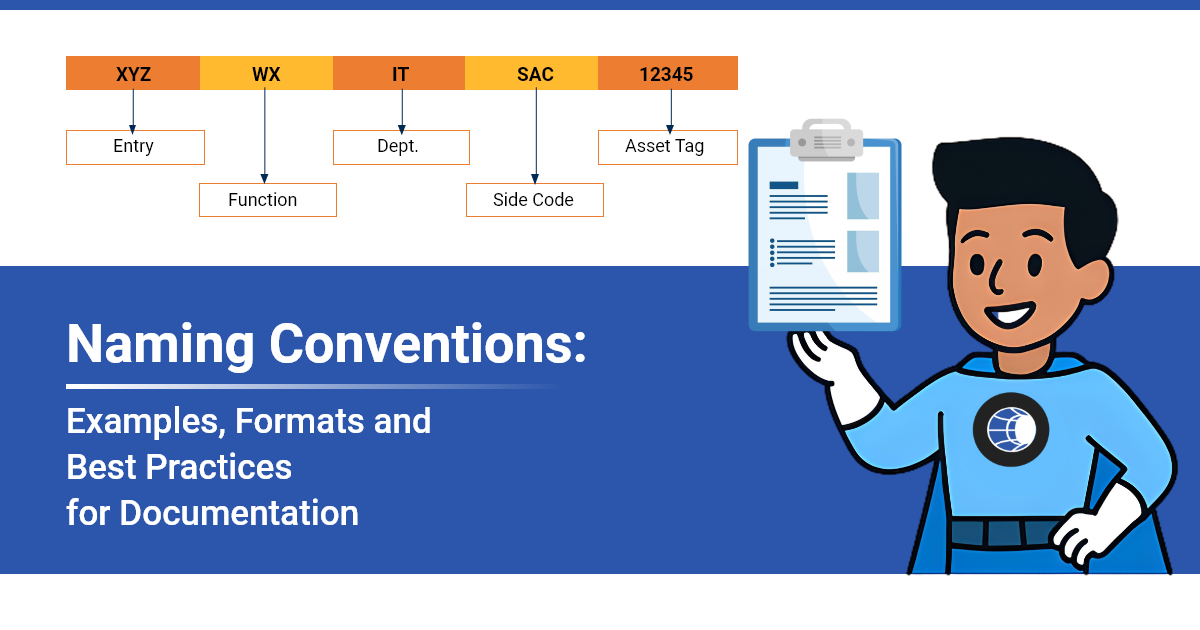
A strong naming convention is not random. It encodes meaning into a predictable 5-part structure - and the absence of any element creates a specific failure mode.
| Element | Answers | Example | If Missing |
|---|---|---|---|
| Identity | What is it? | LAP / SRV / SW | Can't distinguish device types in bulk |
| Location | Where is it? | NYC / LON / AWS-EU | Multi-site filtering and routing fails |
| Role | What does it do? | WEB / DB / HR / APP | Scope of impact unknown during outages |
| Environment | What stage? | PRD / DEV / TST | Production changes hit dev (or vice versa) |
| Sequence | Which instance? | 01 / 02 / 03 | Duplicate names break scripts and policies |
Example: NYC-WEB-PRD-01 - instantly communicates site (NYC), function (WEB), stage (PRD), and instance (01). No lookup required.
7 Core Areas Where IT Naming Conventions Apply
Naming conventions should cover every part of your environment:
- Server naming conventions → e.g., [Site]-[Role]-[Env]-[##] = NYC-WEB-PRD-01
- Network device naming conventions → routers, switches, firewalls
- File & folder naming conventions → date formats and version control
- IT asset naming conventions → laptops, printers, peripherals
- User account naming conventions → Active Directory and email formats
- IP address & VLAN naming → logical labeling for network docs
- Cloud resource naming conventions → Azure, AWS, GCP patterns
Applying naming conventions in IT documentation across these areas creates a single source of truth.
Naming Conventions for Automation and Scaling
Naming conventions are not just for readability. They are critical for automation and system reliability.
Modern IT environments rely on:
- RMM tools
- Monitoring systems
- Scripts and automation workflows
- Cloud orchestration
These systems depend on predictable naming patterns.
For example:
- Monitoring tools group alerts based on naming
- Scripts target devices using naming filters
- Backup systems rely on consistent naming for policies
If naming is inconsistent:
- Automation fails
- Alerts become unreliable
- Systems require manual intervention
At scale, inconsistent naming doesn't just slow teams down. It breaks automation entirely.
Naming Convention Best Practices: 6 Golden Rules
Follow these naming standards to keep your documentation clean, scalable, and automation-ready:
- Keep it consistent — One format, enforced team-wide - from day one of a new client or environment.
- Make it human-readable — Avoid cryptic abbreviations. Anyone on the team should understand an asset's role at a glance.
- Include context in the name — Location, role, and environment (PRD/DEV/TST) must be visible in the name itself.
- Avoid spaces and special characters — Use hyphens or underscores. Spaces break scripts, URLs, and CLI commands.
- Plan for scale — Use leading zeros (01, not 1). Naming for 10 devices should still work at 1,000.
- Document and enforce the convention — A standard no one can find - or is never enforced at provisioning - doesn't exist.
Common Naming Convention Mistakes (And How to Fix Them)
| Mistake | Fix |
|---|---|
| Personal names on device (e.g. John's-Laptop) | Replace with role-based or asset-based naming. People change roles; devices don't. |
| Inconsistent date formats (2024-01-15 vs 15-01-24) | Standardise on YYYY-MM-DD across all files and records. |
| No environment tagging (PRD vs DEV mixed up) | Always include [Env] in every name. Non-negotiable for automation. |
| Over-abbreviating (unreadable shortcodes) | Prioritise clarity. If a new team member can't read it without a glossary, revise it. |
| No annual review (convention drifts over time) | Schedule a naming convention review every 12 months - or after major infrastructure changes. |
Naming Convention Template: A Starting Point for Your IT Team
| Asset Type | Format | Example |
|---|---|---|
| Server | [Site]-[Role]-[Env]-[##] | NYC-WEB-PRD-01 |
| Workstation | [Dept]-[User]-[##] | HR-JSMITH-01 |
| Network Switch | [Site]-SW-[Floor]-[##] | LON-SW-03-02 |
| File / Folder | [YYYY-MM-DD]-[Project]-[Version] | 2026-03-16-Audit-v2 |
Use this as your starting point and customize it to your environment.
How to Implement Naming Conventions Across Your IT Team
- Audit your current naming inconsistencies. Document what exists before you redesign it.
- Define the convention with input from your team. Buy-in at the design stage prevents workarounds later.
- Document it centrally. A standard no one can locate is not a standard. Store it in your IT knowledge base.
- Enforce it during onboarding and provisioning. The convention must apply at the moment a device or asset enters the system.
- Review it annually. Naming conventions should evolve with your infrastructure - schedule a review.
Platforms like IT Portal go beyond documenting naming conventions - they enforce them. Structured templates and hierarchical organisation ensure that naming standards are applied consistently at every provisioning step, across every client or site.
The Bottom Line
Naming conventions are not about perfection - they are about consistency, clarity, and operational control.
When implemented correctly and enforced at scale, structured naming transforms IT documentation from a passive record into an active operational layer: searchable, auditable, and automation-ready.
For MSPs and large teams especially, this is the difference between an environment you control and one that controls you.
The result is simple: Better visibility, faster operations, and fewer costly mistakes.
Ready to Bring Order to Your IT Environment?
IT Portal gives you structured documentation, enforced naming templates, and full asset visibility - so every environment you manage is searchable, scalable, and audit-ready.


