When asset records are outdated, credentials are siloed, and device counts exist only in spreadsheets, the operational risks compound fast.
Result: missed warranty renewals, security blind spots, failed audits, and downtime that could have been avoided.
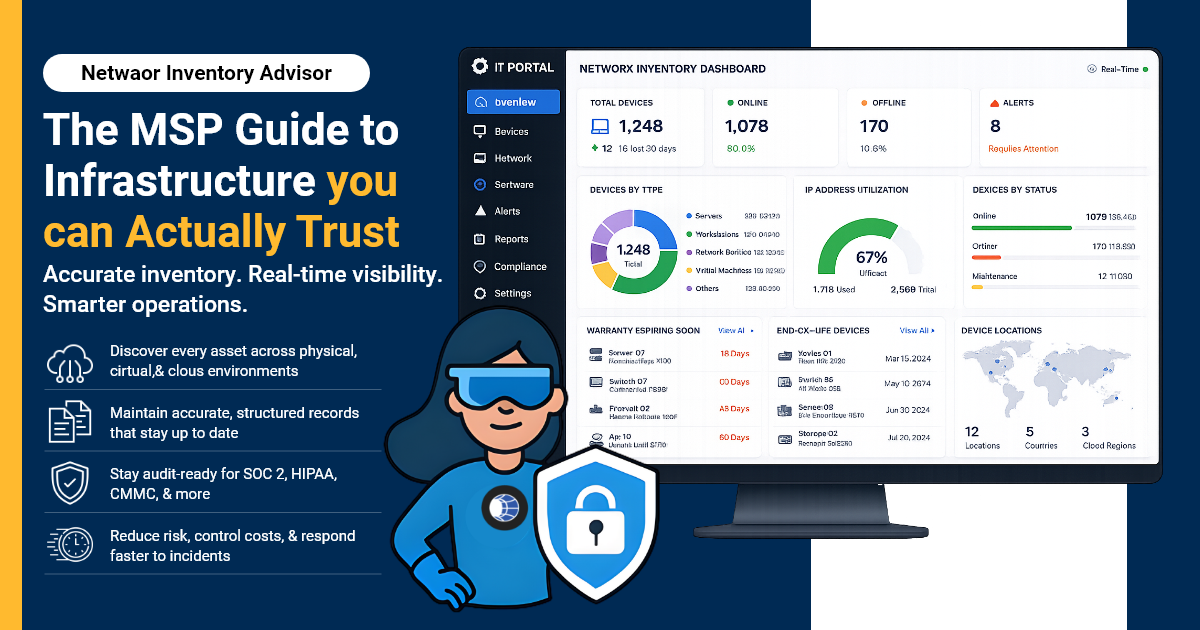
A Network Inventory Advisor can refer to the process, role, or platform used to keep network asset records accurate and actionable. Whichever form it takes, it helps IT teams and MSPs maintain accurate, structured, and regularly updated visibility across every layer of the network.
This guide covers what that looks like in practice.
What Is a Network Inventory Advisor and Why IT Teams Need One
A Network Inventory Advisor is the function responsible for maintaining accurate, current records of every asset on the network - physical, logical, cloud, and contractual.
It's not a one-time audit. It's an ongoing operational discipline.
Who Benefits
- MSPs managing dozens of client environments simultaneously, where any gap in one client's inventory creates escalation risk across the team - for example, tracking assets across multiple client sites, separating records by client, site, facility, and cabinet, reducing dependency on senior technicians, preparing for client QBRs, and identifying warranty, EOL, and renewal risks across accounts.
- Network managers responsible for IP address management, VLAN governance, and change control
- IT Infrastructure Admins who own hardware refresh cycles, warranty tracking, and EOL planning
The Business Case
- Compliance readiness: Many compliance frameworks, including SOC 2, ISO 27001, and CMMC-related environments, require organizations to maintain clear asset inventories and supporting documentation. Structured records support that requirement, rather than functioning only as a cleanup task.
- Cost control: Unused licenses, expired warranties, and forgotten SaaS subscriptions cost money that an accurate inventory exposes immediately.
- Faster incident response: When every device has a complete record, incidents become structured resolution processes instead of triage from scratch.
What a Complete Network Inventory Should Cover
Most teams document the hardware they can see and skip the rest. A complete network asset inventory covers four layers - and gaps in any one of them create operational exposure:
| Inventory Layer | What It Covers | Risk If Missing |
|---|---|---|
| Physical | Routers, switches, firewalls, servers, endpoints | Unpatched devices, missed warranty renewals, audit gaps |
| Logical | VLANs, subnets, IP schemes, routing configs | IP conflicts, change management failures, incident delays |
| Cloud / Virtual | VMs, IaaS environments, SaaS subscriptions | Shadow IT, unchecked spend, license compliance exposure |
| Contracts | Vendor SLAs, warranty expiry, circuit IDs | Unplanned downtime, missed renewals, unsupported hardware |
IT Portal's hierarchical structure organizes these layers from company → site → facility → cabinet → device, so every record lives in context and not in isolation.
Why Manual Inventory Fails at Scale
Spreadsheets work for small, static environments. They fail everywhere else. Three patterns appear in almost every team that has outgrown manual device inventory tracking:
- Spreadsheet drift and version mismatch: Every change that isn't recorded immediately creates a gap. At scale, records fall out of sync within days. No single source of truth means no reliable baseline.
- Technician dependency: When inventory knowledge lives in one person's head, it leaves with them. Structured documentation allows any technician to work any environment confidently.
- Compliance and audit gaps: Incomplete or undated records don't satisfy audit requirements. Assessors need documented evidence. Spreadsheets with no change history can't provide it.
Automated Network Discovery: How a Network Inventory Advisor Implements It
Automation closes the gap between what's deployed and what's documented. A well-configured IT asset discovery workflow has four components:
- Agentless vs agent-based discovery: Agentless scanning (SNMP, WMI, SSH) works for infrastructure devices and endpoints without software installation. Agent-based discovery gives deeper visibility for managed endpoints where agents are feasible.
- API-based device import: Direct API connections to firewalls, switches, cloud platforms, and RMM tools pull current device data into structured records automatically, no manual re-entry.
- Scan frequency by asset criticality: Critical infrastructure (firewalls, core switches, servers) scans daily. Standard endpoints and workstations weekly. Adjust frequency to match the cost of a stale record.
- RMM and PSA integration: IT Portal's Network Import and Device Import features connect directly to RMM platforms, pushing discovered devices into structured documentation records. Auto-populated inventory means records are current without manual effort.
Network Inventory Advisor Best Practices for MSPs and IT Admins
Accurate inventory requires both the right tooling and the right operational habits. These five practices work together:
- Build a hierarchical structure first: Organize by Site → Facility → Cabinet → IP Network before populating records. IT Portal's hierarchical architecture enforces this structure automatically, keeping multi-client or multi-site environments navigable as they grow.
- Establish naming conventions and tagging standards: Consistent, human-readable names for every device type. Without conventions, discovery tools find devices that no one can identify or categorize reliably.
- Run quarterly physical reconciliation: Digital records and physical reality drift. A quarterly walkthrough - matched against the structured hardware inventory software record catches decommissioned assets, unregistered additions, and location changes before they create audit gaps.
- Flag warranty and EOL dates on a 12-month horizon: Proactive flagging of expiring warranties and end-of-life hardware on a 12-month forward view eliminates unplanned refresh cycles and unsupported-hardware risk.
- Use Synopsis View and change history for audit trails: IT Portal's Synopsis View gives cross-client or cross-site visibility from a single pane. Every record change is logged with a timestamp and user identity - the audit trail that compliance frameworks require, built into daily operations.
You Might Also Like
How Network Mapping Software Builds Audit-Ready IT Infrastructure
Inventory You Can Trust, Operations You Can Scale
A Network Inventory Advisor function is only as effective as the platform it runs on. Spreadsheets and wikis handle small, static environments.
Purpose-built ITAM for MSPs with hierarchical structure, automated discovery, asset-to-license linking, and audit-ready reporting handles the rest.
IT Portal's Network Import and Device Import features were built to make that foundation easy to deploy and easier to maintain.
Structured records, RMM integration, and change history that keeps every inventory current without manual overhead.
Inventory that's two weeks out of date isn't inventory, it's a liability. Build the foundation that stays current.
Ready to build a network inventory your team can rely on?


