TL;DR
Network documentation is the structured record of physical hardware, logical topology, configurations, and security rules that keeps operations running smoothly.
It's uniquely hard because networks change faster than any other IT layer, involve multi-vendor complexity, and require continuous updates to stay accurate.
Structured workflows and integration-driven updates solve config drift, multi-vendor fragmentation, and manual upkeep at scale.
For MSPs, consistent network documentation across every client environment is the difference between reactive firefighting and predictable service delivery.
The #1 action to take today: audit your existing records against the COAT Framework and identify where gaps are creating operational risk.
Introduction
Network outages are expensive - industry estimates consistently place unplanned downtime costs in the tens of thousands of dollars per hour for mid-market and enterprise environments. Yet most teams can't answer basic questions about their own infrastructure without digging through stale spreadsheets.
Your senior network engineer is on PTO when a critical outage hits. Can anyone on the team answer: which switch interconnects which VLANs, which devices are running end-of-life firmware, or what changed on the network in the last 72 hours?
For MSPs managing dozens of client environments simultaneously, that question multiplies. Every client has a different network topology, different vendors, different change histories - and different technicians who may have touched it last.
Network documentation is the structured, living record of your entire network environment so anyone on the team - or any qualified technician picking up a new client - can understand and work with it at any time.
It matters for faster troubleshooting, smoother compliance, and quicker onboarding. The traditional pain is clear: manual documentation is outdated the moment it's created. Structured, centralized documentation systems are changing this.
In this post, you'll learn:
- What network documentation really means
- Why it's so often neglected
- The cost of poor or missing documentation
- How structured workflows and the right platform make the process manageable, accurate, and sustainable
What Does "Documenting a Network" Actually Mean?
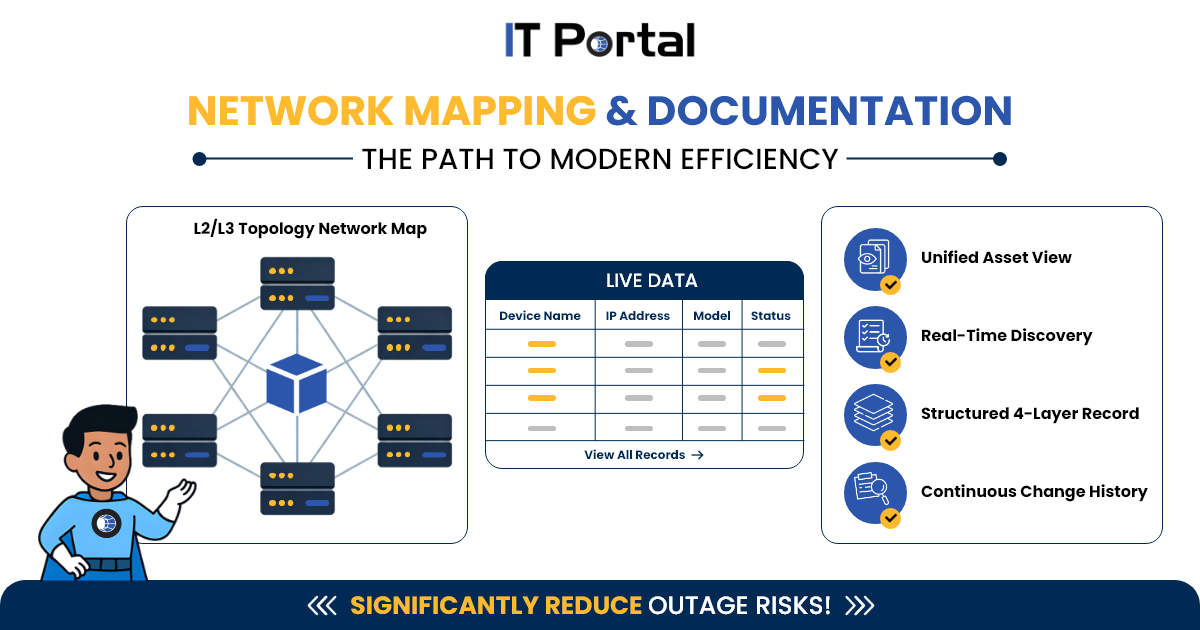
Network documentation is the structured, living record of your entire network environment. It includes four core layers:
- Physical layer: hardware, rack diagrams, cabling
- Logical layer: IP addressing, VLANs, subnets, routing
- Configuration layer: device configs, firmware versions, access credentials (vault references)
- Security layer: firewall rules, ACLs, network segments
For MSPs, this structure needs to be replicated cleanly across every client - with no reliance on tribal knowledge or a single engineer's memory.
Platforms like IT Portal are built for exactly this: centralizing network records, device configs, credentials, SOPs, and change history in one structured system accessible to any authorized technician, on any client, at any time.
Network Documentation vs. a Network Diagram
A diagram is a static picture. Network documentation is a living system that includes current configs, change history, dependencies, and actionable procedures. This distinction matters more than most teams realize - a diagram tells you what the network looked like. Documentation tells you what it looks like now, what changed, and what to do when something breaks.
Who relies on network documentation and when:
- Network admin: daily configuration and troubleshooting
- Security team: firewall rules and access control audits
- IT manager: compliance reporting and capacity planning
- New hire / MSP technician: fast onboarding and incident response
Why MSP Network Documentation Is a Different Challenge
For MSPs, poor network documentation doesn't just affect one environment - it affects every client you manage.
Onboarding new clients without structured documentation means weeks of manual discovery and inconsistent records that create liability from day one.
Technician handoffs across client environments are only reliable when network records are standardized, current, and centrally accessible - not locked in one engineer's head or a client-specific spreadsheet.
Inconsistent client environments - different vendors, different topologies, different change cadences - make documentation even harder without a structured platform to enforce consistency.
Escalation costs rise when junior technicians can't find the information they need. Well-structured network documentation reduces escalation to senior engineers and improves first-call resolution.
MSPs using a centralized documentation platform like IT Portal can standardize how network records are structured across every client - reducing onboarding time, improving handoff quality, and giving every technician the context they need to act independently.
Why Documenting a Network Manually Breaks Down
Networks change faster than any other IT layer.
- A server config might change monthly. A network can change dozens of times a day, new VLANs provisioned, firewall rules adjusted, devices swapped.
- Every undocumented change widens the gap between the diagram and reality.
- In enterprise environments, network changes can occur 2× more across a distributed infrastructure.
- This velocity is why network documentation goes stale faster than any other documentation type and why manual upkeep is structurally impossible at scale.
Multi-vendor sprawl creates documentation fragmentation.
- Most networks combine Cisco, Fortinet, Ubiquiti, Palo Alto, HP, and cloud-native networking each with its own CLI, config format, and data model.
- Manual documentation of a multi-vendor environment requires different expertise per platform and produces inconsistent records.
- The result: documentation that's thorough for the platforms a senior engineer knows well and invisible for everything else.
Compliance risk is network-specific.
Auditors require evidence of current firewall rules, network segmentation, access controls, and change history.
Without up-to-date documentation of network configurations, compliance reviews become expensive fire drills.
How Automated Tools Improve the Documentation Network Process
What integration-driven network discovery does
Modern documentation workflows use SNMP, ICMP, SSH, and CDP/LLDP-capable tools to detect devices and their relationships - not just IP addresses. When integrated with a centralized documentation platform, these tools capture firmware versions, VLAN memberships, neighbor relationships, and OS versions that manual methods miss. Rogue and unauthorized devices can also be flagged as part of structured review workflows.
Compared to fully manual approaches, structured discovery workflows significantly reduce the time required to build an initial network record baseline.
Real-time vs. scheduled documentation updates
- Integration-driven updates: Documentation is updated as part of defined change workflows - no undocumented changes enter the environment without a corresponding record update.
- Scheduled review cycles: Periodic reviews flag what has drifted since the last baseline - useful for compliance snapshots and change auditing.
- Best practice: Use both together - structured change workflows for operational accuracy, scheduled reviews for drift detection and compliance reporting.
Topology mapping
Topology mapping tools can auto-generate L2/L3 maps that reflect current network state. Export formats including Visio, draw.io, and PDF make these maps shareable with non-technical stakeholders.
For a full breakdown of how topology mapping supports audits, see Network Mapping Software.
What to Look for in a Network Documentation System
Network-specific integrations (not just general ITSM)
Generic ITSM integrations (ServiceNow, Jira) matter, but network documentation tools specifically need IPAM integration (to prevent IP conflicts and track subnet utilization) and firewall/NMS platform sync.
Change history tied to the network, not just the ticket
Look for timestamped change log per device, diff view (before/after config states), and rollback capability.
The key question any change history must answer: "What changed on this device before the outage?"
Role-based access for sensitive network data
Network documentation contains credentials references, firewall rules, and IP schemes, more operationally sensitive than most IT documentation.
Look for SSO/SAML, granular RBAC (view vs. edit vs. export), and audit logs showing who accessed what.
Documentation security is itself a compliance requirement, not just a feature.
Step-by-Step: How to Start Documenting a Network with Automation
Step 1 - Audit What Documentation Already Exists
Inventory every location where network documentation currently lives.
Step 2 - Run Your First Structured Discovery
Use discovery tools to map devices, relationships, and configurations. Import results into a centralized platform so records are structured, searchable, and accessible to your full team.
Step 3 - Establish a Documentation Maintenance Workflow
Define who owns updates, what triggers a documentation update (any network change), and when scheduled reviews occur for compliance purposes. Assign ownership - documentation without an owner degrades.
Common Mistakes When Building a Documentation Network Strategy
Treating the initial scan as "Done"
Running a discovery scan and filing the report is not documentation, it's a snapshot. Documentation that isn't continuously maintained becomes actively misleading.
Documenting too much or not enough
Over-documenting creates noise nobody reads. Under-documenting leaves critical gaps during incidents.
The rule: document what someone would need to restore or troubleshoot the network without your help.
Skipping documentation during network projects
Cloud migrations, SD-WAN rollouts, VLAN segmentation projects create new infrastructure that often never makes it into documentation.
Fix: add documentation sign-off as a project closure requirement.
IT teams that include documentation in project checklists are 2× more likely to have accurate records 6 months post-deployment.
Before and After: What Changes When You Automate Network Documentation
Outage response: From hours of searching across stale records to minutes with structured, centralized documentation
Compliance audit prep: From weeks of manual evidence gathering to structured, exportable records already in the platform
MSP new client onboarding: From inconsistent, engineer-dependent discovery to a repeatable, standardized process across every client environment
The Bottom Line
Manual network documentation can't keep pace with modern infrastructure complexity.
Structured documentation workflows and the right platform don't replace human judgment - they free IT teams and MSPs to focus on what matters.
The question isn't whether to document your network. It's whether your current approach can keep up with the pace at which your network actually changes.
Whether you're starting fresh, modernizing an existing approach, or standardizing documentation across dozens of client environments, the right platform makes network documentation manageable, accurate, and sustainable.
Ready to bring order to your network?
Explore Network Documentation Software
Frequently Asked Questions
Network documentation is the structured record of your physical and logical network - hardware, IP schemes, configurations, firewall rules, and relationships. It reduces downtime, speeds troubleshooting, and supports compliance.
Physical layer, logical layer, configuration layer, and security layer - plus version history, change logs, and automated discovery.
Continuously via automation for operational accuracy, with human review monthly for compliance.
Start with automated discovery, apply consistent templates, assign ownership, and establish review cycles.
A diagram is a static picture. Network documentation is a living, searchable system with current configs, relationships, and procedures.


