Open API 3.0
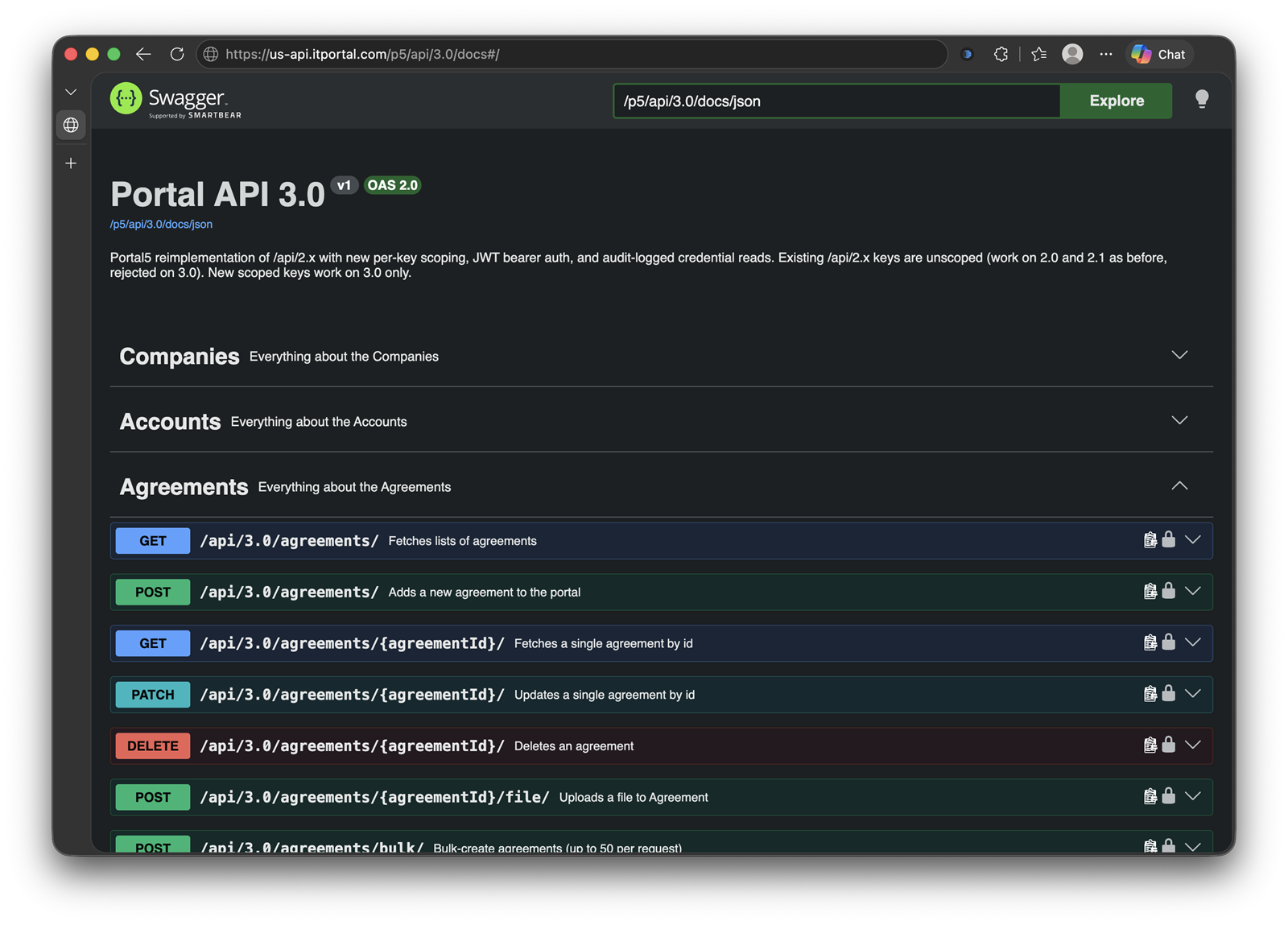
If you can do it in the Portal, you can do it through the API.
Most documentation platforms give you an API that reads well and writes badly. Open API 3.0 is different. Every field a GET returns is accepted by POST and PATCH. Companies, sites, contacts, devices, accounts, agreements, documents, KB articles, configs, custom fields, templates, folders, attached files, drawings, sheets, relationships, and credentials all round-trip completely. Nothing is UI-only.
The proof is PortalSync. Our own portal-to-portal sync tool copies an entire tenant, every object, file, password and relationship, into a second Portal. It runs entirely on the same public /api/3.0/ endpoints you get. No database access, no back door. If the API is complete enough to move a whole Portal, it is complete enough for anything you can imagine.
Make the Portal your source of truth with AI
This is where it gets interesting. Point Claude, or any AI agent that can call HTTP endpoints, at your Portal's API docs with a scoped key. The docs are machine-readable and gated, so the agent discovers exactly the endpoints and methods that key is allowed to use, and nothing more. Then point the same agent at your other systems.
From there, you describe the outcome in plain English and the agent does the work:
- "Pull every device from our Asset Management Database, compare it to the Portal, and create anything that's missing."
- "When a new client is created in our HubSpot, build the company, sites, contacts, and standard folders in the Portal."
- "Every Monday, list the servers at Acme whose warranties expire in 90 days and put it in the client's KB."
- "Read the ticket, find the device in the Portal, and post its related passwords, configs, and open agreements back to the tech." Every password disclosure is audit-logged, even when an agent asks for it.
We ship dozens of built-in integrations, and they cover the common PSA, RMM, hypervisor, and identity platforms. The API is for everything else: the tools we don't integrate with yet, the in-house system nobody else has, and the workflow that is specific to how your team runs. You are no longer waiting on a vendor roadmap. The Portal becomes the one place the truth lives, and every other system either feeds it or reads from it.
More examples of what customers build
- Onboarding automation: New client signed in the PSA, and the Portal is fully scaffolded before the first site visit.
- Drift detection: Nightly reconcile against the RMM, Entra ID, or a hypervisor so the Portal never falls behind reality.
- Ticket enrichment: An agent reads the ticket, pulls the relevant documentation and Relationships, and posts a summary to the tech in seconds.
- Reporting and BI: Change polling with
modifiedSincefeeds Power BI or a data warehouse without full re-pulls. - Bulk cleanup: Normalize hostnames, backfill custom fields, and fix tagging across thousands of records in one batched run.
- Disaster recovery: PortalSync keeps a live mirror of your tenant in a second location, cloud or on-premise.
Key Features:
- Bulk everywhere: Collection-level bulk POST and PATCH on every object kind and sub-entity, 50 items per call, with per-item results.
- Files and folders are first-class: Upload and download attached documents, photos, manuals, and agreements as binary. Folder trees included.
- Credentials with fail-closed audit: Passwords and 2FA codes are returned only after the access is logged. If the audit write fails, the secret is withheld.
- Tenant-wide list endpoints: One call returns every note, file, sheet, or relationship in the tenant, each tagged with its parent.
- Natural-key lookup: Ask "does this hostname already exist?" for 50 records at once before deciding whether to insert or skip.
- Scoped API keys and JWT auth: Keys are scoped per resource, per HTTP method, and per company. A read-only key for reporting, a write key for sync, nothing broader than it needs.
- No silent failures: Unknown fields are rejected with a clear error instead of being dropped. Empty results are empty lists, never nulls.
- Gated, machine-readable docs: Swagger is served from your own tenant and shows each key only what it can call. Ideal for AI agents.
Getting started
Open API 3.0 ships with release 4.6.27 and is available now on Cloud, with on-premise upgrades on the standard cadence. Create a scoped API key in your Portal, exchange it for a token, and fetch the docs:
POST https://<your-host>/p5/api/3.0/auth/token
Authorization: <your API key>

GET  https://<your-host>/p5/api/3.0/docs/json/
Authorization: Bearer <token>
Read the full Open API 3.0 release notes for the technical details, or contact us if you would like help designing an integration.

