Unmanaged software licenses quietly drain thousands from budgets every month - yet most IT teams still have no single place where all their licenses live. Industry research consistently shows that organizations waste between 25-30% of their software spend on unused or underutilized licenses. Meanwhile, AI tool proliferation is adding a new layer of complexity: consumption-based billing, shadow sign-ups at the department level, and licensing terms that change faster than annual reviews can track.
The result is a familiar cycle: budget waste on unused subscriptions, surprise renewals that blow forecasts, and compliance audit scrambles that pull teams away from real work. A modern software license management tool breaks that cycle. This post explains what a solid SLM tool does, the real risks teams face in 2026, and how IT Portal's documentation-first platform brings every license - SaaS, AI, legacy, and on-premises - into one auditable, organized system.
What Is a Software License Management Tool?
A software license management tool (SLM tool) is a centralized platform for tracking, controlling, and documenting software licenses across an organization. SLM sits at the intersection of IT asset management and compliance: while SAM focuses on usage optimization and ITAM covers the full hardware and software lifecycle, SLM is the documented foundation that makes both far more effective.
The role of a software license manager is straightforward: maintain compliance, control costs, prepare for audits, and manage vendor relationships - all from one reliable system of record.
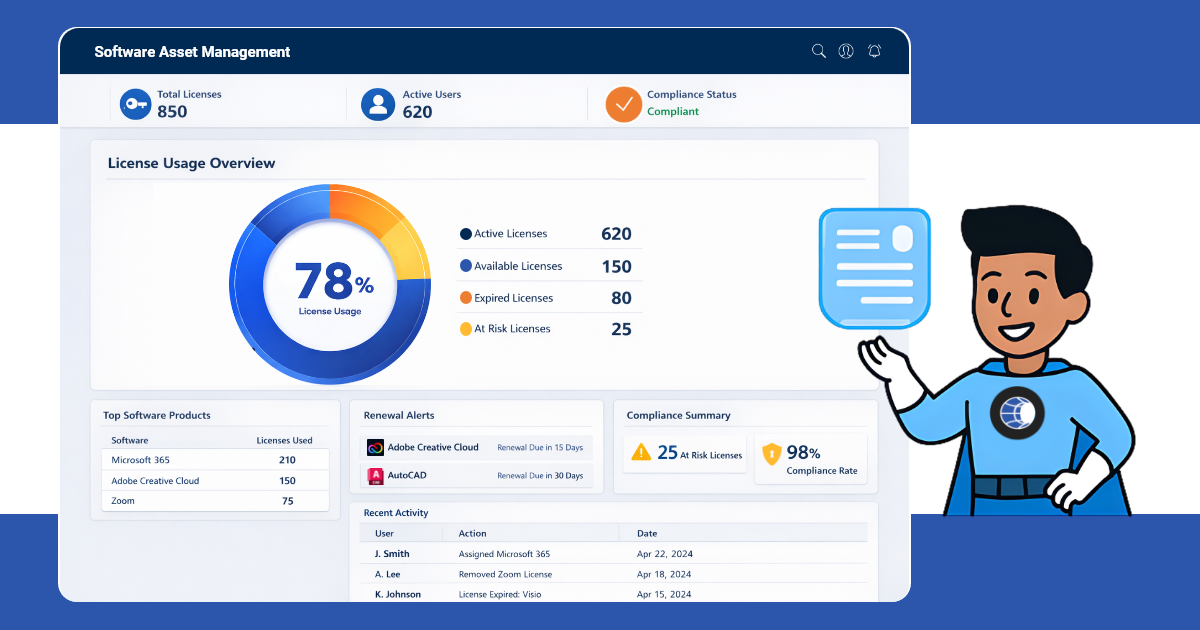
Types of Software Licenses You Need to Track
Not all licenses are the same, and each needs to be documented differently:
- Perpetual vs. Subscription
- Per-user vs. Concurrent vs. Server-based
- SaaS / Cloud licenses
- SSL certificates, domain registrations, support contracts
- Open-source and freeware (still carry compliance implications)
Why Software License Management Matters in 2026
Cost Risk
Unused seats, duplicate tools, and unnoticed auto-renewals compound quietly. AI tools make it worse - token counts and API calls accumulate between billing cycles in ways flat-fee budgets were never designed to track. IT Portal sends timely email and in-app alerts for expiring agreements, SSL certificates, domains, and warranties before they become costly surprises.
Compliance Risk
EULA violations create legal exposure. Audit readiness without current documentation becomes a scramble. IT Portal is SOC 2 Type II certified and supports HIPAA, GDPR, PCI, IRAP/ASD, and Law 25 - providing the evidence base auditors expect, not a last-minute reconstruction of records.
Security Risk
Unlicensed, unpatched, or shadow software expands the attack surface. IT Portal surfaces expiring certificates, documentation gaps, and known software issues without requiring teams to jump between disconnected tools.
IT Documentation Best Practices
Common Software License Management Challenges
| Challenge | IT Portal Solution |
|---|---|
| No single source of truth | Agreements module centralizes everything |
| Missed renewals | Expirations: email + in-app alerts |
| No visibility across departments/clients | Synopsis View delivers a consolidated snapshot of every accessible object across your organization. It instantly highlights potential issues and areas for optimization. |
| No audit trail when things change | Change History records every update with full detail. Track changes from your last login or any custom date range. |
| Shadow IT / unauthorized software | IT Portal documents known software. Pair with a dedicated asset discovery tool for unauthorized install scanning. |
Key Features to Look for in a Software License Management Tool
| Feature | IT Portal |
|---|---|
| Centralized license inventory & agreement storage | ✅ Agreements module |
| Renewal & expiry alerts (email + in-app) | ✅ Expirations feature |
| User-to-license & device-to-license linking | ✅ Relationships feature. Connect software agreements to licensed users and devices - map dependencies and optimize licensing. |
| Compliance reporting & RBAC | ✅ Granular permissions, logs access, 2FA, encryption |
| Audit trail & change tracking | ✅ Change History |
| Global visibility across all clients/sites | ✅ Synopsis View |
| Automated software discovery / usage metering | ⚠️ Network Import available, not software-specific auto-scanning |
How to Implement Software License Management: Step by Step
- Discover: Run a software/asset scan across all devices (pair with a discovery tool).
- Document: Enter all licenses into IT Portal's Agreements module — license type, cost, dates, vendor.
- Link: Use Relationships to connect licenses → users → devices → client sites.
- Alert: Configure Expirations for email/in-app notifications ahead of every renewal.
- Audit: Use Change History + Export for quarterly reviews and compliance reporting.
- Standardize: Use Templates to replicate the same documentation structure across all clients or departments.
How IT Portal Works as Your Software License Management Hub
IT Portal is purpose-built as the documentation-first software license management tool.
- Agreements Module: Streamlined agreement management, reduced risk of missed renewals, improved compliance, and enhanced visibility.
- Expirations: Proactive monitoring across devices, agreements, configs, SSL, and domains - email + in-app.
- Relationships: Visualize complex connections between IT assets. Connect software agreements to licensed users, map dependencies, and optimize software licensing.
- Synopsis View: Cross-organization visibility for audits and gap analysis.
- Change History: Full audit trail for compliance exports and vendor audits.
- Compliance Frameworks: SOC 2 Type II, HIPAA, GDPR, PCI, IRAP/ASD, Law 25.
- Cloud + On-Premises: Flexible deployment for clients with different security requirements.
Software License Management for MSPs
IT Portal centralizes all client documentation - devices, credentials, configurations, licenses, and procedures - so technicians get clarity across every client without switching tools. Client-facing read-only access supports audits and renewals while keeping ownership in the MSP's hands. License audits become the natural first step of every client onboarding, not a reactive scramble when a renewal is missed.
Software License Management Best Practices
| Best Practice | IT Portal Feature |
|---|---|
| Create a single license registry | Agreements module |
| Never miss a renewal again | Expirations alerts |
| Link every license to users and devices | Relationships |
| Run quarterly license audits | Change History + Export |
| Standardize documentation across teams/clients | Templates |
| Give clients visibility without exposing data | Free Company Users / read-only access |
| Document SaaS and AI subscriptions like traditional licenses | Agreements module |
The Bottom Line
Software license management is part compliance, part cost control, and part documentation.
All three need a reliable system of record. IT Portal owns the documentation and audit-readiness layer, the foundation every license management process needs to function.
Your software license management becomes 10× more effective when every license lives in a clean, structured documentation system.
Ready to turn license tracking into a simple, repeatable advantage? Start your IT Portal trial or Book a demo today.
Explore the Agreements module and see how IT Portal brings every license under control.


