Managed Service Providers (MSPs) operate in one of the most credential-dense environments in modern IT. Unlike internal IT teams managing a single organization, MSPs support dozens of client environments simultaneously, each with its own admin accounts, cloud platforms, firewalls, SaaS tools, and backup systems. Over time, this creates thousands of credentials spread across technicians, tools, and documentation. Thus, credential management is no longer just an operational convenience, rather a core security control.
An MSP password manager brings structure, accountability, and security to this complexity, helping MSPs reduce risk while improving operational efficiency. This post explains the risks MSPs face, the business case for adopting a password manager, what features truly matter, and how to implement credential management successfully.
The Hidden Risks Driving the Need for an MSP Password Manager
Credential risks do not appear suddenly. They build through everyday habits focused on speed over governance.
Credentials often end up scattered across:
- PSA notes and internal documentation
- Shared spreadsheets and drives
- Messaging platforms and emails
- Technician scripts and personal storage tools
This leads to:
- No accountability. Shared admin logins make tracking impossible
- Limited visibility. There is no clear record of who accessed what and why
- Access sprawl. Old accounts and permissions remain active
- High blast radius. One compromised credential can impact multiple clients
For MSPs, this multi-client exposure significantly increases risk compared to traditional IT environments.
Why an MSP Password Manager Matters (Beyond Security)
While security is the primary driver, the real value shows up in daily operations and business growth.
- Reduced breach exposure: Controlled access, audit trails, and secure sharing lower the chances of credential misuse
- Improved Technician Efficiency: Less time spent searching for passwords leads to faster ticket resolution
- Faster compliance and audits: Centralized logs and structured access make audits and assessments easier
- Improved client retention and upsell potential: Demonstrating mature credential practices helps win and retain higher-value clients
Instead of focusing on heavy statistics, the key takeaway is simple: better credential management improves both security and operational performance.
Generic Tools Fail Multi-Client Password Management Requirements
Most traditional password managers are built for single organizations, not MSPs managing multiple clients.
Common limitations include:
- No client-level segregation: Technicians may unintentionally gain visibility across unrelated client credentials, creating compliance risks.
- Limited permission granularity: Generic tools often lack approval workflows, temporary access roles, or detailed privilege controls.
- Incomplete audit visibility: Logs may exist but lack contextual information required for compliance reviews.
- Disconnected workflows: Credentials remain isolated from operational documentation, forcing technicians to switch between systems.
These gaps turn password managers into storage tools rather than governance platforms. An MSP requires an MSP password vault designed around tenant isolation and operational accountability.
What an MSP Password Manager Must Include
To work effectively in an MSP environment, a password manager should support both security and operations.
Key capabilities to look for:
- Client-Based Credential Segmentation: The password manager should organize credentials by client, ensuring technicians can only access the environments they are assigned to.
- Role-Based Access Controls (RBAC): The system should allow MSPs to assign permissions based on job roles, so users only have access to what they need.
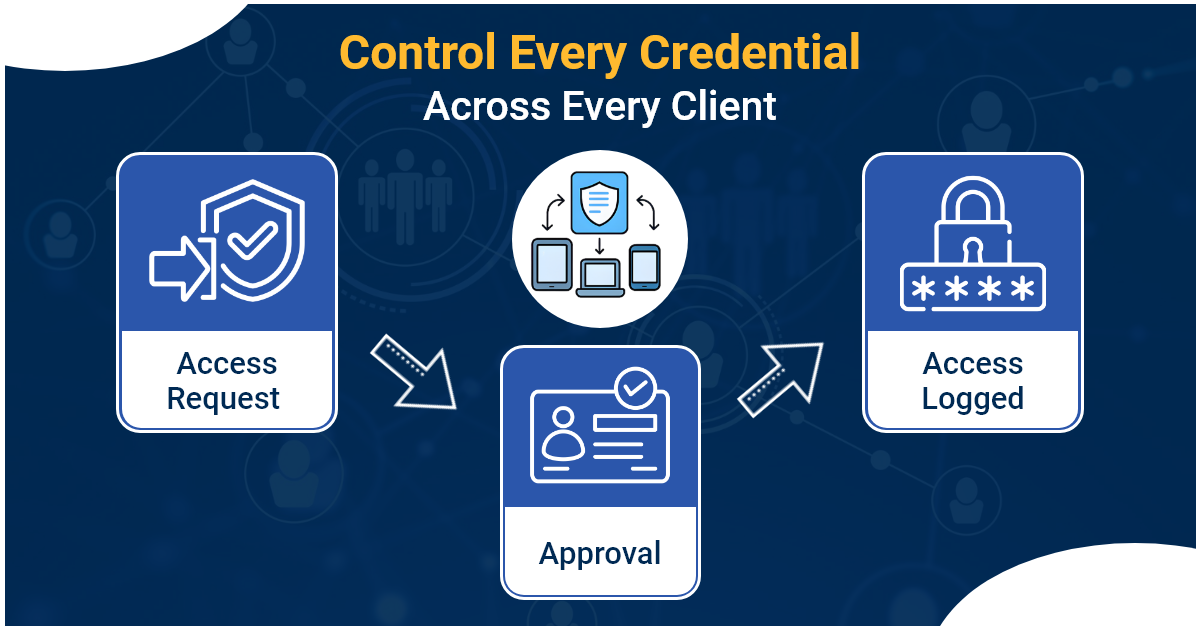
- Secure Credential Access and Sharing: The platform should enable technicians to request credential access through approval workflows instead of sharing passwords through insecure channels.
- Audit Logs and Activity Tracking: The password manager should record every credential interaction, including who accessed it, when it was accessed, and what actions were taken.
- Workflow Integration: The password manager should integrate with PSA, RMM, and documentation tools so technicians can access credentials within their daily workflows.
- Password Rotation Policies: The system should enforce regular password updates to reduce the risk of compromised or reused credentials.
How to Implement an MSP Password Manager
Deploying a password manager successfully requires structured rollout rather than a rushed migration.
- Step 1: Discover Existing Credentials: Identify and inventory passwords stored across all systems, tools, and documentation.
- Step 2: Evaluate and Pilot: Test shortlisted solutions in a small environment to assess fit and usability.
- Step 3: Migrate Gradually: Move credentials gradually, starting with lower-risk systems to minimize disruption.
- Step 4: Define Access Policies: Establish approval workflows, permission levels, and rotation schedules aligned with operational needs.
- Step 5: Train the Team: Provide quick start guides and internal sessions to reduce resistance and encourage adoption.
- Step 6: Track Success Metrics: Measure adoption rates, credential migration progress, approval response times, and ticket resolution improvements.
Strong multi-client password management ensures credential security scales alongside business growth. However, implementation alone is not enough. MSPs also need a platform that organizes credentials, access controls, and operational context within one secure system.
How IT Portal Strengthens Credential Management for MSPs
An MSP password manager secures credentials, but it does not provide full operational context. This is where IT Portal plays a complementary role.
Instead of storing credentials in isolation, IT Portal helps:
- Link credentials to devices, configurations, SOPs, and client assets
- Organize infrastructure knowledge alongside secure access workflows
- Reduce tribal knowledge dependency between technicians
- Maintain a single operational reference point across clients
This approach ensures technicians not only access credentials securely but also understand how and where to use them.
How Strong Password Practices Increase Client Trust and Retention
Once credentials are structured and operationally organized, MSPs begin to see measurable business impact. Security maturity increasingly influences purchasing decisions, and clients expect providers to demonstrate clear credential governance.
Benefits include:
- Passing enterprise security questionnaires more easily
- Supporting SOC 2 and compliance initiatives
- Providing transparent access audit reports
- Reducing breach liability exposure
- Enabling premium managed security service tiers
For many MSPs, adopting a structured MSP password vault becomes a visible differentiator that improves both client retention and new business acquisition.
Strengthen Credential Security Across Every Client
Credential security is not just about storing passwords. It is about controlling access, maintaining visibility, and supporting operations at scale. An MSP password manager provides the security layer. IT Portal strengthens it by adding structure, context, and usability.
Together they create a foundation that supports:
- Scalable growth
- Stronger security posture
- Improved client trust
If you are looking to bring clarity and control to credential management, combining these approaches is the next step forward. See how IT Portal centralizes and simplifies cloud and credential documentation for MSP teams.


