Why IT Inventory Management Still Fails Most IT Teams
Most IT teams have an asset list or a device tracker. And yet, choosing the right IT inventory management system - and using it correctly - remains one of the most common operational blind spots in IT. Many teams still struggle with rushed incident resolution, audit penalties, and costly security gaps. This isn't because they don't track assets. It's because they lack contextual IT documentation tied to that tracking.
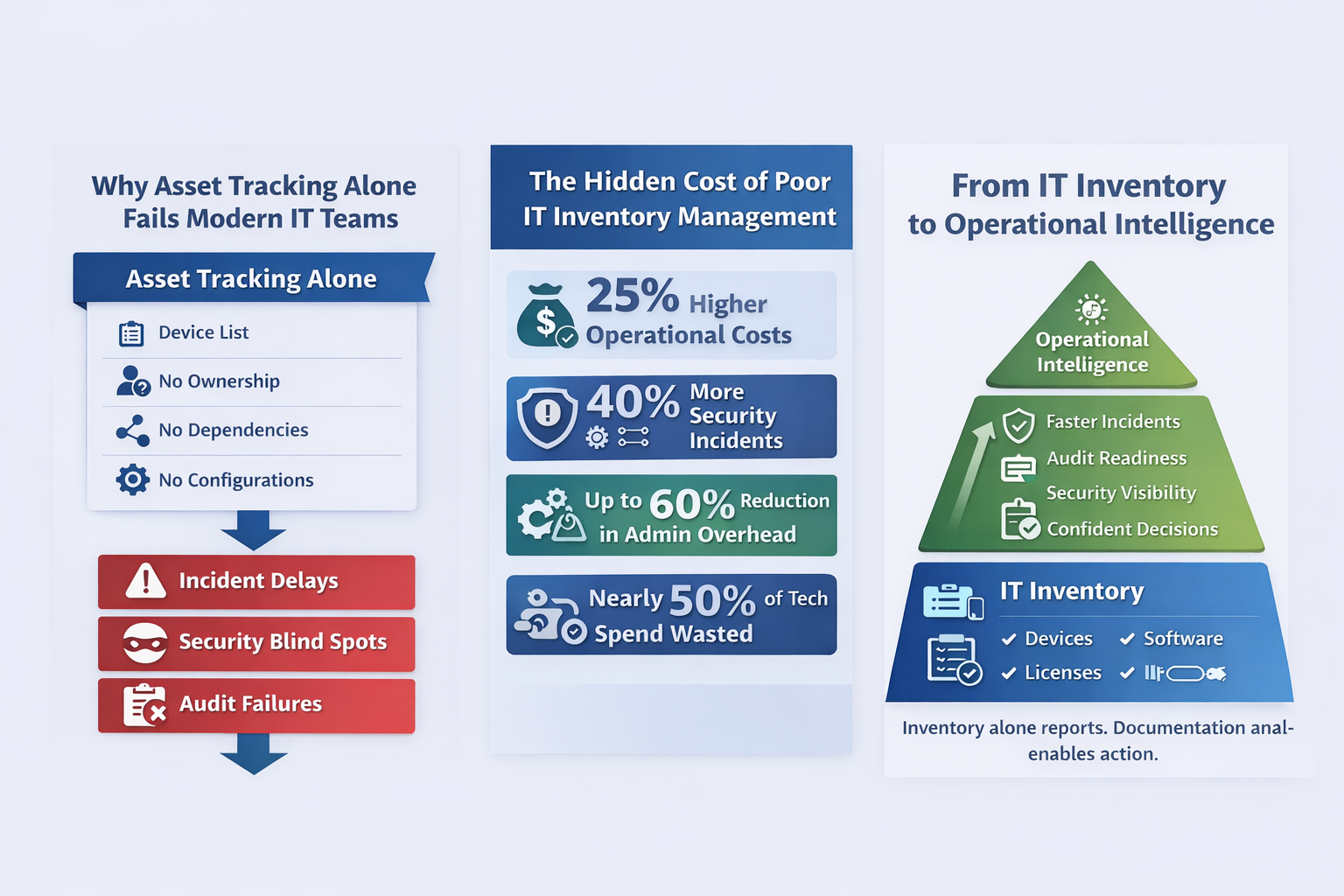
In fact, tracking assets alone isn't enough. Research shows that organizations with fragmented IT inventory management report up to 25% higher operational costs and 40% more security incidents compared to those using comprehensive, integrated systems (Source: DeviceNow).
Add to that the reality that nearly half of unnecessary technology spend comes from unused or poorly managed hardware and software assets, and a clear picture emerges: visibility without context creates the illusion of control, but not real operational clarity.
That's why simply listing devices is no longer enough. Modern IT environments demand inventory that's tied to knowledge, relationships, workflows, and operational intelligence.
A modern IT inventory management system only becomes effective when it is embedded within a structured IT documentation platform that captures relationships, dependencies, and real-world operational context.
This guide explains what an IT inventory management system is, why traditional approaches fall short, how to choose the right one, and how documentation-driven inventory fixes the real problem.
Section 1: What Is an IT Inventory Management System?
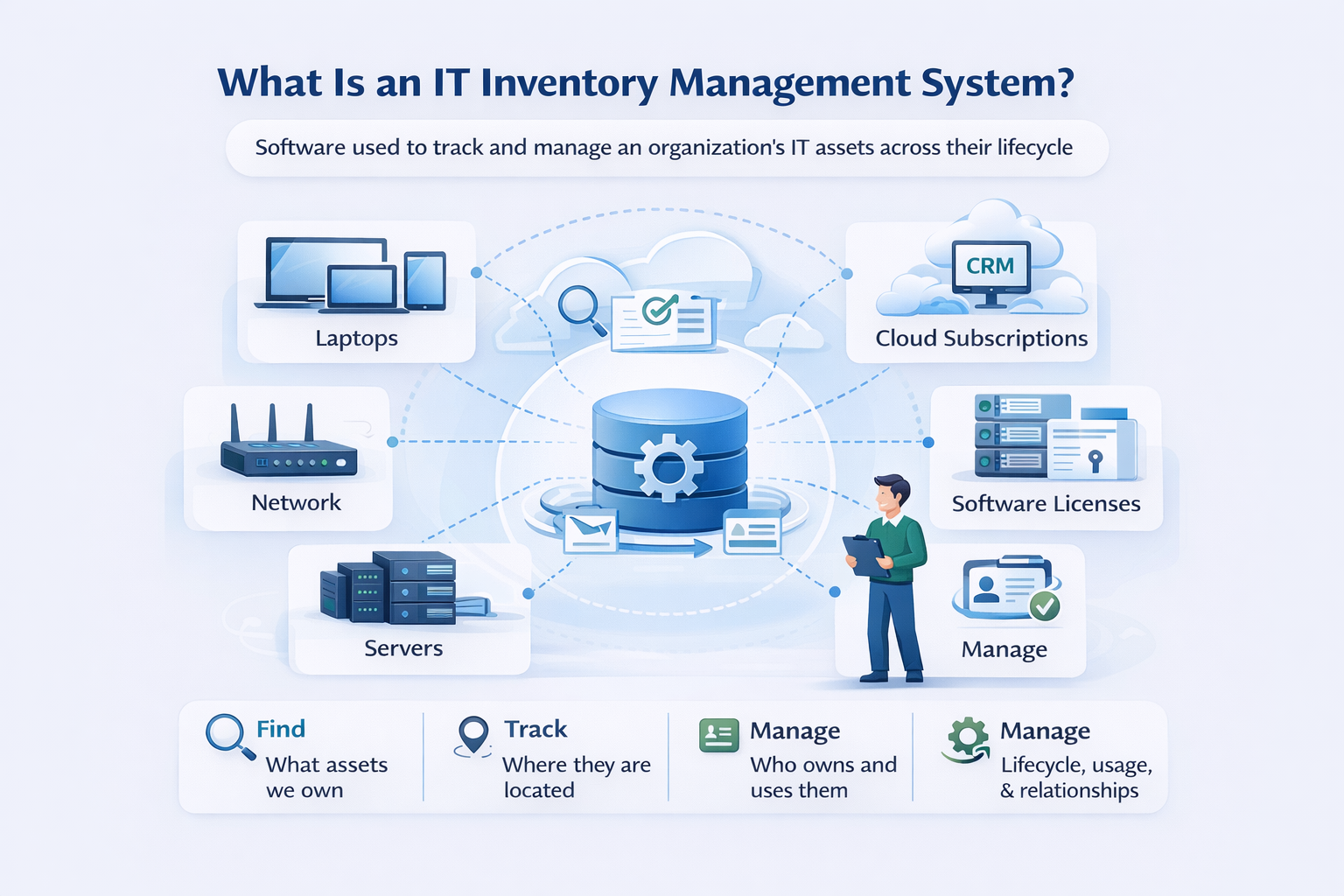
At its core, an IT inventory management system is software used to track and manage the assets that power an organization - from laptops, servers, and network equipment to software licenses, cloud subscriptions, and virtual instances. It answers basic questions like:
- What assets do we own?
- Where are they located?
- Who is responsible for them?
But that's where many tools stop. Most inventory tools fail to capture:
- Asset relationships (for example, which application runs on which server)
- Dependencies and service impact
- Operational purpose (why the asset exists)
- Lifecycle context beyond purchase and location
Without this context, inventory becomes an artifact, not actionable knowledge.
Section 2: Why IT inventory tracking alone creates operational risk
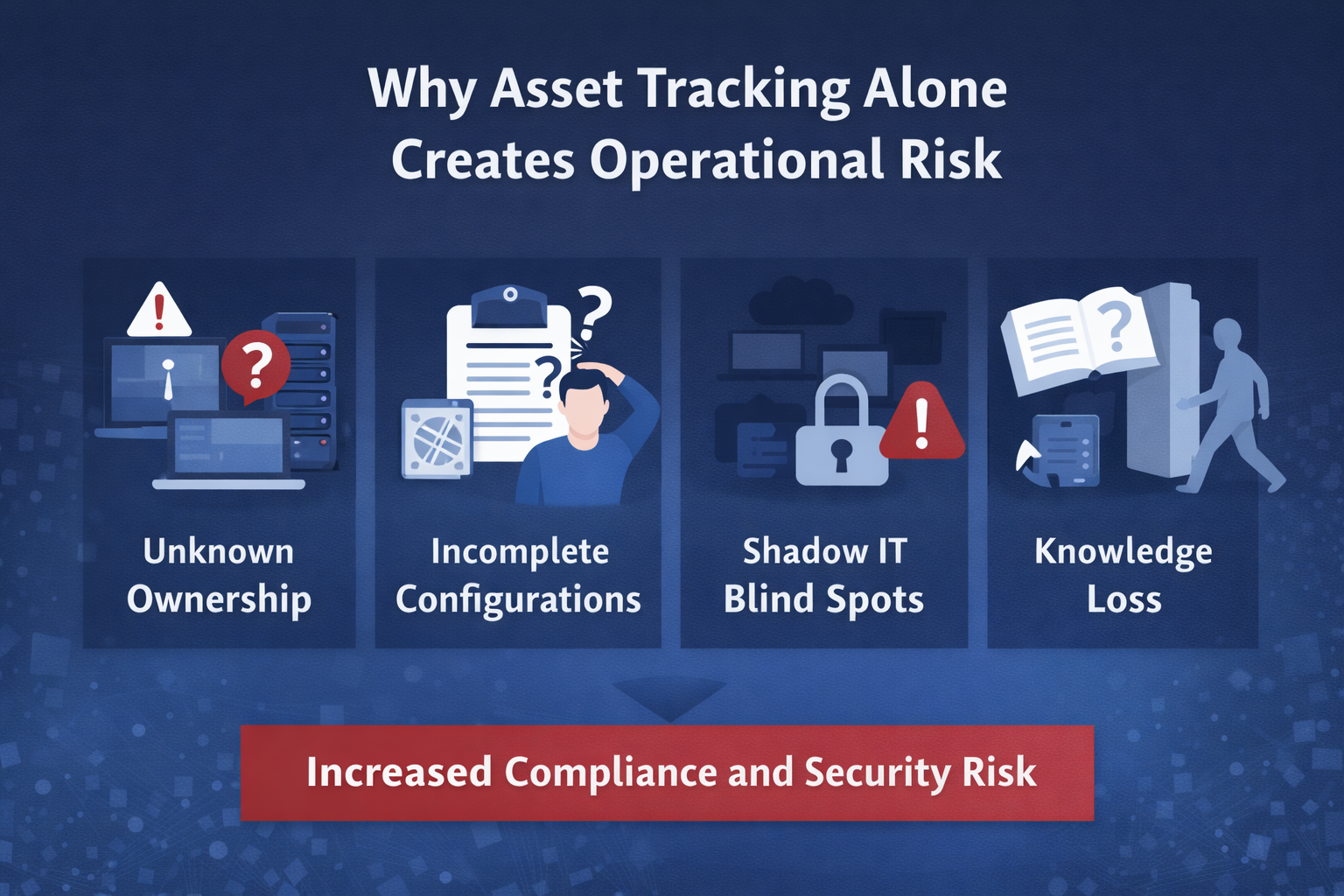
Asset lists may tell you what exists, but they don't answer the operational questions that actually matter.
Unknown asset ownership
Assets without documented owners often go unpatched and unmanaged, directly increasing compliance and security risk.
Incomplete configuration records
An asset without configuration context forces technicians to guess during incidents, slowing resolution and increasing the chance of error.
Shadow IT and unmanaged devices
Modern environments change constantly. Tools that track only sanctioned assets miss shadow IT and unsanctioned SaaS, creating security blind spots that attackers actively exploit.
Knowledge loss when technicians leave
When inventory records don't explain why assets matter or how they're used, departures leave operational gaps, not just staffing gaps.
Inventory management is not the same as IT asset management. Inventory is the foundation, but lifecycle, risk, and value come from documentation and process.
Section 3: How an IT inventory management system supports core IT workflows
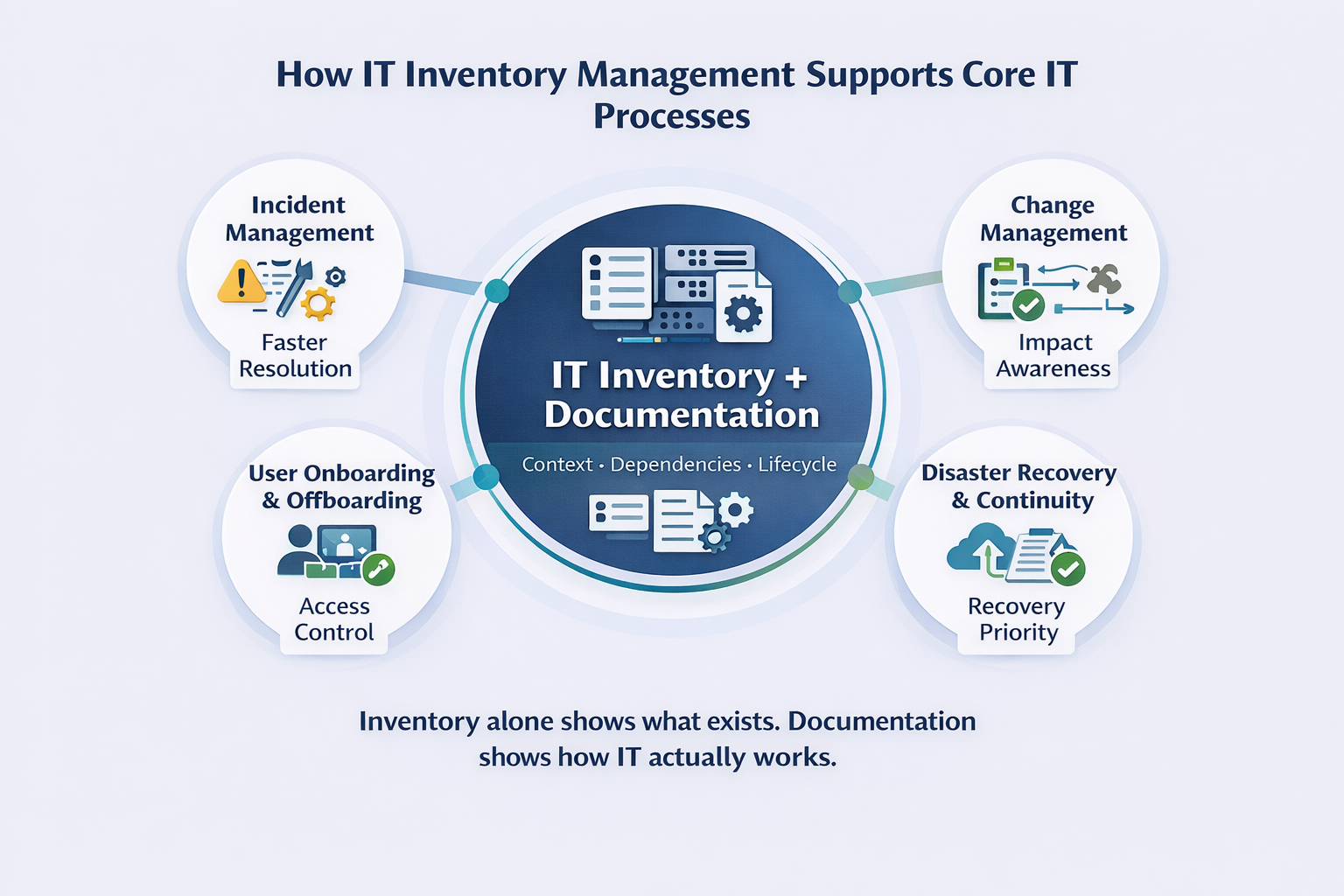
Inventory becomes valuable only when it supports real IT workflows.
Incident management
Fast identification isn't enough. Teams must understand dependencies, configurations, and impact. Inventory linked to documentation dramatically reduces mean time to resolution and prevents repeat outages.
Change management
Inventory shows what exists. IT documentation explains what will break if something changes. Without that insight, change becomes guesswork.
User onboarding and offboarding
Inventory lists devices, but documentation shows:
- Who owns them
- What access they enable
- What systems and credentials are tied to each user
This prevents forgotten access and reduces security risk during employee exits.
Disaster recovery and business continuity
Recovery planning requires more than a device roster. Teams need documented priorities, dependencies, and restoration sequences - something inventory alone cannot provide.
Industry experts consistently emphasize that comprehensive inventory must include configuration, usage, and lifecycle context to truly support operations.
Section 4: Inventory as the Foundation of IT Documentation
This is where the real shift happens.
Inventory tells you what. Documentation explains how and why.
Without structured documentation, inventory data quickly becomes unusable under pressure. In fact, organizations that automate inventory discovery and documentation reduce administrative overhead by up to 60%, freeing IT teams to focus on strategic work instead of manual tracking (Source: DeviceNow).
For MSPs managing multiple client environments, this distinction becomes critical. Each client's inventory must link to their specific runbooks, credentials, and configurations - not a shared generic list. A documentation-first approach is what separates reactive IT support from proactive, scalable operations.
This is why leading ITSM frameworks emphasize documentation, relationship mapping, and lifecycle context as foundational, not optional.
Learn more about a structured IT documentation platform.
Section 5: Compliance, Security & Audit Readiness
Accurate inventory is necessary, but documentation is what makes it defensible during audits.
Standards such as:
- ISO 27001 requires documented asset ownership and risk classification.
- SOC 2 mandates traceability and accountability.
- HIPAA / GDPR require technical identification of systems handling sensitive data.
Detailed asset lists alone don't prove compliance. Automated, centralized documentation systems reduce audit risk and improve response time under scrutiny.
To see how documentation supports compliance and governance, click here.
Section 6: IT inventory management best practices for reliable, audit-ready records
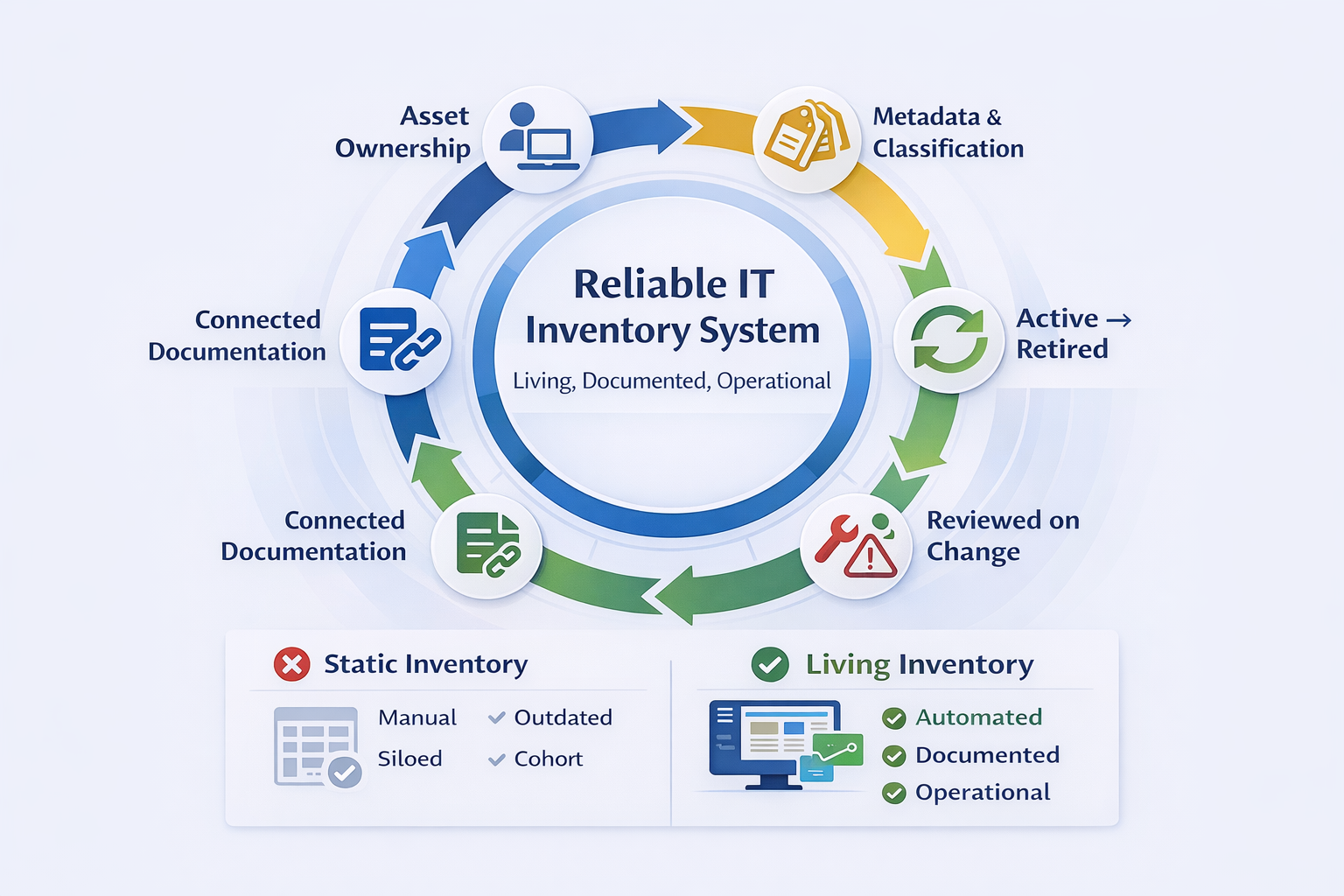
High-performing IT teams treat inventory as living knowledge, not static records.
Best practices include:
- Assigning clear asset owners
- Standardizing metadata and classifications
- Tracking lifecycle states (active, retired, archived)
- Reviewing inventory during every major change
- Integrating inventory with documentation workflows to eliminate silos
Many teams still rely on spreadsheets, which quickly fall out of date and waste hours every week.
To learn about access workflow guidance and best practices, click here.
Section 7: How to Choose the Right IT Inventory Management System
What to avoid
- Standalone inventory tools with no documentation layer
- Spreadsheet-based tracking
- Systems without relationship mapping or documentation links
What to prioritize
- Documentation-first architecture
- Real-time discovery and dependency mapping
- Role-based access and audit trails
- Scalability across on-prem, cloud, and distributed environments
Match the tool to your environment
The right system depends on your team's size, structure, and compliance requirements:
- Small IT teams - prioritize ease of use, fast device import automation, and a low setup overhead.
- MSPs - prioritize multi-tenant documentation linking so each client's inventory connects to their specific runbooks, credentials, and configurations.
- Compliance-heavy organizations (SOC 2, CMMC, HIPAA) - prioritize audit trail export, asset ownership records, and framework-specific documentation artifacts.
Section 8: How IT Portal approaches IT inventory management
IT Portal does not treat inventory as an isolated asset list. Instead, it embeds inventory within a broader IT documentation platform that connects assets to:
- Network maps
- Configurations
- SOPs and runbooks
- Vendor, warranty, and contract records
This approach allows teams to move beyond asset tracking to operational intelligence, answering not just what exists, but how systems interact and why they matter.
For example, an MSP using IT Portal links each client's router and firewall inventory directly to that client's network diagram, credential vault, and escalation runbook - so any technician can resolve an incident in minutes, not hours, without needing to track down the right person or dig through disconnected tools.
IT Portal is ideal for:
- Internal IT teams managing growing infrastructure
- MSPs supporting multiple environments
- Organizations prioritizing security, compliance, and consistency
Check pricing and deployment options: Pricing.
Section 9: Frequently Asked Questions
Yes. Inventory becomes actionable only when it is tied to documentation that defines relationships, dependencies, and operational context.
Inventory tracks what exists, whereas IT asset management adds lifecycle, ownership, and strategic governance.
Rapid environmental change, siloed tools, and lack of automation lead to outdated records.
Yes, when inventory is documented, auditable, and consistently maintained.
By embedding inventory within a structured documentation ecosystem that links assets to configurations, dependencies, and workflows.
A centralized online portal gives IT teams a single source of truth for all hardware assets - linking device records to configurations, ownership, and dependencies. Instead of switching between spreadsheets and ticketing systems, technicians access full asset context in one place, reducing incident response time and eliminating documentation gaps during audits or staff transitions.
Conclusion: Inventory must power decisions, not just reports
Inventory data alone doesn't make IT teams better - it only reports what exists.
But when inventory is connected to IT documentation, context, dependencies, and processes, it becomes operational intelligence.
That's when inventory starts to speed up incident response, strengthens security posture, improves audit readiness, and enables confident, strategic decisions.
Modern IT teams must stop treating inventory as static lists and start treating it as living knowledge that drives action.
If your inventory still lives in spreadsheets or disconnected tools, you're not managing risk, security, or uptime - you're guessing.
Discover how IT Portal transforms inventory into actionable IT knowledge.


