If you're a Hudu customer evaluating IT Portal — or already mid-evaluation and dreading the data move — this post is for you. We built a free importer that takes a standard Hudu sync export and lands it inside an IT Portal tenant in a single command. No re-keying. No spreadsheet bridges. No "rebuild your custom fields from scratch."
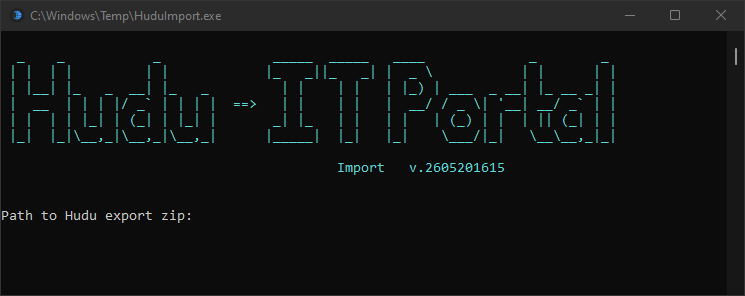
This post explains what the tool migrates, how it preserves the structure you already built in Hudu, and what we learned from a real production migration that pushed roughly 1,700 records into a fresh IT Portal tenant.
Why Switching Documentation Platforms Hurts
Documentation isn't just a list of devices. It's the accumulated wiring diagram of every client engagement — contacts, hardware, credentials, runbooks, and the relationships between them. The cost of a migration isn't the licensing change. It's the prospect of:
- Losing custom fields that took months to standardize
- Re-typing thousands of passwords into a new vault
- Re-attaching every device to its company, site, and contact
- Re-formatting rich-text knowledge base articles
- Rebuilding the relationship graph that links accounts to assets
Most MSPs who evaluate a switch get stuck here. They like the new platform but can't justify the manual labor of moving 50 clients' worth of operational knowledge. So they stay on a tool they've outgrown.
That's the problem we set out to solve.
What the Hudu → IT Portal Importer Migrates
The importer is a single-file Windows binary that reads Hudu's standard sync-export zip and writes through IT Portal's REST API. Eight phases run in dependency order so foreign keys always resolve:
| Phase | Hudu source | Lands in IT Portal as |
|---|---|---|
| 1 | companies.csv |
Companies (with placeholder main contact) |
| 2 | companies.csv (location columns) |
Addresses |
| 3 | companies.csv (location columns) |
Sites |
| 4 | people.csv |
Contacts |
| 5 | knowledge_base_articles.csv |
Knowledge Base articles |
| 6 | 30+ per-asset-type CSVs | Devices, Configurations, Agreements, Accounts, Documents |
| 7 | asset_passwords.csv |
First-class Accounts with username, password, and 2FA |
| 8 | relations.csv |
Asset ↔ asset relationships |
Custom asset types — your Appliances, ISP Modems, Wireless Networks, Special Role Devices — are recreated on the target with their original names, icons, and singular forms. Custom fields are recreated as IT Portal template fields and bound to the right asset type so they appear inline on every record, just like they did in Hudu.
What Survives the Trip
The point of an importer isn't just to move data — it's to preserve the meaning you put into it. Here's what carries over intact:
- HTML in notes and rich-text fields. Bold, links, tables, embedded images — preserved. The tool sniffs HTML content per column and enables the AllowHTML rendering flag on the corresponding template field.
- Credentials. Usernames, passwords, and 2FA codes move into IT Portal's encrypted credential store. The transport is bearer-JWT authenticated and the tool itself never persists secrets in clear text — API keys are DPAPI-encrypted at rest, scoped to the operator's machine.
- IP and MAC addresses. Stored against the device sub-resource, not as free-text fields, so they're searchable and routable like any other IP record.
- Management URLs. Auto-detected from columns named
management url,mgmt link,management ip, etc. — and paired with the matchingmanagement(protocol) column so RDP / HTTPS / SSH access shows up correctly in the device record. - Asset relationships. The Hudu
relations.csvexport becomes real IT Portal relationships between accounts, devices, configurations, agreements, and documents — preserving the graph that ties credentials to the assets they belong to.
How It Works
The migration is a three-step operation:
- Export from Hudu. Use Hudu's standard sync-export feature to download a zip of your tenant. This is the same export Hudu has supported for years; no new credentials or webhook configuration needed.
- Point the importer at your IT Portal tenant. Provide the target host (e.g.
https://your-tenant.itportal.com) and an API key. The importer probes the target, verifies API compatibility, and persists the connection so future runs need no flags. - Run. A single
HuduImport.exeinvocation walks all eight phases, prompting you only on judgment calls — like which asset type a custom Hudu CSV should map to. Non-interactive mode is available for fully automated runs.
A typical mid-size tenant — call it 100 companies, 1,500 devices and configurations, 600 credential records, several hundred KBs and relationships — completes in under five minutes.
Production-Tested Against a Real MSP Migration
We didn't ship this as a science project. It went through end-to-end production validation against an active MSP's Hudu tenant:
- 114 companies migrated with zero failures
- 122 sites and 58 addresses derived from company location columns
- 186 contacts moved from
people.csvto first-class IT Portal contacts - 240 knowledge base articles with HTML formatting preserved
- 420 asset-type records across devices, configurations, agreements, accounts, and documents
- 117 credential records with usernames, passwords, and 2FA codes
- 80 asset relationships rebuilt from
relations.csv
The handful of skipped rows weren't migration failures — they were dangling references to assets that didn't exist in the source export itself. Everything that could migrate, did.
Built for Re-Runs
One of the design constraints we cared about most is idempotency. If your migration is interrupted — network blip, machine restart, anything — you re-run the same command and it picks up where it left off. Per-row content hashing means unchanged records skip; changed records update; new records create. There's no risk of running it twice and ending up with duplicate companies or doubled credential entries.
This matters for two reasons:
- Big tenants benefit from a phased migration. You can run the importer, verify a slice of the data in IT Portal, adjust mappings, and re-run — the second pass updates rather than duplicates.
- It's how you'd refresh from Hudu before final cutover. Run it Friday, do a final delta sync Sunday night, switch DNS / bookmarks Monday morning. The Sunday run only writes the diff.
What You Should Do Next
If you're seriously evaluating IT Portal, the migration question shouldn't be a blocker anymore. Two paths forward:
- Book a demo and ask to see the importer run against a sample Hudu export — we'll walk through what your tenant would look like inside IT Portal before you commit to anything.
- Compare features if you're still sizing up whether IT Portal is the right fit. The importer matters only after you've decided the destination is worth the move.
Documentation platforms accumulate years of operational context. The cost of leaving one shouldn't be paying that cost over again. With the Hudu importer, it isn't.


