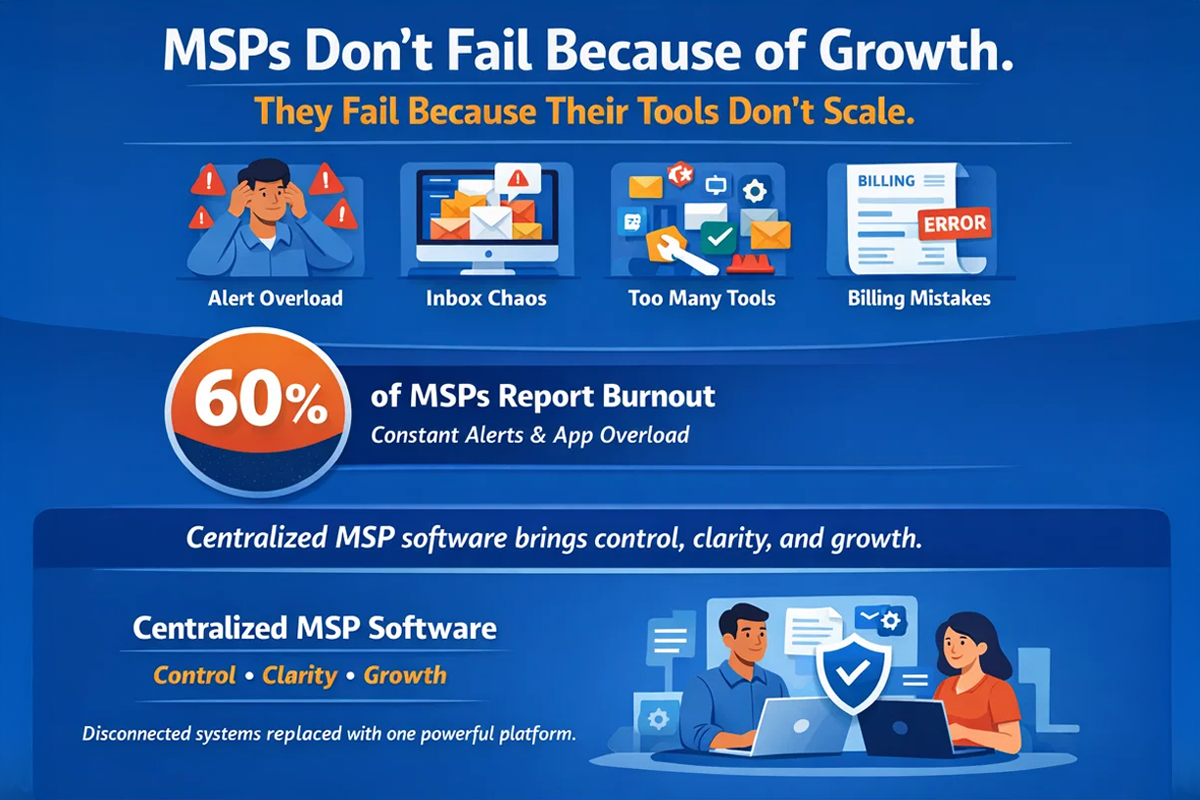
Do you know what most managed service providers (MSPs) struggle with? Lack of clients or lack of resources? No, the answer is a lack of reliable MSP tools to depend on. Alert storms flood inboxes, technicians juggle multiple browser tabs, billing errors creep in at the month's end, and new hires spend weeks trying to figure out where documentation lives or whether it even exists. Many teams still rely on Excel sheets and shared folders that nobody fully trusts.
There is real data backing up these frustrations. According to a 2025 industry survey, 60 percent of MSP professionals report moderate to severe burnout, often tied directly to managing a large number of disconnected tools and platforms, and nearly half of MSPs use ten or more separate tools just to monitor networks and support clients. These fractured toolsets contribute to context switching, inefficiency, and reduced productivity across teams.
Rather than leaving you with vague platitudes, this guide unpacks the full picture of managed service provider software in clear terms. You will get a precise explanation of what MSP software is and why it matters, a breakdown of essential MSP tools, an honest view of pricing, and a decision framework you can use for choosing your MSP software.
What Is MSP Software?
Managed service provider software refers to the set of tools MSPs use to deliver, manage, document, secure, and bill IT services efficiently. These tools centralize daily operations, reduce manual work, and help teams support multiple clients without losing control. MSP software has evolved from spreadsheets and standalone tools into integrated platforms that prioritize automation, documentation, and interoperability. The right MSP software solution improves SLA compliance, reduces technician fatigue, increases recurring revenue, and enables predictable growth from a handful of clients to hundreds. Without a solid software foundation, scaling an MSP becomes inefficient, error-prone, and difficult to sustain.
Essential MSP Tools and Software Categories
There is no single tool to run an MSP on its own. Scalable service delivery depends on a connected set of software categories, each solving a specific operational problem while feeding accurate data into the next system.
-
Remote Monitoring and Management (RMM): RMM tools act as the operational core of most MSP environments. They manage automated patching, device monitoring, alerting, and remote access across endpoints and servers. A strong RMM helps MSPs reduce downtime, improve response times, and stay proactive instead of reactive. Key metrics such as mean time to resolution, ticket volume, and SLA compliance improve directly when RMM is configured and tuned correctly.
-
Professional Services Automation (PSA): PSA software connects technical work to business operations. It manages ticketing, projects, scheduling, time tracking, billing, and SLAs in a single system. When PSA integrates tightly with RMM, technicians avoid duplicate data entry and constant tool switching. This improves utilization, reduces billing errors, and gives MSP owners clearer visibility into margins, client profitability, and operational performance. Even with RMM and PSA in place, service quality breaks down without reliable documentation.
-
Documentation and Asset Management Tools: These tools serve as the system of record for an MSP. They centralize passwords, asset inventories, network details, agreements, contacts, and procedures. Accurate documentation reduces onboarding time, improves first-contact resolution, and removes reliance on tribal knowledge. IT Portal leads in this space by offering comprehensive documentation with both cloud and on-premises deployment, at a lower cost than alternatives.
-
Security and Backup Tools: Security and backup tools protect endpoints, servers, and cloud workloads from cyber threats, outages, and data loss. These include endpoint protection, managed detection services, and backup solutions for on-premises and cloud systems. MSPs also rely on these tools to support compliance requirements such as HIPAA, SOC 2, and GDPR, reducing both operational risk and client liability.
-
Billing and Invoicing Software: Billing and invoicing software automates usage tracking, invoice generation, and revenue reporting. These tools help MSPs reduce billing mistakes, prevent revenue leakage, and shorten billing cycles. When billing platforms integrate with PSA systems, invoices reflect actual services delivered rather than manual estimates, improving cash flow, transparency, and long-term client trust.
Must-Have Features in MSP Software and Platforms
There is no single platform that checks every box for every MSP. The best software for managed service providers is defined by a core set of features that separates purpose-built MSP platforms from general tools used across organizations to manage isolated tasks.
-
Multi-Tenant Architecture: The software must support true multi-tenancy so each client's data, users, and permissions remain fully separated while still allowing technicians to manage all environments from a single interface.
-
Automation for Repetitive Tasks: Built-in automation for patching, alert handling, scripts, and workflows reduces manual effort, limits human error, and allows technicians to manage more endpoints without added stress.
-
Proven Scalability: MSP software should perform consistently as client counts, devices, and technicians increase, without slowdowns, forced upgrades, or unexpected pricing jumps as usage grows.
-
Integrations and Ecosystem Support: Strong integrations with RMM, PSA, billing, and security tools reduce tool switching and ensure data flows accurately across systems without manual syncing.
-
Security and Compliance Controls: Features such as role-based access, audit logs, encryption, and permission management help protect sensitive client data and support regulatory requirements.
-
Mobile and Remote Access: Technicians need secure mobile access to tickets, documentation, and client details so work can continue efficiently outside the office.
-
White-Labeling Options: White-label capabilities allow MSPs to present portals, reports, and documentation under their own brand, reinforcing professionalism and client trust.
-
Reporting and Analytics: Dashboards and reports provide visibility into service performance, technician productivity, SLA compliance, and operational trends that support better decision-making.
-
API Access and Extensibility: Open API access enables MSPs to build custom workflows, integrate niche tools, and adapt the platform as business needs evolve.
MSP Software Pricing Models Explained
Pricing is where many MSPs make costly decisions, because the sticker price rarely reflects the true long-term cost. Understanding how MSP software is priced helps you compare vendors accurately and avoid surprises as your business grows.
-
Per-Device Pricing: This model charges based on the number of endpoints managed, making costs scale directly with client device counts, but it can become expensive as environments grow or fluctuate.
-
Per-User Pricing: Pricing is based on the number of technicians or internal users, offering predictable staffing costs but may limit access if licenses are tightly controlled.
-
Tiered Packages: Vendors bundle features into tiers, where higher tiers unlock critical functionality, often forcing MSPs to upgrade sooner than planned to meet operational needs.
-
One-Time License vs SaaS: One-time licenses offer upfront ownership, usually with ongoing maintenance fees, while SaaS subscriptions spread costs monthly but require long-term commitment.
-
All-in-One Bundle Pricing: All-in-one platforms combine multiple tools under a single price, reducing vendor count but sometimes limiting flexibility or depth in specific areas.
When comparing pricing models, MSPs should evaluate total cost of ownership, including onboarding effort, scalability, and long-term pricing stability - not just monthly fees.
Explore transparent cloud pricing for MSP documentation: https://www.itportal.com/pricing-cloud/
Review on-premises pricing for data control and compliance needs: https://www.itportal.com/pricing-on-premise/
Evaluating MSP software price requires looking beyond monthly fees and comparing total cost against efficiency gains, fewer errors, and higher technician output.
How to Choose the Right MSP Software for Your Business
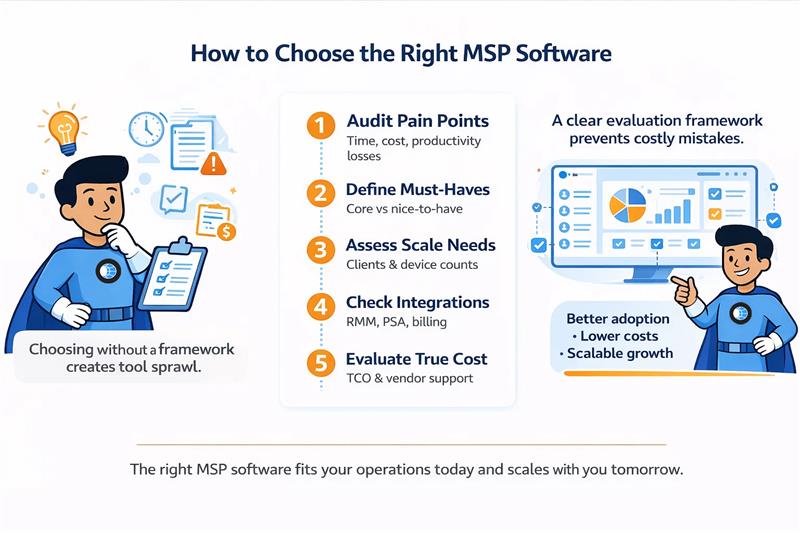
Choosing the best MSP software without a structured process often leads to tool sprawl, rising costs, and poor adoption. That is why a clear evaluation framework is essential before booking demos or signing contracts.
-
Audit Current Pain Points: Identify where time, money, and productivity are being lost today, such as documentation gaps, alert fatigue, billing errors, or slow onboarding.
-
Separate Must-Have from Nice-to-Have Features: Define which features directly support service delivery and growth, and which ones can be deferred without impacting operations.
-
Define Client Complexity and Device Counts: Assess current and future client environments so the software can handle scale without performance or pricing issues.
-
Prioritize Integrations: Ensure the software integrates cleanly with existing RMM, PSA, billing, and security tools to avoid manual work and data silos.
-
Evaluate Total Cost of Ownership and Vendor Support: Look beyond subscription fees to include onboarding effort, training time, support quality, and long-term pricing stability.
Get started with IT Portal today - 30-day money-back guarantee
Why MSP Documentation Software Belongs at the Core of Your Stack
While many MSP tools focus on monitoring or ticketing, long-term scalability depends on having a reliable MSP documentation and asset management system at the center of your operations.
-
Cloud or On-Premises Deployment: IT Portal offers both cloud-based and self-hosted deployments, giving MSPs flexibility to meet client security, compliance, or data residency requirements.
-
Cost-Effective: IT Portal delivers comparable documentation and asset management functionality at a significantly lower total cost than many competitor products, helping MSPs control expenses as they scale.
-
Transparent and Predictable Pricing: Pricing is clear and consistent, with no hidden fees or surprise add-ons as usage grows.
-
Superior Documentation and Asset Management: IT Portal centralizes passwords, assets, networks, agreements, and procedures in a single system that technicians can trust.
-
Global AWS Infrastructure: With deployments across five AWS regions, the IT Portal provides reliable performance for MSPs serving clients in multiple geographies.
-
Compliance and Data Sovereignty Support: Flexible hosting options help MSPs meet regulatory and contractual data handling requirements without compromise.
-
Fast Onboarding and Adoption: The platform is easy to implement and intuitive for technicians, reducing training time and speeding up time to value.
-
Built for MSP Workflows: IT Portal is designed specifically for MSP operations, not generic IT teams, aligning closely with real-world service delivery needs.
Ready to Simplify Your MSP Stack?
If your team is spending too much time searching for information, fixing documentation gaps, or working around disconnected tools, it may be time to reassess the foundation of your MSP software stack. IT Portal provides MSPs with a reliable documentation and asset management system that supports growth without forcing compromises in cost, deployment, or data control.
Explore how IT Portal fits into your existing RMM and PSA tools, see how quickly technicians can adopt it, and evaluate its impact on onboarding, support, and daily operations.
Frequently Asked Questions
RMM (Remote Monitoring and Management) is the "technical" arm of your operations. It allows technicians to remotely manage endpoints, install patches, and monitor system health.
PSA (Professional Services Automation) is the "business" arm, handling ticketing, billing, time tracking, and project management. For a scalable MSP, these two must integrate so that technical alerts in your RMM can automatically generate billable tickets in your PSA.
Visibility and interoperability are the two biggest factors. Your network management software shouldn't exist in a vacuum; it needs to provide real-time topology maps that feed directly into your asset management system. Look for tools that offer deep-packet inspection and automated discovery to reduce the manual labor of documenting new client environments.
While most modern SaaS platforms are cloud-only, top-tier MSP documentation tools like IT Portal offer both. Cloud deployment is excellent for rapid scaling and remote accessibility, whereas on-premises deployment is often a requirement for clients in highly regulated industries (like healthcare or finance) who demand total data sovereignty and local control over their sensitive information.
Industry data suggests the average MSP manages between 8 and 12 separate tools, including RMM, PSA, backup, security, and documentation platforms. This "tool sprawl" is a leading cause of technician burnout. Consolidating your stack around a central "source of truth"—like a robust IT documentation platform - helps reduce context switching and improves team efficiency.
MSP documentation software is the centralized repository for all "tribal knowledge" within your firm. It stores passwords, network configurations, SOPs, and asset details. It matters because it reduces "unbillable time" spent searching for information. Without a reliable documentation system, your MSP's growth is limited by how much information your senior technicians can store in their heads.


