$3.1 trillion. That's the annual cost of poor data quality to the U.S. economy alone and outdated or inconsistent IT infrastructure documentation is one of the biggest contributors.
For MSPs and internal IT teams, the pain is real. Techs waste hours hunting for the right config during an incident. Audits turn into stressful scrambles. Onboarding new clients drags on, delaying revenue. And when key people leave, critical knowledge disappears with them.
This guide shows what high-performing teams do differently.
1. Why IT Infrastructure Documentation Is a Hidden Operational Risk
When records don't match reality, small issues grow fast.
Common issues include:
- Techs spend time hunting configs or dependencies.
- Undocumented changes raise flags in audits.
- MSPs lose time mapping clients, delaying revenue.
- Knowledge gaps appear when key team member leave.
According to Gartner insights, poor knowledge management extends resolution times significantly. For growing teams, inconsistent IT infrastructure documentation isn't just inconvenient, it's a leadership issue that limits efficiency and growth.
2. What IT Infrastructure Documentation Really Includes
Good IT infrastructure documentation goes far beyond basic asset lists. It creates a single source of truth for hardware, software, network configuration, and operational procedures.
Key elements include:
- Infrastructure components: Physical/virtual assets, cloud resources, hybrid links, network segments.
- Operational details: Config standards, change history with reasoning, ownership, escalation paths, support runbooks.
- Dependencies and flows: Application-to-database-to-DR paths, SaaS integrations, authentication chains.
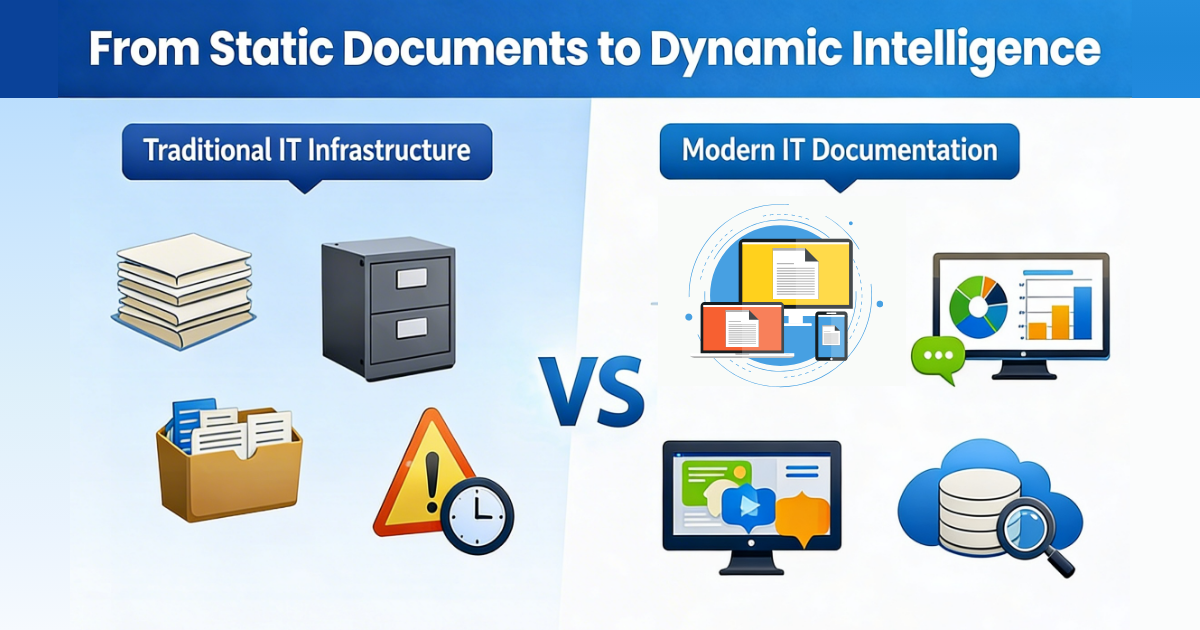
The difference between average and high-performing teams? A structured, evolving system instead of scattered files.
Real-world example: One mid-sized MSP reduced incident resolution time by 35% simply by linking dependencies in their documentation. Another internal IT team cut audit prep from three weeks to two days after implementing proper mapping.
3. Infrastructure Mapping for Documentation vs Discovery
Infrastructure mapping in documentation means recording logical relationships for planning and reference, not live views.
It helps with:
- Impact analysis before changes
- Compliance proof during audits
- Disaster recovery planning
- Smooth knowledge handoffs
IT Portal's hierarchy (Companies > Sites > Devices) makes these maps intuitive and connected.
4. Why Spreadsheets, Wikis, and Notes Fail at Scale
Spreadsheets, wikis, and notes work early on, but they break as complexity grows.
Common problems include:
- Version mix-ups.
- Outdated details, changes go unlogged.
- No clear tracking of updates.
- Silos. Info leaves with people.
These create inefficiency over time. Purpose-built IT infrastructure documentation software provides the structure needed for scale.
5. What to Expect from an IT Infrastructure Documentation Platform
Effective platforms focus on practical, usable knowledge.
- Centralization: One reliable source with no conflicting records.
- Standardization: Templates for consistent formats.
- Continuity: Version history, attribution, and cross-links.
- Governance: Role-based access and audit trails.
These features complement discovery or RMM tools, turning data into structured, actionable documentation.
IT Portal stands out here with hierarchical mapping, linked dependencies, role-based access, version history, and one centralized source of truth, all designed for teams that need reliability at scale.

6. Choosing IT Infrastructure Documentation Software: What Actually Matters
Look for features that support real work.
- Workflow & change management (approval steps, update tracking, ready templates)
- Knowledge structure (relationship mapping, enterprise search, dependency links)
- Multi-environment handling (isolation with sharing controls, role-based access)
- Integration (API connections to your existing tools)
IT Portal stands out: Native linking, hierarchy, and trails. Flexible cloud/on-prem. Trusted since 2007.
7. MSPs vs Internal IT: Different Needs, Same Foundation
MSPs deal with:
- Standard docs across many clients.
- Strict isolation with controlled sharing.
- Consistent delivery through templates.
- Smooth client handoffs.
Internal IT faces:
- Turnover without loss.
- Audit demands.
- Team silos.
- Growing complexity.
Both succeed with a centralized platform. Mature IT infrastructure documentation shows operational strength and supports efficient scaling.
8. Building a Documentation-First IT Culture
Leadership sets the tone:
- Include documentation time in projects
- Assign clear ownership by system with scheduled reviews
- Track coverage and freshness metrics
- Make updates part of change and post-incident processes
9. Documentation as Strategic Operational Advantage
Strong IT infrastructure documentation signals maturity: resilient ops, ready compliance, scalable growth.
It's an investment that pays off. Purpose-built IT infrastructure documentation software like IT Portal provides the structure high-performing teams need including hierarchical mapping, linked dependencies, role-based access, version history, and one centralized source of truth.
Ready to close your documentation gaps? See how IT Portal simplifies IT infrastructure documentation.
Explore IT Portal Documentation
FAQ
It's the recording of logical relationships between systems for planning, impact analysis, and compliance, distinct from live discovery tools.
Asset inventories, configurations, dependencies, network topology, operational procedures, change history, and compliance records, all in a structured, searchable system.
Good IT infrastructure documentation makes audits much less stressful. It provides a single source of truth with version history, linked dependencies, and clear audit trails. Auditors can quickly see who changed what, when, and why.
The key is automation and process. Best practice is to tie documentation updates to your change management workflow, use automated discovery feeds, and schedule quarterly reviews.


