The Infrastructure You Inherit Is the Risk You Own
You just won a competitive deal. The contract is signed. The client is excited. Then the previous IT provider hands over the keys and almost nothing else.
No asset inventory. No network diagrams. No documented credentials. No runbooks. Just a departing IT contractor and a handshake.
The first 30 days aren't about delivering value - they're about reverse-engineering an environment someone else built. The MSP now owns every undocumented system, misconfiguration, and unknown dependency, whether they know about it or not.
Undocumented Infrastructure Is Inherited Liability
Every untracked server, orphaned firewall rule, and missing IP schema becomes a liability the moment the contract is signed. The first incident, before documentation is complete - quickly reveals how risky that gap really is.
This isn't a knowledge transfer problem. It's a structural risk problem that only a purpose-built documentation platform can systematically solve.
What separates MSPs that recover quickly? Having the right platform and process ready from day one. This guide shows you how the best IT documentation platform turns inherited chaos into operational control.
What Is the Best IT Documentation Platform?
General tools like Confluence, Notion, or SharePoint are built for content collaboration. Purpose-built platforms are structured around how IT environments actually work: assets, networks, credentials, configurations, and clients.
For an MSP inheriting an undocumented environment, the structure of the platform determines how fast you go from zero to documented.
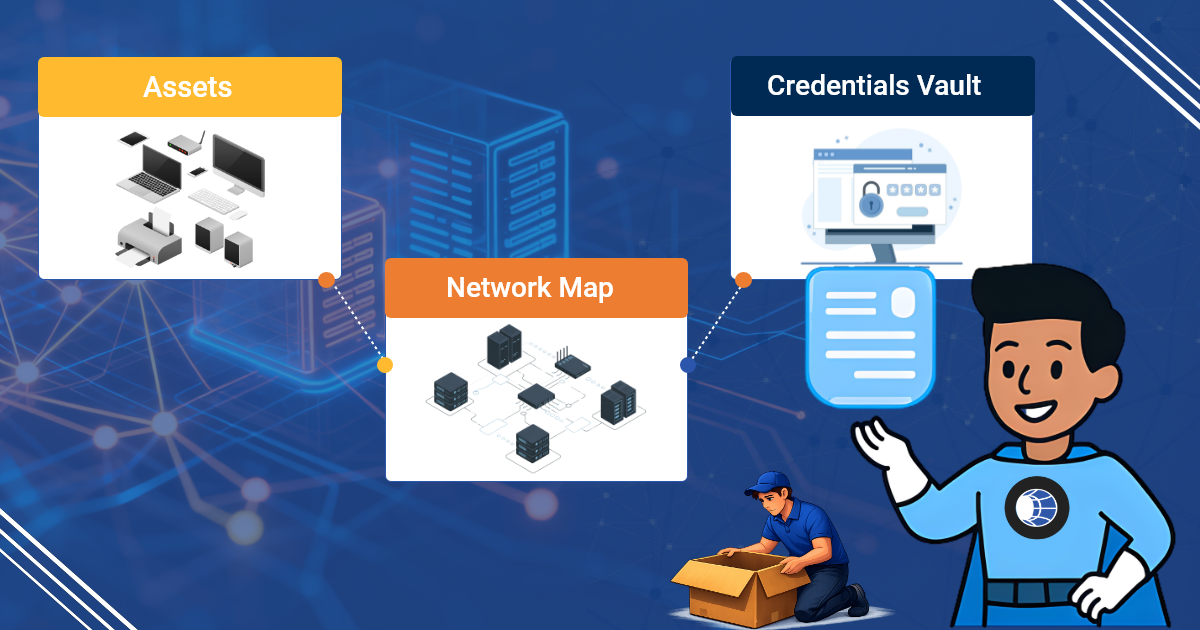
What a Purpose-Built IT Documentation Platform Actually Contains
- Asset records: Servers, workstations, network devices, VMs, cloud instances with configuration detail.
- Network documentation: IP schemas, VLAN tables, firewall rules, site topology.
- Credential vaults: Role-based access and full audit trails.
- Process documentation: SOPs and runbooks linked directly to assets.
- Client/tenant hierarchy: Multi-site, multi-client structure that mirrors how MSPs operate. IT Portal's hierarchical structure makes this natural and effortless.
Where IT Documentation Platforms Sit in the MSP Stack
RMM tools tell you what's happening. The best IT documentation platform tells you what everything is and how it all connects. The strongest platforms sync with ConnectWise, Autotask, NinjaRMM, and Datto so documentation stays in context.
Why the Best IT Documentation Platform Is an MSP's First Line of Defense
The first 90 days with a new client define your risk exposure
Undocumented environments are highest-risk in the window between contract start and full documentation completion. Every incident during that window costs more time, more escalation, and more reputation damage than it should.
Incident response in environments you didn't build
A P1 outage with no runbooks forces technicians to triage blind. Documented environments produce faster MTTR because technicians aren't starting from zero.
Compliance and audit readiness across a client portfolio
MSPs serving regulated industries inherit their clients' compliance obligations. SOC 2, HIPAA, and CMMC audits require documented evidence of controls. An undocumented client is a compliance liability the MSP now holds.
IT Portal's audit-ready reporting makes every access traceable, turning documentation into defensible evidence.
Scalability without documentation breaks MSPs at growth stage
An MSP managing 10 clients can survive on informal documentation. At 50 clients, it collapses. A consistent platform across all clients makes scale sustainable.
What Undocumented Inherited Environments Actually Look Like and Why They Stay That Way
The anatomy of an undocumented environment
- Shadow assets: Forgotten VMs and cloud instances nobody owns
- Configuration assumptions: Firewall rules nobody can explain
- Credential chaos: Passwords in spreadsheets or old employee memory
- The discovery problem: You can't document what you don't know exists
Why documentation drift is more dangerous than no documentation
Stale documentation creates false confidence. During an incident, outdated docs send technicians in the wrong direction, adding resolution time.
Why teams don't document even when they know they should
Documentation always loses to the ticket queue, project deadlines, and active incidents. Without a platform that makes it fast and structured, the effort barrier stays too high.
The silo problem in multi-technician MSP teams
Network documentation lives in Visio files, server records in OneNote, credentials in a spreadsheet. No single source of truth means every technician works with partial information.
Key Features to Look for in the Best Documentation Software
Structured intake and discovery workflows for new environments
The best platforms provide onboarding templates and RMM integrations that surface unknown devices and flag documentation gaps automatically.
Infrastructure-aware asset and network documentation
Server templates capture OS, roles, patch status, backup configuration, and dependencies. Network documentation includes IP management, VLAN tables, and site topology.
Credential vaulting with audit-grade access controls
Credentials are stored securely with role-based access control (RBAC). Every reveal is logged. IT Portal's audit-ready reporting makes every access traceable in seconds.
Integrations that help keep documentation current
RMM integrations flag changes, ticket closure triggers prompt updates, and scheduled reminders surface stale records. IT Portal's asset-to-license linking automatically surfaces gaps and over-provisioning.
Search and cross-linking built for incident speed
Full-text search across all records. Cross-linked records mean a server record connects to network docs, runbooks, credentials, and backups.
Best Practices for Documenting Infrastructure You Didn't Build
From helping hundreds of MSPs take over undocumented client environments, one lesson stands out: you can't document everything at once. Success comes from smart prioritization and structure from day one.
Triage Before You Document, Start with What's Critical
Inherited environments rarely give you time to document everything at once. Prioritize by business risk and impact:
- Tier 1 (Immediate): Production servers, core network devices, backup systems, and critical credentials
- Tier 2 (Within 30 days): Important infrastructure that affects daily operations
- Tier 3 (Within 90 days): Non-critical or low-risk assets
Assign clear ownership by tier so nothing falls through the cracks.
Build a Documentation Standard Before You Start Filling It In
Starting without structure simply creates a digital version of the chaos you inherited. Define your taxonomy, required fields, and templates first. Standardizing the same structure across all clients makes cross-client operations dramatically more efficient and scalable.
Use Discovery Tools to Find What You Don't Know Exists
Network scanning and RMM discovery often surface shadow assets the previous provider never mentioned. Document these immediately, an undocumented asset is an unmanaged asset.
Treat Every Incident as a Documentation Trigger
In the first 90 days with a new client, every ticket in an undocumented area is a valuable opportunity. Resolve the issue, then document the area before closing the ticket. This discipline turns incidents into rapid knowledge building and prevents the same problems from recurring.
How Modern IT Documentation Platforms Solve the Inherited Infrastructure Problem
From chaos to structured in a defined timeframe
Purpose-built platforms provide ready-made templates and hierarchies so you don't rebuild the structure for every client.
Integrations that help close the documentation gap
RMM and PSA integrations help keep records current with less manual effort.
Multi-client architecture that scales with the MSP
Every client gets its own isolated, consistent environment with technician access controls.
The integration layer that connects documentation to operations
PSA integrations link tickets to documentation records. RMM integrations populate asset data automatically. IT Portal turns these connections into real operational advantage.
Benefits of the Best IT Documentation Tools for MSPs Managing Complex Environments
Faster time-to-competency in new client environments
Any technician can work effectively, not just the one who did the onboarding.
Reduced incident cost in environments with complex histories
Documented environments produce lower MTTR.
A defensible onboarding process that protects the MSP
Structured intake provides evidence of due diligence.
Client confidence built on transparency
Documented environments become a differentiator in competitive deals.
Choosing the Best IT Documentation Platform, What to Evaluate
Match the platform structure to how your MSP actually operates
Does the hierarchy match how you think about clients: by site, device, service?
Evaluate integration depth, not just integration count
Look for integrations that populate meaningful fields and trigger workflows.
The documentation maturity path, where does your MSP sit today?
- Stage 1 Reactive
- Stage 2 Structured
- Stage 3 Automated
- Stage 4 Strategic
Choose a platform that supports where you are and has a clear path to where you need to be.
What to ask before you migrate existing documentation
- How much cleanup is required?
- Does the platform provide migration support?
- Will you lose relationships or cross-links?
Turn Inherited Infrastructure into Your Competitive Advantage
Undocumented inherited infrastructure isn't just messy, it's a direct liability that affects every incident, audit, and client conversation.
The best IT documentation platform turns that liability into operational control. With hierarchical structure, asset-to-license linking, and audit-ready reporting, IT Portal gives MSPs the single source of truth they need to move fast, stay compliant, and protect margins.
Your RMM becomes 10× more effective when it operates on top of clean, structured documentation.
Ready to turn your inherited environments into a competitive advantage?
Book a demo today and see how IT Portal makes documentation your strongest operational asset.
Book a demo or explore IT Portal's features to see how it works.


