The Complete Guide for Teams Ready to Stop Doing It Manually.
Your IT environment is haunted by decommissioned servers, forgotten admin accounts, and dependencies nobody documented. Automation is the exorcist.
If you're an IT admin, manager, or CTO tired of outdated docs and constant manual updates, this guide is for you. Whether you're just starting with automated IT documentation or evaluating tools for your team, you'll learn exactly how it works, what it solves, and how to choose the right solution.
What Is Automated IT Documentation?
Automated IT documentation is the process of using software to discover, capture, organize, and keep your IT environment details up-to-date without constant manual effort.
Unlike traditional manual documentation (spreadsheets, Word files, or static wikis), it pulls data directly from your infrastructure in real time or on a schedule.
It automatically documents:
- Network topology and device configurations
- Asset inventory and software versions
- Change logs and user access rights
- Cloud resources and on-prem systems
Why it matters now: Remote work, cloud sprawl, and compliance pressure (SOC 2, ISO 27001, HIPAA) make manual methods unsustainable. IT documentation automation keeps everything accurate, searchable, and ready for audits or incidents.
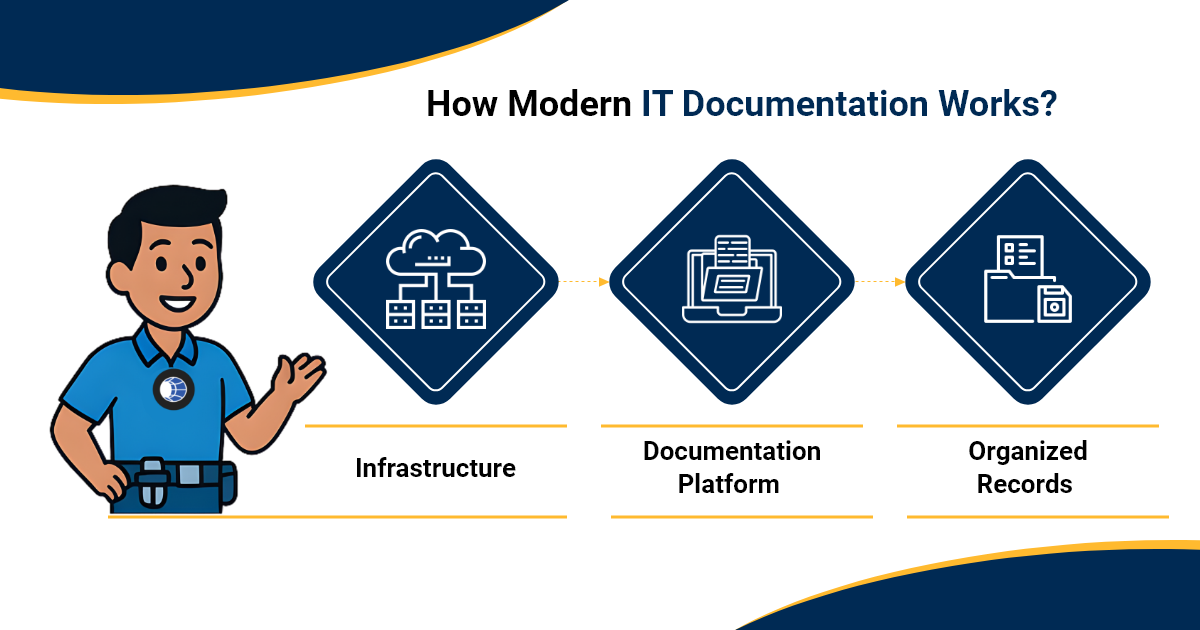
How Automated IT Documentation Works?
The core process follows a clear flow: collect → organize → structure → access → maintain.
- Integration-first: Modern tools connect with ITSM, RMM, PSA, CMDB, and monitoring platforms, pulling data into a central hub rather than requiring manual re-entry.
- Structured hierarchy: Raw data becomes meaningful only when it's organized - categorized by client, site, asset type, and relationship.
- Scheduled and human-reviewed updates: Documentation stays current through a combination of tool integrations and structured team processes, not guesswork.
The result? Your team always knows where documentation lives - and can trust what they find there.
Core Capabilities & Benefits
IT documentation done right delivers measurable wins:
- Time savings: Teams reclaim hours every week by reducing duplicate entry and manual updates.
- Accuracy and version control: Changes are tracked with full history, not overwritten silently.
- Faster onboarding: New IT staff get up to speed quickly with complete, searchable, structured docs - eliminating tribal knowledge.
- Audit and compliance readiness: SOC 2, ISO 27001, and HIPAA reports become straightforward when your documentation is centralized and consistent.
- Reduced risk: Fewer outages from unknown dependencies or missed configurations.
- Consistent standards: Naming conventions, documentation structure, and asset linking stay uniform across your entire team.
IT Portal strengthens all of these outcomes by giving your team one secure, centralized place where documentation is organized, linked, and always accessible - whether you're onboarding a new engineer, responding to an incident, or preparing for a compliance audit.
Common Pain Points Automated IT Documentation Solves
Most teams still struggle with:
- "Our docs are always out of date"
- "Nobody knows what's actually running in our environment"
- "We failed an audit because of documentation gaps"
- "Onboarding new engineers takes weeks"
- "We don't have a dedicated person to maintain docs"
Structured IT documentation practices - supported by the right platform - directly address these issues by keeping everything organized, centralized, and easy to hand off.
Types of IT Documentation Tools
Here are the main categories:
- IT asset management (ITAM) tools: Best for hardware/software inventory.
- Network documentation platforms: Ideal for topology and connectivity records.
- CMDB solutions: Strong for service mapping and relationships.
- Cloud infrastructure documentation tools: Focused on AWS, Azure, and Google Cloud environments.
- All-in-one IT documentation platforms: Combine asset linking, password management, SOPs, and integrations in one place - with MSP-friendly structure.
Choose based on your environment: on-premise, cloud, or hybrid. While many tools focus on collecting raw data from your infrastructure, IT Portal is where that information becomes organized, structured, and easily accessible for your team.
How to Choose the Right Tool for Your Organization
Key evaluation criteria:
- Team size and environment complexity
- Existing stack and integration needs
- Budget and licensing model
- Compliance requirements
- Ease of use vs. customization depth
Build vs. buy: Most teams benefit from starting with an established platform (faster ROI) and customizing later. Always ask vendors about support for your specific tools and realistic implementation timelines.
Want to know why MSPs prefer IT Portal over IT Glue? Click here
How to Implement Automated IT Documentation (Step-by-Step)
- Audit your current documentation state
- Define what needs to be documented and at what frequency
- Select and deploy your tooling
- Integrate with your ITSM/RMM/PSA stack
- Set update schedules and assign ownership
- Train your team and establish governance
- Review, iterate, and expand scope
Common mistakes to avoid: Skipping the audit, leaving ownership undefined, or expecting documentation to maintain itself without periodic human review checkpoints.
Automated IT Documentation Best Practices
- Use clear naming conventions and taxonomy standards - and enforce them consistently across clients and teams.
- Assign clear ownership so documentation doesn't fall through the cracks.
- Combine tool integrations with periodic human review to catch gaps.
- Make documentation part of your incident response playbook.
- Centralize everything in one platform so your team stops hunting across multiple systems.
- Use IT Portal's structured hierarchy to link assets, passwords, configs, and SOPs so context travels with every record.
The Future of Automated IT Documentation
AI-assisted documentation and natural language generation are already emerging. Expect deeper AIOps integration, tighter connections between infrastructure-as-code pipelines and documentation systems, and predictive flagging of documentation gaps. Documentation is becoming a core part of broader IT observability - and teams that build good habits now will be well-positioned.
Conclusion
Automated IT documentation turns scattered notes and tribal knowledge into reliable, accessible infrastructure records. Beginners gain structure, intermediate teams gain speed, and advanced organizations gain compliance confidence.
Reframe your approach: documentation is no longer a chore; it's a strategic advantage.
Ready to stop doing it manually?
Explore IT Portal Documentation or Book a Demo
Frequently Asked Questions
No - it frees them from repetitive, low-value work so they can focus on higher-impact tasks like security, architecture, and client relationships.
Pricing varies widely depending on team size and features. IT Portal includes full onboarding support at no extra cost, with no hidden fees for getting started.
It records exact settings, versions, and dependencies so you can recreate or troubleshoot systems quickly - and onboard new team members without guesswork.
A document that is actively maintained and updated as your environment changes - through a combination of tool integrations and team-owned processes.


