Configurations (Settings & Services)
Standardize and optimize device settings with centralized configuration management documentation to improve system performance and reduce troubleshooting time.
Stop juggling spreadsheets and scattered tools. IT Portal brings all your configuration management documentation together in one searchable platform. Easily manage application lists, websites, online services, FTP sites, network circuits, backup jobs, and DHCP scopes, keeping all configuration knowledge organized, accessible, and current for your entire IT team.
What is Configuration Documentation?
Configuration documentation is how your IT team captures and maintains accurate records of system settings, service configurations, and infrastructure details. Think of it as the complete blueprint of your IT environment - what's configured, how it's connected, and why it matters.
Instead of relying on scattered spreadsheets, outdated wikis, and tribal knowledge, a centralized IT configuration documentation solution gives your team a single source of truth. No more hunting through emails or asking "Who knows how this is set up?" Your team finds answers instantly, manages changes confidently, and maintains compliance with ease, especially when documentation is updated during approved changes and embedded into change workflows.
Why Configuration Documentation Matters
-
01
Ensure Consistency and Compliance
Standardized configurations prevent dangerous deviations. Your IT team follows a consistent baseline across systems, reducing security risks and ensuring compliance with industry standards.
-
03
Reduce Downtime by Quickly Resolving Configuration Issues
When something breaks, every minute counts. With complete IT configuration documentation at your fingertips, your team instantly understands system dependencies and recent changes. Undocumented dependencies are one of the most common causes of extended outages and failed recoveries, making accurate configuration relationships operationally critical. Troubleshoot faster. Resolve incidents in minutes instead of hours.
-
05
Optimize System Performance and Costs
Your complete configuration documentation reveals the full picture: underutilized resources, redundant services, licensing waste, and configuration drift. Make smart decisions backed by real data, not guesswork.
-
02
Improve Efficiency by Automating Configuration Tasks
Stop wasting time manually hunting for configuration details. Automated discovery and a centralized configuration management tool free your team from repetitive work, letting them focus on strategic projects instead of documentation chores.
-
04
Enhance Security Through Accurate Configuration Records
Security audits and compliance reviews require evidence of control. Configuration management documentation provides the audit trail, change history, and access records needed to demonstrate accountability and meet regulatory requirements. This structured approach supports internal audits, security reviews, and industry compliance expectations without creating additional administrative burden.
IT Portal Configuration Management Tool Capabilities
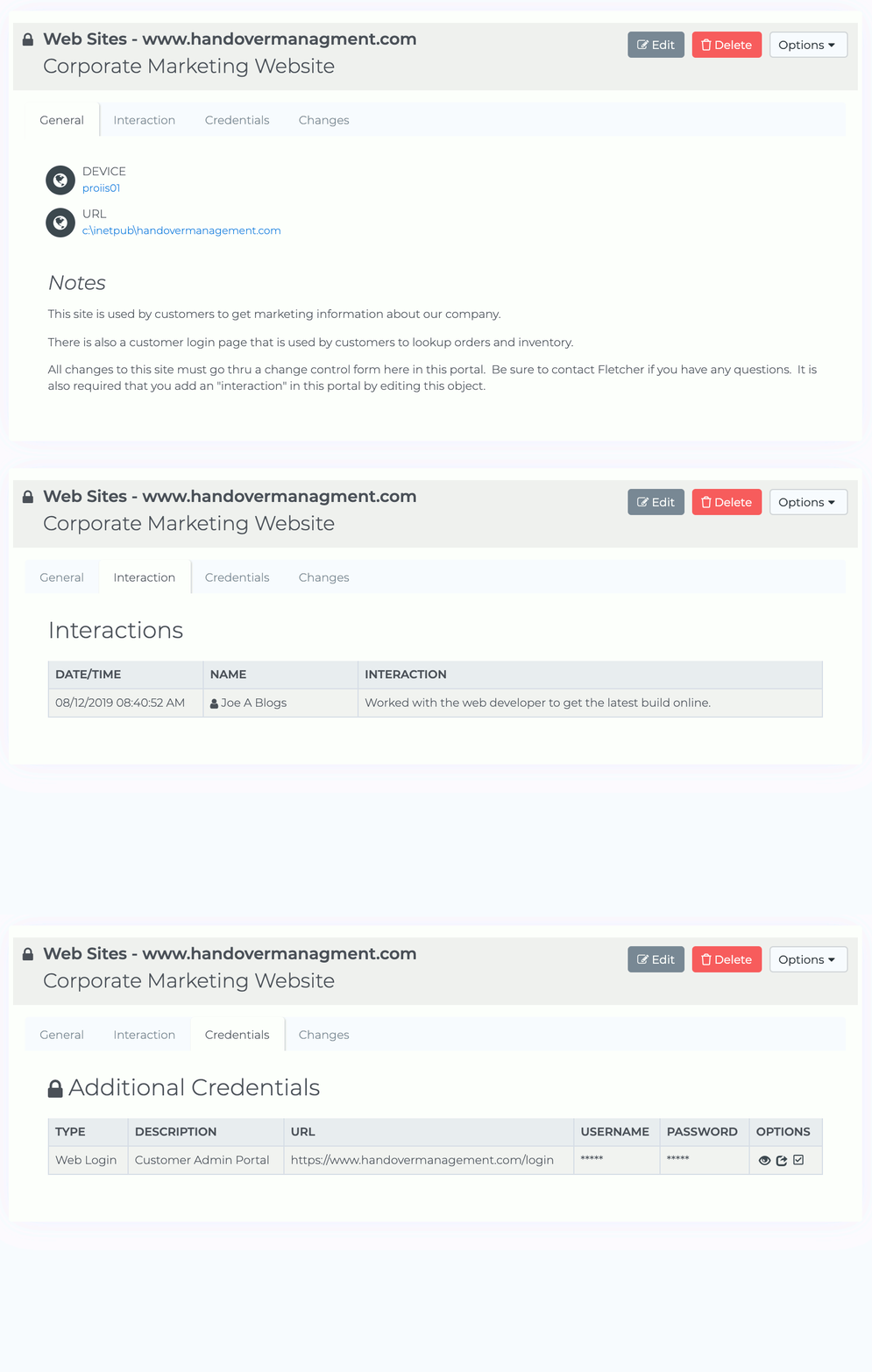
IT Portal's configuration management tool supports structured documentation across critical systems and services, ensuring consistency, visibility, and accountability.
- Applications lists and software inventory
- Websites and online services
- FTP sites and file transfer configurations
- Network circuits and connectivity
- Backup jobs and disaster recovery procedures
- DHCP scopes and network settings
- Server configurations and baselines
- Service dependencies and relationships
How to Begin Configuration Documentation
Centralizing your configuration management documentation starts simple:
- Identify critical configurations: Applications, services, network settings, backup jobs.
- Log all details: Names, versions, owners, dependencies, change history.
- Standardize formats: Create consistency across documentation.
- Assign ownership: Clear accountability for keeping records current.
- Integrate into workflows: Update documentation during changes, not after.
- Regular validation: Verify documented configurations match live systems.
Configuration management documentation is essential for operational reliability, compliance, and IT team productivity. Centralized management eliminates the chaos of scattered tools and spreadsheets. Your team spends less time searching for answers and more time solving problems.

