TL;DR
A network topology mapper automatically discovers, maps, and updates your entire IT infrastructure in real time. For MSPs, it replaces outdated static diagrams with automated visibility, improves troubleshooting speed, strengthens security, and ensures compliance readiness across hybrid and cloud environments.
Modern networks are complex. Managed Service Providers (MSPs) often manage infrastructures that include on-premises data centers, multiple cloud providers, remote endpoints, Internet of Things (IoT) devices, and software-as-a-service (SaaS) applications. Connections change daily, making static documentation difficult to maintain.
A network topology mapper helps visualize how devices, applications, and services are connected. It's a tool MSPs use to understand network dependencies, plan changes, and troubleshoot issues. In this blog, we'll explain why topology mapping matters, how it supports IT documentation, and how IT Portal enhances your workflow.
What Is a Network Topology Mapper?
A network topology mapper helps visualize your network infrastructure, showing how devices, applications, and services are connected. This allows MSPs to understand dependencies, plan changes, and troubleshoot issues efficiently.
Topology mapping is typically represented in two ways:
- Physical topology: It shows the actual physical connections, including actual cable connections, switch ports, and rack locations.
- Logical topology: It shows how data flows through VLANs, routing paths, and applications.
Most modern network topology mappers handle both views, letting you switch between physical cable tracing and logical traffic flow analysis.
Network topology mappers collect data from multiple sources to generate accurate maps, including:
- SNMP (Simple Network Management Protocol)
- APIs
- Agents installed on network devices
- Cloud integrations
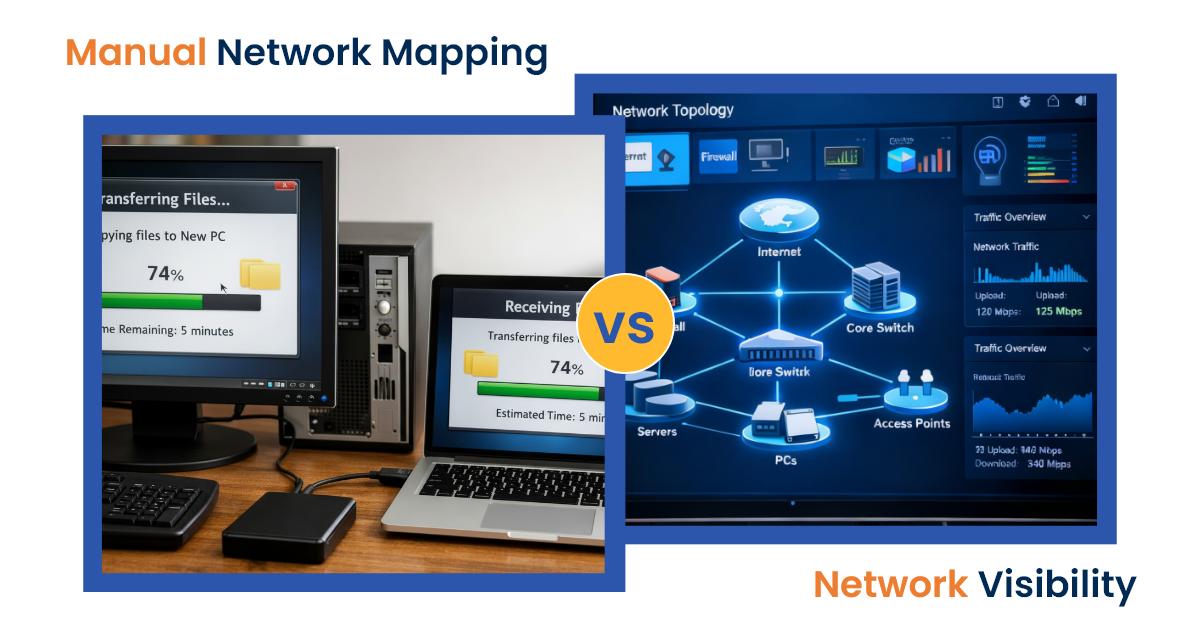
Static Diagrams vs Dynamic Topology Maps
Now, let's compare traditional network diagrams with dynamic topology mapping tools.
When it comes to representing your network's structure, two main types of network visualizations are commonly used: static diagrams and dynamic topology maps. Here's how they differ in functionality and real-time application:
- Static diagrams such as Visio or Lucidchart capture a single point in time and require manual updates
- Dynamic topology maps provide a structured view of relationships between devices, applications, and services
Why Traditional Network Diagrams Fail in Modern IT Environments
Manual diagrams have several limitations. They often fail to provide the visibility and accuracy MSPs need to manage modern networks effectively.
- Time-consuming Maintenance: Manual diagrams become outdated quickly.
- Gaps in Hybrid and Cloud-First Environments: In today's network environments, many MSPs are managing both on-premise hardware and cloud services. This makes it hard to track virtual resources.
- Risks of Inaccurate Topology:
- Longer Mean Time to Repair (MTTR): Slows diagnosis and resolution of issues.
- Security Blind Spots: Hides vulnerabilities and potential attack paths.
- Audit and Compliance Failures: Makes meeting HIPAA, SOC 2, and ISO requirements difficult.
With traditional diagrams falling short, it's easy to confuse network topology mappers with network monitoring tools, but each serves a different role in network management. They both play complementary yet distinct roles helping MSPs manage their networks efficiently.
Network Topology Mapper vs Network Monitoring Tools
Let's have a closer look at the key differences between network topology mappers and network monitoring tools in the table below.
| Aspect | Network Topology Mapper | Network Monitoring Tool |
|---|---|---|
| Purpose | Visualizes network structure and device relationships | Monitors device performance, health, and traffic |
| Visibility | Provides structural visibility and dependencies | Tracks performance metrics like latency, bandwidth, etc. |
| Data Collected | Network mapping, device relationships | Device health, uptime, performance metrics |
| Real-Time Updates | Continuous updates to reflect changes in the network | Continuously tracks performance but does not update network structure |
| Use Case | Visual mapping, network planning, and change management | Monitoring, alerting, and troubleshooting network performance |
Essential Features to Consider When Choosing a Network Topology Mapper
When integrating network topology into your documentation workflows, it's essential to choose a tool that offers the following features for efficiency, clarity, and security:
- Integration with IT documentation: Seamlessly link network devices and diagrams to standard operating procedures (SOPs) for quick reference and updates.
- Hybrid and cloud support: Capture and visualize relationships across both on-premises and cloud environments, ensuring no part of the network is overlooked.
- Visual clarity and exportable diagrams: Generate clear, easy-to-understand network maps that can be exported for reports, presentations, or team use.
- Role-based access and audit logs: Control who can view or modify network data, ensuring proper access and accountability for sensitive information.
- Security and data handling: Ensure that network data is handled securely, protecting against breaches and maintaining compliance with industry standards.
How Network Topology Mapping Strengthens IT Governance
Network topology mapping supports IT governance by offering a clear view of network dependencies and helping to ensure compliance with industry standards. Here's how it supports IT governance:
- Supporting Change Management: Network maps enable you to visualize the potential impact of changes, making it easier to get approvals and avoid disruptions.
- Reducing Operational Risks: Full network visibility allows you to identify and address risks proactively, minimizing the chances of network failures and downtime.
- Aligning Technical Documentation with Business Continuity: Keeping your network topology up to date ensures that your technical infrastructure supports business continuity and disaster recovery plans.
While strong IT governance depends on network visibility, IT Portal brings that visibility into everyday workflows by centralizing documentation, diagrams, and procedures for easy access and action.
How IT Portal Enhances Network Documentation
IT Portal complements traditional topology tools by keeping network documentation, device relationships, and SOPs organized, up-to-date, and easily accessible for your team. Keyways MSPs benefit:
- Centralized asset & credential management: Track devices, servers, and cloud resources in one place
- Clear SOP integration: Link diagrams to procedures and incident response playbooks
- Faster onboarding: New technicians quickly understand client networks without relying on tribal knowledge
- Visual clarity: Export diagrams, tag devices, and see dependencies briefly
- Access control & audit logs: Ensure only authorized staff can view or modify sensitive network information

Key Use Cases for Network Topology Mapping in IT Portal
Network topology mapping helps MSPs understand and manage client networks more effectively. In IT Portal, this visibility is linked to documentation, assets, and procedures, giving teams practical benefits:
- Audit and Compliance: Keep diagrams and asset relationships updated to simplify ISO, SOC 2, and HIPAA audits. IT Portal ensures all documentation is accurate, centralized, and easy to present.
- Incident Response and Troubleshooting: Quickly identify affected devices or applications. Linking diagrams to SOPs and asset records reduces downtime and speeds up resolution.
- Security and Risk Management: Track unknown or undocumented devices. IT Portal helps maintain a complete and auditable view of the network, reducing security gaps.
- Knowledge Transfer: Centralize diagrams, assets, and standard operating procedures. New technicians can understand client networks quickly without relying on tribal knowledge.
Centralize Your Network Documentation
Combine topology mapping with IT Portal to maintain an up-to-date view of client networks, enabling faster onboarding, stronger security, and streamlined operations.
Schedule a personalized demo to see how automated topology mapping can simplify documentation and strengthen compliance.
Frequently Asked Questions
Mapping shows affected devices and their dependencies, allowing MSPs to resolve issues faster by referencing linked documentation and SOPs in IT Portal.
Yes, it captures relationships across on-premises, cloud, and virtual resources, keeping a centralized, documented view of your entire network.
It ensures procedures are actionable, reduces errors, and keeps workflows aligned by connecting diagrams, assets, and SOPs in one platform.
Absolutely, because it provides visual evidence of network structure that's tied to documented assets and procedures, simplifying ISO, SOC 2, and HIPAA compliance.
By centralizing diagrams, assets, and SOPs, IT Portal reduces reliance on tribal knowledge and ensures new technicians can follow documented workflows quickly.


