Your RMM fired 47 alerts overnight.
Your technician resolved three of them, because no one documented what the other 44 actually meant.
MSPs evaluating the best RMM for MSP usually focus on features - patching, automation, alerting, and pricing.
That's understandable.
But here's what most comparison articles miss:
An RMM only delivers its full operational value when it works alongside structured, centralized IT documentation.
Without context, alerts become noise.
With documentation, alerts become actionable intelligence.
This post explains:
- Why documentation compatibility should be a core selection criterion.
- How documentation improves RMM workflows.
- How to properly evaluate documentation fit when choosing an RMM
What the Best RMM for MSPs Is Usually Judged On
Most MSPs evaluate tools using a familiar checklist:
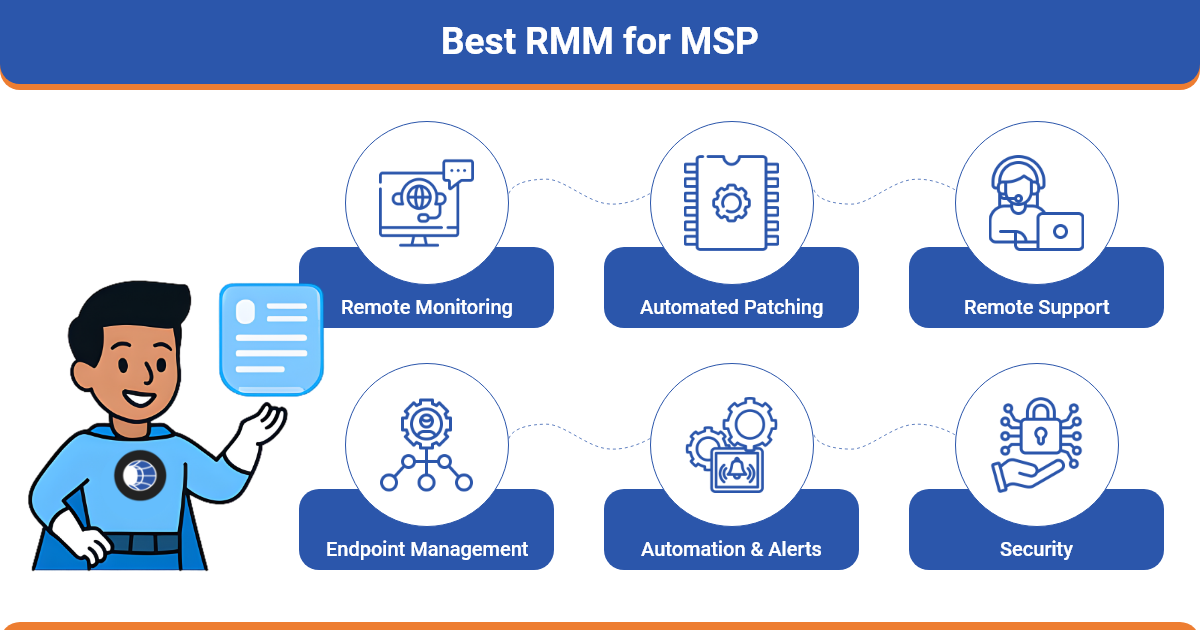
- Remote access and endpoint visibility
- Automated patch management
- Scripting and task automation
- PSA integrations and ticketing
- Pricing structure (per-endpoint vs per-technician)
- AI-powered alerting and anomaly detection
These capabilities matter.
But they only describe what the platform can do and not how efficiently your team will use it every day.
This is where documentation enters the picture.
Even the most powerful RMM MSP software becomes difficult to manage when alerts lack operational context.
When technicians must manually search for device roles, configurations, passwords, or dependencies, response time increases and alerts pile up.
Structured documentation platforms like IT Portal help solve this by organizing assets, configurations, and credentials in a way technicians can immediately reference when alerts occur.
Why IT Documentation Determines How Well Your RMM Performs
Documentation gives RMM alerts their operational context.
Without documentation, technicians troubleshoot blindly.
With documentation, they troubleshoot with clarity and speed.
Here are the three biggest ways documentation improves RMM effectiveness.
1. Alerts Gain Immediate Context
An alert without context wastes diagnostic time.
Example:
- Disk space alert fires
- Technician must investigate manually
- Root cause takes longer to identify
With centralized documentation:
- Device role is visible
- Installed applications are documented
- Storage baselines are known
Platforms like IT Portal allow technicians to quickly reference linked assets, configurations, and environment details helping them determine whether an alert represents a real risk or routine maintenance.
2. SOPs Turn Alerts into Consistent Action
Alerts are only useful if technicians know exactly what to do next.
Documented procedures remove guesswork.
Example:
Patch failure occurs.
With documentation:
- Dependencies are known
- Custom configurations are documented
- Recovery steps are standardized
This enables consistent remediation across technicians and clients.
3. Documentation Reduces Tribal Knowledge
Many MSP environments rely heavily on technician memory.
That creates risk.
Centralized documentation solves this by providing:
- Device history
- Network maps
- Credential references
- Operational runbooks
Solutions like IT Portal structure documentation so technicians can quickly locate information linked to assets and systems managed by the RMM.
The result:
- Faster onboarding
- Less technician dependency
- More consistent service delivery
What "Best RMM for MSP" Articles Get Wrong
Most comparison articles rank tools purely on features.
Very few evaluate workflow alignment.
Almost none discuss documentation compatibility.
Important operational risks often ignored include:
- Configuration drift caused by poor documentation
- SLA breaches from inconsistent technician responses
- Compliance failures due to missing documentation audit trails
- Alert fatigue from unclear device context
This gap explains why many MSPs adopt powerful RMM platforms but still experience daily operational chaos.
Real-World Example: How Documentation Improves RMM Response
Consider a common scenario.
An RMM platform triggers a CPU utilization alert.
Without documentation:
- Technicians investigate manually
- Device purpose is unclear
- Application dependencies are unknown
- Resolution takes longer
With structured documentation:
- The technician immediately sees the device role
- Business criticality is documented
- Linked SOPs guide response steps
- Dependencies are already mapped
Instead of guessing, the technician resolves the issue immediately.
Documentation turns alerts into fast, confident decisions.
Scenarios Where Documentation Makes Your RMM Perform Better
When documentation and RMM systems work together, several MSP workflows improve dramatically.
Incident Response
- Documented network maps accelerate root cause analysis
- Asset relationships reveal affected systems quickly
New Client Onboarding
- Documented inventories simplify RMM agent deployment
- Asset details help automation rules activate correctly
Alert Response and SOP Execution
- Linked procedures standardize technician actions
- Escalations follow clear documentation paths
Team Transitions
- Documentation prevents service disruption when staff change
- New technicians ramp up faster
Documentation-First Criteria for Choosing the Best RMM for MSP
When evaluating RMM MSP software, add documentation compatibility to your checklist:
Ask the following questions:
- Does the platform integrate with your documentation system?
- Can asset and device data sync via API?
- Can SOPs or runbooks be linked within alert workflows?
- Do audit logs support compliance documentation?
- Does it support role-based access for client environments?
These questions determine whether your RMM will scale operationally.
Documentation platforms like IT Portal are designed to complement RMM workflows by organizing environment data, not replacing RMM monitoring or automation capabilities.
The Bottom Line
The best RMM for MSP isn't just the one with the most features.
It's the one that fits your documentation ecosystem and operational workflow.
Strong documentation provides the context that turns alerts into action and automation into real efficiency.
Your RMM becomes 10x more effective when it operates on top of clean, structured documentation.
Ready to get more from your RMM?


