When a senior systems administrator leaves your organization, they take with them years of undocumented procedures, workarounds, and critical knowledge that exists nowhere else.
The backup restoration process that "everyone knows how to do" suddenly becomes a multi-hour investigation. The server patching workflow that ran smoothly for years now requires guesswork and Slack messages to former employees.
This isn't a knowledge transfer problem - it's an SOP documentation problem.
The Hidden Cost of Undocumented Procedures
Standard Operating Procedures (SOPs) are the foundation of reliable IT operations. They define how recurring IT tasks should be performed, ensuring consistency, predictability, and accountability across teams and environments.
Yet in many organizations, IT SOPs are incomplete, outdated, or simply don't exist.
The cost of undocumented procedures becomes visible during the worst possible moments:
- During critical incidents
- Compliance audits
- Staff transitions
- When scaling operations
"SOP debt is real. And expensive."
Critical processes that rely on individual experience rather than shared documentation lead to inconsistent execution, slower incident response, extended onboarding timelines, and increased operational risk.
This guide explains what IT standard operating procedures are, why documenting SOPs matters, what effective SOP documentation looks like, and how IT teams and MSPs can create SOPs that actually work in real-world operations.

What Is an IT SOP (Standard Operating Procedure)?
An IT Standard Operating Procedure (IT SOP) is a documented, repeatable set of step-by-step instructions that defines how a specific IT task or process should be executed.
The goal: Ensure the same task produces the same outcome, regardless of who performs it or when.
How SOPs Differ from Other Documentation
IT SOPs are often confused with other types of documentation:
| Documentation Type | Purpose |
|---|---|
| Runbooks | Specific incident response actions and troubleshooting paths |
| Checklists | Quick verification points without detailed instructions |
| Workflows | High-level process flows and handoffs between teams |
| Knowledge base articles | Explain concepts or provide reference information |
| SOPs | Authoritative execution guides for routine and high-pressure situations |
An SOP answers one critical question: "What exact steps do I take to complete this task correctly?"
When to Use IT SOPs
IT teams and MSPs should rely on SOPs for recurring, high-impact tasks:
- Server patching and maintenance procedures
- Backup and restoration workflows
- User account provisioning and deprovisioning
- Security incident response protocols
- Database failover procedures
- Network configuration changes
- Certificate renewal processes
Ad-hoc documentation is better suited for one-off or exploratory work.
Why Documenting Standard Operating Procedures Matters in IT
Undocumented or outdated SOPs create hidden operational risk that compounds over time.
When procedures exist only in individual experience, execution varies from person to person. During incidents, teams spend valuable time deciding what to do instead of following predefined steps.
New hires depend on shadowing senior staff rather than self-service documentation, extending onboarding timelines from days to weeks.
Understanding SOP Debt
This creates what we call SOP debt - a growing gap between how work is actually performed and how it is documented.
Like technical debt, SOP debt compounds:
- Each undocumented change
- Each "temporary" workaround
- Each procedure that exists only in someone's head
All add to the debt.
The Business Value of Well-Documented SOPs
Well-documented IT SOPs help organizations:
- Reduce incident resolution time by eliminating decision-making delays during execution
- Improve onboarding efficiency by providing self-service learning resources for new team members
- Maintain service consistency across shifts, teams, and organizational changes
- Preserve institutional knowledge that would otherwise leave with departing employees
- Support compliance and security requirements with auditable, version-controlled procedures
- Enable confident delegation of critical tasks without excessive oversight
For modern IT environments - especially those operating 24/7 with distributed teams - SOP documentation is not optional. It is a core operational control.

Characteristics of Effective IT SOP Documentation
Not all SOPs are useful. Many fail because they are vague, outdated, or impractical.
Effective IT SOP documentation shares several key characteristics:
1. Clear Scope, Ownership, and Alignment
Each SOP defines:
- What it covers
- What it excludes
- Who owns it
Example: An SOP titled "Database Backup Procedure" should specify which databases, which environments (production vs. staging), and which backup types it addresses.
Ownership ensures accountability - every SOP should have a designated owner responsible for keeping it current and ensuring it reflects actual workflows.
2. Actionable, Step-by-Step Structure
Instructions must be specific, sequential, and executable without interpretation.
Before (Vague): "Verify the backup completed successfully"
After (Actionable): "Log into the backup management console, navigate to the Jobs or Status section, locate today's backup job by timestamp, and verify the status indicator shows successful completion (typically displayed as 'Completed,' 'Success,' or a green status icon)."
3. Version Control and Audit History
Changes are tracked with:
- Timestamps
- Change descriptions
- Approvals
This enables teams to understand when procedures changed, why they changed, and who authorized the change. Version control also allows rolling back to previous versions if needed.
4. Accessibility and Integration
SOPs must be:
- Searchable and accessible when time is limited
- Centrally stored in a system that remains available during infrastructure incidents
- Linked to relevant architecture diagrams, runbooks, escalation procedures, and knowledge base articles
This creates a documentation ecosystem where related information is easily discoverable.
Good SOPs reduce decision-making during execution. They remove ambiguity and enable confident action, even under pressure.
IT SOP Template: A Practical, Reusable Structure
Using a standardized IT SOP template ensures consistency across documentation and makes SOPs easier to create, review, and follow.
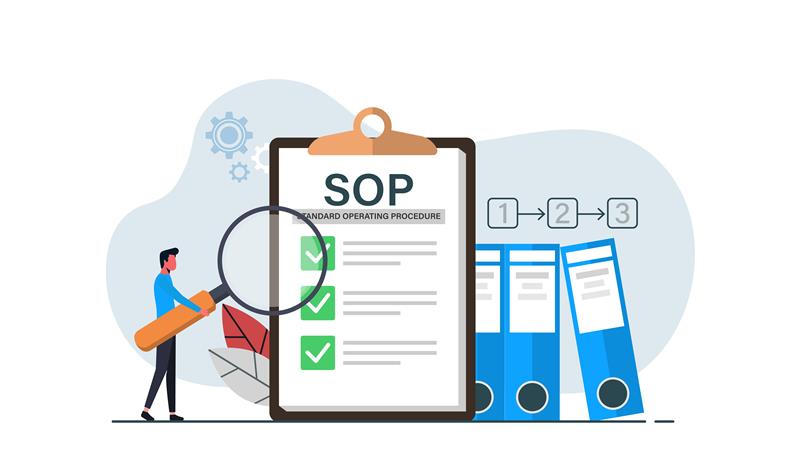
The 10 Essential Components of an IT SOP Template
1. SOP Header Information
- SOP Title: Descriptive and searchable
- SOP ID: Unique identifier for tracking
- Version: Current version number and date
- Owner: Individual responsible for maintenance
- Last Review Date / Next Review Date
2. Purpose and Scope
What the procedure accomplishes and when it applies.
Example: "This SOP defines the daily automated backup verification process for production databases. Applies to all production database servers across the organization."
3. Preconditions and Dependencies
Requirements that must be met before execution:
- System access
- Prerequisite tasks
- Required approvals
- Maintenance windows
4. Required Tools and Access
- Software tools
- Credentials
- Network access
- Communication channels for escalation
5. Step-by-Step Procedure
Numbered actions with exact commands or GUI navigation. Include:
- Expected results
- Decision points with branching logic
- Screenshots where helpful
Example:
Step 1: Verify Prerequisites
1. Check system access and required permissions are active
2. Confirm maintenance window is active (if applicable)
3. Verify backup storage has adequate available space
4. Review any recent system alerts or warnings
6. Validation and Success Criteria
Specific, measurable criteria indicating successful completion.
7. Rollback Steps
Instructions to restore the previous state if something goes wrong. Critical for procedures that modify configurations or data.
8. Troubleshooting Common Issues
Known problems from previous executions and their resolutions.
9. Related Documentation
Links to related SOPs, runbooks, architecture diagrams, and escalation procedures.
10. Review History and Change Log
Version history with dates, changes, and approvers.
IT SOP Template Example: Database Backup Verification
Here's a simplified example showing the template in action:
SOP Header
- SOP Title: Daily Database Backup Verification Procedure
- SOP ID: SOP-DB-001
- Version: 1.2 (2024-12-15)
- Owner: Database Team Lead
Purpose and Scope
Verify that daily automated database backups completed successfully and meet retention requirements. Applies to all production and staging database systems.
Preconditions
- Access credentials to backup management system
- Current backup schedule documentation
- Access to operations log or ticketing system
Required Tools
- Backup management console access
- Operations logging system
- Communication access to database team channel
Procedure
Step 1: Access Backup System
- Log into the backup management console
- Navigate to the backup jobs dashboard or monitoring section
- Apply filter to show jobs from the previous 24-hour period
Step 2: Verify Backup Completion
- Locate all scheduled backup jobs for the verification period
- Confirm each job shows successful completion status
- Verify backup file sizes are within expected ranges (compare to previous week's average)
- Check that backup completion times meet Service Level Agreement (SLA) requirements
- If any discrepancies found, note details for incident report
Step 3: Check Retention Compliance
- Review backup retention periods match documented policy
- Verify oldest backups scheduled for deletion are beyond retention period
- Confirm no gaps exist in backup coverage
Step 4: Document Results
- Record verification results in daily operations log
- If any backups failed or show anomalies, initiate incident response procedure
- Update backup tracking system with verification timestamp
- Notify team lead of any issues requiring attention
Success Criteria
- All scheduled backups show successful completion status
- Backup file sizes within 15% of previous week's average
- All backups completed within scheduled maintenance windows
- No gaps in backup coverage for the verification period
- Retention policy compliance confirmed
Troubleshooting
Issue: Backup shows failed status Resolution: Check system logs for error details, verify storage capacity, confirm network connectivity, escalate to database administrator if unresolved
Issue: Backup file size significantly differs from expected range Resolution: Verify data volume hasn't changed dramatically, check for corruption indicators, compare with recent backup history
Related Documentation
- Database Backup Configuration SOP (SOP-DB-002)
- Backup Restoration Procedure (SOP-DB-003)
- Incident Response Escalation Guide
How to Document IT SOPs: A Step-by-Step Framework
Step 1: Identify High-Risk, High-Frequency IT Processes
Prioritize based on:
| Factor | What to Consider |
|---|---|
| Frequency | Daily tasks over annual tasks |
| Risk | Impact if performed incorrectly |
| Complexity | Number of steps and decision points |
| Knowledge concentration | Single points of failure |
| Compliance requirements | Audit-required procedures |
Create a prioritization matrix and start with highest-scoring items.
Step 2: Break Tasks into Clear, Executable Steps
- Shadow someone performing the task or execute it yourself
- Document every action as it happens
- Remove all assumptions
- Test documentation by having someone unfamiliar attempt to follow it
Testing is critical. If a new team member can't follow your SOP without asking questions, it needs refinement.
Step 3: Apply a Standardized IT SOP Template
Use the template consistently.
Benefits:
- Creates predictability across all documentation
- Makes systematic updates easier when infrastructure changes
- Reduces cognitive load for technicians following procedures
Step 4: Assign Ownership and Review Cycles
Every SOP needs:
- A designated owner responsible for currency
- Review schedule (quarterly for frequent SOPs, annually for others)
- Update process triggered by incidents or infrastructure changes
Build SOP review into existing processes:
- Post-incident reviews
- Infrastructure changes
- Quarterly operational reviews
Step 5: Centralize SOP Storage for Search and Access Control
Use a centralized system providing:
- Full-text search for finding procedures during incidents
- Role-based access controls for sensitive procedures
- Version history for audit trails
- High availability during infrastructure problems
- Integration with ticketing and monitoring tools
Step 6: Validate SOPs Through Real Execution
- Schedule practice drills
- Review SOPs during post-incident analysis
- Solicit feedback from technicians
- Update immediately when problems are discovered
Common Mistakes IT Teams Make with SOP Documentation
Mistake #1: Writing SOPs Once and Never Updating Them
The problem: Infrastructure changes but SOPs remain static, creating misleading documentation.
The solution: Build maintenance into operational rhythm with assigned ownership and scheduled reviews.
Mistake #2: Overcomplicating Procedures
The problem: Attempting to document every edge case creates 30-page documents no one reads.
The solution: Focus on the 80% use case; handle edge cases in separate sections.
Mistake #3: Failing to Assign Ownership
The problem: SOPs without owners become orphaned.
The solution: Every SOP must have a designated owner listed in the header.
Mistake #4: Storing SOPs Across Disconnected Tools
The problem: Documentation fragmentation ensures SOPs won't be found during high-pressure situations.
The solution: Centralize in a single, searchable system.
Mistake #5: Creating SOPs Only After Incidents
The problem: Reactive documentation means learning expensive lessons repeatedly.
The solution: Proactively document high-risk procedures before incidents occur.
Mistake #6: Confusing SOPs with Other Documentation
The problem: Diluting the SOP category with conceptual explanations makes finding actionable procedures difficult.
The solution: Maintain clear taxonomy - SOPs are execution guides only.
These mistakes erode trust in documentation. Effective SOP programs treat documentation as a living system, not a one-time task.
IT SOPs for Compliance, Security, and Audits
SOP documentation plays a critical role in compliance and audit readiness.
Organizations cannot demonstrate control effectiveness without documented procedures.
What Auditors Look For
Auditors evaluating ISO 27001, SOC 2, HIPAA, PCI DSS, or FedRAMP look for documented procedures proving controls are:
| Requirement | What It Means |
|---|---|
| Intentional | Exist by design, not accident |
| Consistent | Followed the same way every time |
| Verifiable | Steps can be reviewed and validated |
| Transferable | Knowledge doesn't depend on specific individuals |
Requirements for Compliance-Ready SOPs
Traceability
- Version history with timestamps
- Clear ownership and approval workflows
- Documented review cycles
- Change logs
Evidence of Execution
- Links to work tickets, logs, or output files
- Validation steps creating auditable artifacts
- Integration with monitoring systems
Separation of Duties
- Clear roles for execution vs. approval
- Documented approval workflows for sensitive procedures
- Audit trails showing who performed which steps

Common Compliance Focus Areas by Framework
ISO 27001:
- Access controls
- Backup/recovery
- Incident response
- Vulnerability management
SOC 2:
- Change management
- System monitoring
- Data retention
- Vendor management
HIPAA:
- Protected Health Information (PHI) access controls
- Encryption
- Disaster recovery
- Security incidents
PCI DSS:
- Cardholder data handling
- Network segmentation
- Vulnerability scanning
- Access reviews
Well-maintained SOPs reduce audit friction significantly. Missing or outdated SOPs consistently appear in audit findings.
How IT Portal Supports IT SOP Documentation at Scale
While SOP principles apply regardless of tooling, maintaining SOPs using disconnected documents or shared drives creates operational challenges.
IT Portal provides centralized infrastructure specifically designed for operational IT documentation:
Key Features for SOP Management
- Standardized SOP templates ensure consistency across your library
- Version control and audit trails track every change with timestamps and attribution
- Centralized storage with role-based access protects sensitive procedures while keeping standard SOPs broadly accessible
- Integration with IT workflows connects SOPs with runbooks, network diagrams, asset inventory, and related documentation
- Scheduled review workflows with automated reminders and ownership assignment
- Full-text search ensures technicians find procedures quickly during incidents
The IT Portal Advantage for MSPs
For Managed Service Providers, IT Portal offers:
- Multi-tenant SOP management with client-specific customization
- Client handoff workflows built into documentation
- Granular access controls for managing multiple organizations
- Standardization across client environments while maintaining flexibility
By embedding SOPs within a structured documentation system purpose-built for IT operations, teams transform static procedures into operational assets that align with real workflows.
FAQs: IT SOP Documentation
1. How do SOPs differ in cloud vs on-premises IT environments?
Cloud SOPs emphasize API automation, CLI commands (AWS CLI, Azure CLI, gcloud), and infrastructure-as-code, while on-premises SOPs focus on physical hardware access, manual configurations, and remote management interfaces (IPMI).
Cloud SOPs must account for shared responsibility models where providers manage certain infrastructure layers. Both require security controls, but implementation differs significantly.
2. Should IT SOPs be different for MSPs and internal IT teams?
Yes - MSPs need client-specific customizations and multi-tenant workflows.
MSP SOPs include:
- Client handoff procedures
- Ticket routing
- Customization parameters for each environment
- Stricter access controls due to managing multiple organizations
Internal IT teams standardize for a single organization with consistent tools, focusing on department integrations and company-specific infrastructure.
3. How do we get buy-in from leadership for SOP documentation initiatives?
Frame SOPs as risk mitigation and cost reduction.
Quantify business impact:
- Calculate costs of extended incident resolution
- Employee turnover knowledge loss
- Failed audits
- Onboarding delays
Use recent incidents as concrete evidence: "Our recent system recovery took 4x longer than expected because procedures were outdated - properly maintained SOPs could have prevented $X in downtime costs."
Leadership responds to business impact, not documentation for its own sake.
4. How long does it take to create an IT SOP?
Simple SOPs: 2-4 hours (including documentation, review, and validation)
Complex procedures: 6-12 hours (with multiple decision points)
Ongoing maintenance: Quarterly reviews (1-2 hours) to reflect system changes and incorporate learnings
ROI calculation: A 4-hour SOP that prevents even one 2-hour incident provides immediate positive ROI.
5. How many steps should an IT SOP ideally include?
Most effective SOPs contain 5-15 discrete steps.
Beyond 20 steps, break into modular SOPs or sub-processes.
Example: Instead of "Complete Server Deployment" with 30 steps, create separate SOPs for:
- "Provision Infrastructure"
- "Configure OS"
- "Deploy Application"
Shorter SOPs are more actionable during incidents and easier to maintain. If a procedure requires 25+ steps, consider whether it should be automated rather than documented.
Turning IT SOPs Into a Scalable Operating System
Documenting standard operating procedures in IT isn't about bureaucracy - it's about operational clarity and institutional resilience.
Well-documented IT SOPs reduce risk, improve consistency, and enable teams to scale without chaos. They ensure critical knowledge survives turnover, incidents, and growth, transforming organizational memory from fragile tribal knowledge into durable operational assets.
The Path Forward
- Start with high-impact processes with greatest risk or frequency
- Use a standard template for consistency and completeness
- Assign clear ownership with maintenance accountability
- Centralize storage for searchability and access control
- Maintain over time through scheduled reviews and incident-driven updates
- Validate through execution by regularly testing procedures
Organizations that treat SOP documentation as a living operational system build resilience that compounds over time.
Each documented procedure reduces risk. Each review cycle incorporates learning. Each incident resolved faster because of good documentation provides tangible ROI.
Start Small, Build Momentum
Document one critical procedure this week. Assign an owner. Schedule a review. Then document another.
Over time, these individual SOPs become an operating system supporting reliability, security, and long-term scalability.
Ready to Centralize Your IT SOPs?
IT Portal provides the infrastructure MSPs and IT teams need to create, maintain, and operationalize SOPs at scale.
- Standardized templates
- Version control and audit trails
- Centralized, searchable storage
- Multi-tenant support for MSPs
- Integration with your existing IT workflows
Get started with IT Portal today - 30-day money-back guarantee
Book a quick demo to see how IT Portal helps MSPs and IT teams document SOPs with consistency and security.
Migrating from another platform? We offer assisted migration support - schedule a consultation to discuss your transition.

